

Alternatives to Vizcept
Vizcept turns plain-English descriptions into publication-ready concept diagrams, helping students and researchers clarify ideas with every iteration.
Explore 20 alternatives to Vizcept. Compare features, pricing, and find the best fit for your needs.

Kody Tools
Free collection of online developer utilities, code formatters, and digital converters designed to streamline your daily workflow.
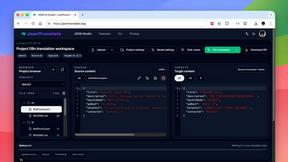
JsonTranslate
Translate JSON, Markdown, and TXT files while preserving keys, nested paths, and project structure.
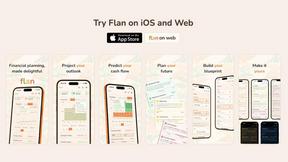
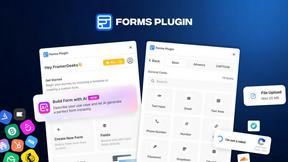
Forms Plugin
The #1 Native Form Builder Plugin for Framer - No Code, No Embeds, No External Platforms.

HomeAnswerBook
Practical, independent guides to home repairs, maintenance, costs, troubleshooting, and everyday fixes.
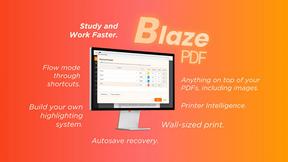
BlazePDF
Highlight faster. Study in flow with custom shortcuts and a workflow built around you. Print smarter, or turn any page into a tiled poster.


Product Launch Checklist
A free launch checklist for SaaS, apps, AI tools and more. Every step says why it matters and when you can skip it.

Video2URL
Turn videos, images, and files into secure direct links for sharing, embedding, and automated workflows.

Build Mode for Mac
Build Mode is a Mac app that turns focused sessions into visible progress, so you can see the work adding up before the results arrive.



MySOP.guru
Capture any workflow in your browser and export a branded, step-by-step SOP with screenshots. €5 per document, no subscription.

PerPageFax
PerPageFax lets you send a fax online from any browser for a flat $0.50 per page — no account, no subscription, no fax machine.



Maeve Social
Plan, approve, publish, and report on social content across nine platforms in one workspace.


About Vizcept Alternatives
Vizcept is an AI-powered concept diagram generator that belongs to the productivity and management category, designed to transform plain-English descriptions into publication-ready visuals without requiring any manual drawing or design skills. Users commonly look for alternatives to Vizcept due to evolving needs around pricing flexibility, such as seeking more generous free tiers or different subscription models, as well as feature gaps like the need for broader export formats, deeper integration with specific platforms like LaTeX or Notion, or specialized diagram types not currently covered. When choosing an alternative, it is essential to evaluate how naturally the tool interprets complex conceptual relationships, the quality and resolution of its output for academic or professional use, and whether it supports your specific discipline’s diagramming conventions without forcing you back into manual layout work. The search for a replacement often stems from a desire for continuous improvement in the diagramming workflow, where the tool must iteratively refine its understanding of your topic as you describe it, rather than generating a one-time static visual. Look for alternatives that offer cyclical feedback loops, allowing you to tweak descriptions and regenerate visuals until the logic matches your intent, alongside robust export capabilities that let you move seamlessly from initial draft to final publication. The ideal alternative will grow with your needs, supporting everything from simple free-body diagrams to complex phylogenetic trees, all while maintaining a focus on reducing the friction between your ideas and their visual representation.
FAQs about Vizcept Alternatives
What is Vizcept?
Vizcept is an AI-powered concept diagram generator that turns plain-English descriptions into clear, publication-ready visuals. Instead of manually drawing boxes and arrows, you simply describe your topic, and the AI identifies key concepts, causal relationships, and logical structures to produce a professionally structured diagram in seconds. It is designed for use in coursework, journal papers, posters, and lecture slides.
Who is Vizcept for?
Vizcept is built for anyone who thinks in concepts and relationships, including students, researchers, educators, and professionals who need to create clear diagrams without learning complex design tools. It is especially valuable for academics preparing figures for theses or peer-reviewed papers, as well as presenters who want publication-ready visuals for slides and posters. The tool supports specialized diagram types across disciplines, making it useful for scientists, engineers, and social scientists alike.
Is Vizcept free?
Yes, Vizcept offers a free tier that allows you to start without a credit card, providing free credits to generate your initial diagrams. This makes it easy to test the tool's capabilities before committing to any paid plan. For extended use, there may be additional paid options, but the core experience is accessible without upfront payment.
What are the main features of Vizcept?
Vizcept's main features include natural language input, where you describe your topic as you would to a colleague, and context-aware generation that understands methodological structure rather than just visual layout. It supports 4K Ultra HD and SVG export for crisp PNGs and editable files compatible with Figma, Illustrator, and Inkscape. The tool also offers specialized diagram makers for various disciplines, such as Free Body Diagram, Syntax Tree, Food Web, Conceptual Framework, and Phylogenetic Tree, all designed for publication-ready output.