
ButterShare
Send files straight between two browsers with a 6-digit key. No signup, no install, nothing stored on a server.
Visit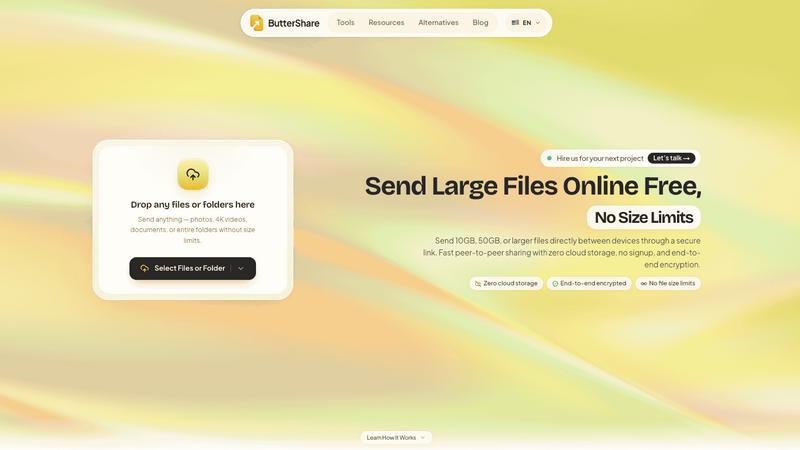
About ButterShare
ButterShare moves a file from one browser to another without a cloud upload step. Open it on the sending device, choose a file or a folder, and the page shows a short 6-digit key. Enter that key in the receiving browser and the transfer begins: the data travels directly between the two machines over an encrypted peer-to-peer connection, so nothing is kept on a server and no account is needed on either side. It runs in a normal browser tab on Windows, macOS, Linux, ChromeOS, Android and iPhone, which makes it useful for the small everyday handoffs that usually get solved with an email to yourself, a USB stick or a chat message. There is no storage quota, subscription or login standing between you and the transfer, because there is no storage involved at all. When a strict corporate network blocks a direct peer-to-peer route, ButterShare can fall back to an encrypted relay just to complete that transfer; the relay is not a place your files live. Use it for moving a folder of photos off a phone, sending a document to a colleague in the next room, or getting a file onto a machine that has no software installed. Free to use.
Similar to ButterShare

Manifolds deanonymizes and researches your users at signup, so you can know who your users actually are.

Free email tools for signatures, subject lines, HTML previews, word counts, and email headers. Browser-based, simple to use, and no signup required.

Jomatter provides free online tools for HTML, CSS, and JavaScript developers, helping simplify common web development and coding tasks.

Clone any webpage pixel-perfect, export HTML/CSS/ZIP or React/Vue components.

Chrome extension that shows Todoist sub-tasks nested inline in Today, Upcoming, and Filter views. Free tier, $19.99 one-time unlock.

A human-tested directory of new software, AI apps, and dev tools. Tested by real people, ranked by honest community votes.

See every app and what it's using in plain English, and end or slow down the one that's hogging your Mac.

Clip pages, take full-page screenshots and batch-capture list data to Notion, Feishu, Obsidian, Markdown, CSV or JSON.