
Foreman
See every app and what it's using in plain English, and end or slow down the one that's hogging your Mac.
Visit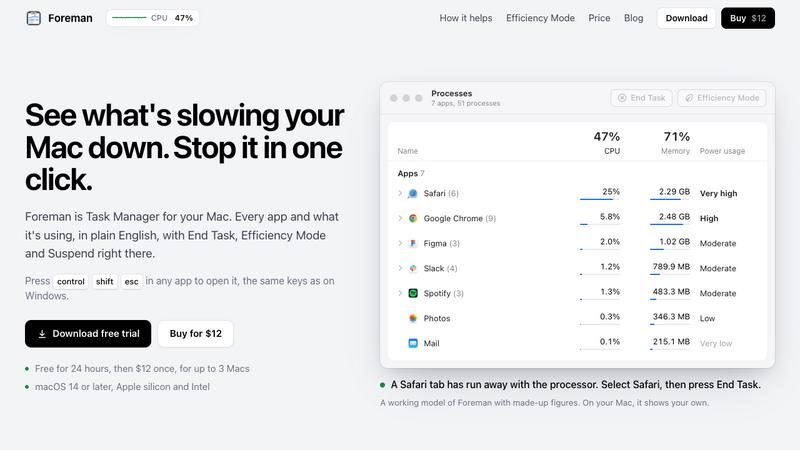
About Foreman
Foreman is a Windows-style Task Manager for the Mac. Press Control Shift Escape in any app to open it and see every app and what it's using, in plain English, with End Task, Efficiency Mode and Suspend right there.
Six pages in the sidebar: Processes, Performance with live graphs for CPU, memory, disk, Wi-Fi and GPU, App History, Startup Apps (including leftovers of deleted apps), Details and Services. System processes get a plain description beside their real name.
Efficiency Mode lets an app you need open run slowly in the background, on the efficiency cores of Apple silicon, and at full speed again when you switch to it. A live readout sits in the menu bar.
Free for 24 hours, then $12 once for up to 3 Macs. macOS 14 or later, Apple silicon and Intel.
Explore more in this category:
Similar to Foreman

PSA software for agencies and service firms: CRM, projects, time tracking, resource planning and invoicing in one place.


Free, open-source PDF editor for Windows, macOS, Linux, FreeBSD, and modern browsers.

Fundraising platform for nonprofits with donations, campaigns, donor CRM, events, automated communications, reporting, and more.

Find More Leads. Grow Your Business

GigUp helps freelancers discover relevant Upwork jobs through AI matching, automated monitoring, and instant alerts.

Free, open-source word processor for private browser and offline writing on every major desktop platform.

AI image creation and editing studio with text prompts, reference images, flexible controls, and clean watermark-free downloads.