

Alternatives to Caption.IM
Caption.IM turns any Mac audio into real-time captions, translations, and summaries, iterating your workflow with each use.
Explore 20 alternatives to Caption.IM. Compare features, pricing, and find the best fit for your needs.
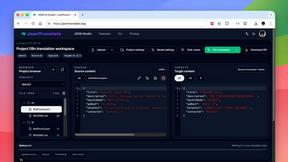
JsonTranslate
Translate JSON, Markdown, and TXT files while preserving keys, nested paths, and project structure.
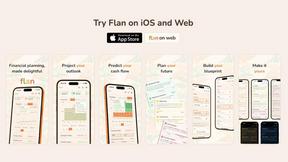
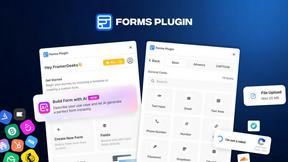
Forms Plugin
The #1 Native Form Builder Plugin for Framer - No Code, No Embeds, No External Platforms.

HomeAnswerBook
Practical, independent guides to home repairs, maintenance, costs, troubleshooting, and everyday fixes.

BlazePDF
Highlight faster. Study in flow with custom shortcuts and a workflow built around you. Print smarter, or turn any page into a tiled poster.


Product Launch Checklist
A free launch checklist for SaaS, apps, AI tools and more. Every step says why it matters and when you can skip it.

Video2URL
Turn videos, images, and files into secure direct links for sharing, embedding, and automated workflows.
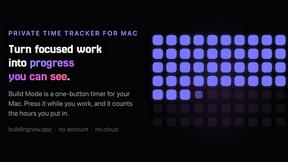
Build Mode for Mac
Build Mode is a Mac app that turns focused sessions into visible progress, so you can see the work adding up before the results arrive.



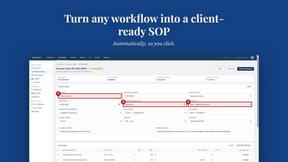
MySOP.guru
Capture any workflow in your browser and export a branded, step-by-step SOP with screenshots. €5 per document, no subscription.

PerPageFax
PerPageFax lets you send a fax online from any browser for a flat $0.50 per page — no account, no subscription, no fax machine.



Maeve Social
Plan, approve, publish, and report on social content across nine platforms in one workspace.



About Caption.IM Alternatives
Caption.IM is a privacy-first AI captioning assistant designed for macOS that transforms any system audio into real-time captions, translations, and structured meeting summaries. It belongs to the productivity and management category, specifically serving users who need accessibility enhancements, multilingual support, and efficient note-taking across applications like Zoom, Google Meet, and YouTube. While Caption.IM offers powerful local processing and broad compatibility, users commonly explore alternatives due to its macOS-only limitation, pricing structures that may not fit every budget, or a desire for more specialized features like advanced editing or cloud-based collaboration. The search for an alternative often begins when a user’s workflow evolves, requiring continuous improvement in capture accuracy, platform flexibility, or integration depth. When evaluating an alternative to Caption.IM, it is essential to prioritize tools that align with your operating system, privacy requirements, and the specific applications you use daily. Look for solutions that offer real-time transcription accuracy, robust language support for translation, and seamless compatibility with your preferred video conferencing or media platforms. Consider whether you need local processing for security or cloud-based features for team access, and assess the depth of summary generation—such as action items and mind maps—as these can significantly enhance productivity. The best choice will be one that adapts to your changing needs, offering iterative improvements in AI performance and user experience over time.
FAQs about Caption.IM Alternatives
What is Caption.IM?
Caption.IM is a privacy-first AI captioning assistant built exclusively for macOS that captures system audio to generate real-time captions, instant translations, recordings, and structured meeting notes. It uses local AI and Local LLMs to process audio directly on your device, ensuring conversations remain private without relying on browser extensions or meeting bots. The tool works across nearly any application on your Mac, including Zoom, Google Meet, Microsoft Teams, YouTube, online courses, podcasts, and recorded videos.
Who is Caption.IM for?
Caption.IM is designed for macOS users who need to improve productivity, accessibility, and information equity in their daily workflows. It is ideal for professionals attending virtual meetings, students taking online courses, content creators working with podcasts or livestreams, and anyone who wants live subtitles or multilingual translation without compromising privacy. By capturing system audio directly, it serves users who operate across multiple applications and require a seamless, non-intrusive captioning solution.
Is Caption.IM free?
The provided content does not specify whether Caption.IM is free or its exact pricing model, but it emphasizes a privacy-first approach with local AI processing that may involve licensing or subscription costs. Users interested in pricing should visit the official Caption.IM website or contact their support for the most current information. The tool is positioned as a premium productivity assistant, so it likely offers tiered plans based on features like translation languages or summary generation.
What are the main features of Caption.IM?
Caption.IM offers real-time AI captions for any audio on your Mac, instant translations of multilingual content, audio recording capabilities, and structured meeting notes that include summaries, key points, action items, and mind maps. It captures system audio directly, eliminating the need for browser extensions or meeting bots, and works across applications like Zoom, Google Meet, Microsoft Teams, YouTube, online courses, podcasts, and webinars. All processing is done locally on your device, prioritizing privacy and security while enhancing accessibility.