

Alternatives to Subclip
Subclip lets you edit, caption, and dub videos with voice cloning, so you can reclaim 80% of your time and go global.
Explore 9 alternatives to Subclip. Compare features, pricing, and find the best fit for your needs.
HubVanta
HubVanta is a free AI creative toolkit for generating images, videos, voices, and visual edits from one browser workspace.
Oravaa
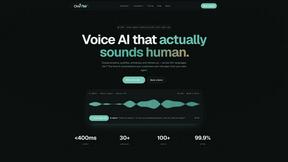
Oravaa's human-sounding Voice AI scales your phone operations by handling 24/7 support, qualifying leads, and automating outreach, continuously.
Hush Touch | Voice-to-Text for MacOS
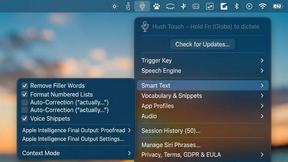
Hush Touch is an offline voice-to-text app for Mac that learns your vocabulary and enhances dictation accuracy.
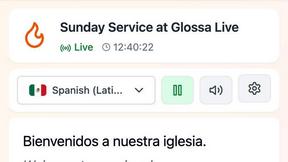
Glossa
Glossa delivers real-time AI translation of sermons into 100+ languages, breaking language barriers effortlessly.
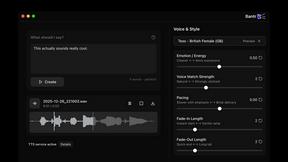
Bantr: Offline & Unlimited TTS for Mac
Bantr offers unlimited offline text-to-speech on Mac, ensuring privacy and natural voiceovers without subscriptions.

KaiCalls
KaiCalls is your 24/7 AI voice agent that effortlessly answers calls, qualifies leads, and schedules appointments.
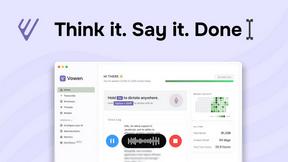
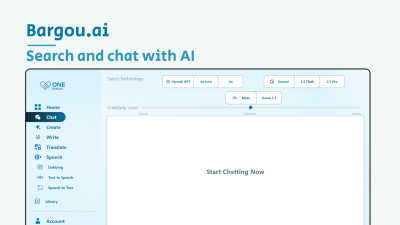
Bargou One
Bargou One continuously evolves to help you create, write, translate, and understand across all media.
About Subclip Alternatives
Subclip has carved out a niche as an AI-powered video editor that redefines the editing workflow, particularly for those who prioritize speech and voice content. By allowing users to edit video by manipulating a transcript—much like editing a document—it belongs to the emerging category of AI-driven speech and voice tools that automate post-production. Despite its robust set of features like voice cloning, auto-subtitles, and multi-language dubbing, users often seek alternatives for a variety of reasons. These can include the need for a different pricing model that better fits a tight budget, a desire for a more extensive library of stock assets or effects, or a requirement for native mobile apps or offline functionality that Subclip may not fully address. When evaluating an alternative, it is crucial to focus on the core capabilities that matter most to your workflow. Look for tools that offer accurate transcription and subtitle generation, as these are foundational to the text-based editing experience. Assess the quality and control of the voice cloning and dubbing features, ensuring they can maintain natural intonation and preserve background audio. Consider the platform's ecosystem, including integration with other software you use, and examine the pricing structure closely to see if it scales with your project volume. Ultimately, the right choice will be one that continuously improves your editing speed and output quality, closing the gap between your current process and your ideal, streamlined production pipeline.
FAQs about Subclip Alternatives
What is Subclip?
Subclip is an AI-powered video editor designed to simplify the editing process by allowing users to edit video content as if they were editing a text document. It leverages advanced AI to handle tasks like voice cloning, automatic subtitle generation, silence removal, and multi-language dubbing, all within a single platform. This approach removes the complexity of traditional timeline-based editing, making video production faster and more intuitive for non-professional editors.
Who is Subclip for?
Subclip is built for a wide range of content creators, including YouTubers, podcasters, course creators, and marketing teams. It is particularly valuable for educators and businesses that need to produce polished video content efficiently without a steep learning curve. The tool is designed for anyone who wants to streamline their video production workflow by automating repetitive tasks like cutting silences, generating subtitles, and dubbing audio.
Is Subclip free?
Subclip operates on a freemium pricing model, which includes a free tier that allows users to test its core features. For more advanced capabilities, higher usage limits, or access to premium features like extended voice cloning or unlimited dubbing, users can upgrade to one of its affordable paid plans. This structure makes it accessible for individuals and small teams to start without upfront investment while scaling as their needs grow.
What are the main features of Subclip?
Subclip's main features include text-based video editing via transcript manipulation, AI-powered voice cloning for re-recording parts of a video, and one-click removal of silences and filler words. It also offers automatic subtitle generation, multi-language dubbing that preserves background music, and comprehensive transcription services. These features are integrated into a single interface, eliminating the need to switch between multiple tools for post-production tasks.