
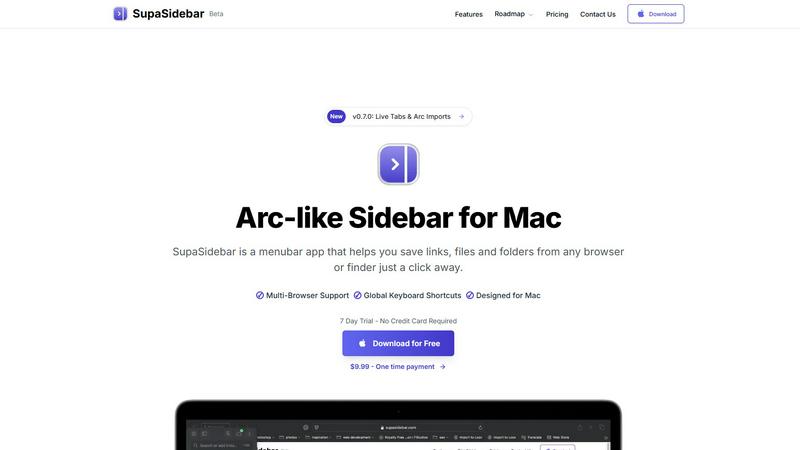
About SupaSidebar
SupaSidebar is a transformative menubar application for macOS, designed to bring the elegant, productivity-boosting experience of the Arc browser's sidebar to your entire Mac desktop. It acts as a universal command center, providing instant, organized access to your most important digital resources—links, files, folders, and applications—right from a sleek, native sidebar. Built for professionals, students, researchers, and anyone who multitasks online, SupaSidebar solves the common frustrations of tab overload, disorganized bookmarks, and slow context-switching. Its core value proposition is a seamless, focused, and fast workflow. With global keyboard shortcuts that work across any browser (including Safari, Chrome, Firefox, Brave, and Arc) and Finder, you can save or copy a URL in one keystroke. The app is built on a philosophy of continuous improvement, with regular updates driven by user feedback, ensuring the tool evolves to meet real-world needs. Your data remains private and local on your Mac, and with a free-forever tier available, you can experience a new level of organized productivity without risk. SupaSidebar is more than just an organizer; it's an ever-evolving platform designed to help you work smarter, not harder.
Features of SupaSidebar
Universal Save & Copy Shortcuts
Effortlessly capture web content without interrupting your flow. With globally recognized keyboard shortcuts (Command + Control + S to save, Command + Control + C to copy the current URL), you can instantly send any link from any major browser directly into your SupaSidebar. This eliminates the tedious process of copy-pasting into separate note-taking apps or managing a chaotic bookmark bar, keeping your research and resources neatly organized in one dedicated, accessible space.
Recents & Favorites for Instant Recall
Never lose track of your work again. The "Recents" section automatically tracks every website you've visited in the last 48 hours, acting as a short-term memory for your browsing. For your essential tools, the "Favorites" (pinned items) feature keeps your most-used links, files, and apps permanently anchored at the top of the sidebar. This combination ensures that whether you're returning to yesterday's research or launching a daily dashboard, everything is just one click away.
Fast, Unified Search (CMD + CTRL + K)
Break down the barriers between apps and files. By pressing Command + Control + K, you activate a powerful, instantaneous search across your entire SupaSidebar library. This command bar lets you find and launch any saved website, local file, folder, or application without ever needing to switch contexts or dig through Finder windows. It's the fastest way to navigate your digital workspace, turning intention into action in seconds.
Native macOS Design & Privacy
SupaSidebar is built to feel like a natural extension of your Mac. It features a lightweight, unobtrusive interface that perfectly aligns with macOS aesthetics, appearing only when you need it. Critically, it operates with a strong commitment to privacy: all your data—every link, file reference, and organizational structure—stays locally on your machine. Nothing is sent to external servers, giving you complete control and peace of mind.
Use Cases of SupaSidebar
Academic and Deep Research
For students and academics conducting research, SupaSidebar is indispensable. You can save journal articles, source materials, and reference websites from multiple browsers into dedicated project spaces. The "Recents" feature helps you backtrack through your browsing history, while fast search lets you pull up any source instantly when writing papers. This keeps your research pipeline organized and efficient, turning a sprawling literature review into a manageable process.
Creative Project Management
Designers, writers, and developers can use SupaSidebar to centralize all project assets. Save inspiration from the web, pin links to design prototypes or copy documents, and keep project folders and resource files instantly accessible. By having mood boards, briefs, tools, and deliverables in one unified sidebar, you can maintain creative focus without the distraction of hunting through downloads, bookmarks, and open tabs.
Daily Workflow and Multitasking
For any professional juggling communication, documentation, and task management, SupaSidebar streamlines the daily grind. Pin your email, calendar, task manager, and CRM to the top. Use global shortcuts to quickly save meeting links or relevant documents encountered during the day. The sidebar becomes a persistent, clean hub for all work essentials, drastically reducing time spent alt-tabbing between applications and browser windows.
Personal Knowledge Curation
For lifelong learners and hobbyists building a personal knowledge base, SupaSidebar acts as a digital commonplace book. Save interesting articles, tutorials, recipes, or travel ideas as you browse. Organize them into spaces for different interests. Since everything is saved locally and searchable, you build a valuable, private repository of information that you can easily revisit and draw from over time, all without relying on cloud services.
Frequently Asked Questions
Is SupaSidebar a browser extension?
No, SupaSidebar is not a browser extension. It is a standalone macOS menubar application that works independently alongside all your browsers. It uses system-level accessibility features to interact with your active browser window, allowing its global keyboard shortcuts to function universally in Safari, Chrome, Firefox, Brave, Arc, and others without requiring individual extensions.
Which browsers does SupaSidebar work with?
SupaSidebar is compatible with all major web browsers on macOS, including Safari, Google Chrome, Mozilla Firefox, Brave, and the Arc browser. Its universal keyboard shortcuts are designed to work seamlessly across these platforms, providing a consistent save and copy experience regardless of which browser you prefer to use for your daily tasks.
What macOS version do I need?
SupaSidebar requires macOS 13 (Ventura) or a later version to operate. This ensures the application can utilize the latest system frameworks and security features necessary for its global shortcuts, native integration, and smooth performance, providing you with the best possible experience on your Mac.
Where is my data stored?
All your data is stored locally and privately on your Mac. Nothing—not your saved links, file paths, or organizational spaces—leaves your computer or is sent to external servers. This commitment to local-first storage is a core part of SupaSidebar's design philosophy, ensuring your privacy and giving you complete control over your information.
Pricing of SupaSidebar
SupaSidebar offers a transparent pricing model to suit different user needs. A Free Forever plan is available, which supports all major browsers and includes 3 spaces, perfect for daily use. For users needing more organization, the Pro plan offers unlimited spaces, early access to new features, and priority support, priced at $13.99/year or $19.99/month. There is also a limited-time Lifetime purchase option for $34.99 (normally $49.99). Both paid plans are currently available with a 30% discount using the code BETA30 during the beta period. All paid options include a 14-day money-back guarantee, and a 50% student discount is available upon verification.
Explore more in this category:
Similar to SupaSidebar

Build Mode is a Mac app that turns focused sessions into visible progress, so you can see the work adding up before the results arrive.

Capture any workflow in your browser and export a branded, step-by-step SOP with screenshots. €5 per document, no subscription.

PerPageFax lets you send a fax online from any browser for a flat $0.50 per page — no account, no subscription, no fax machine.

Track staff & time. Free trial. Cloud/on-prem.

Free construction calculators with formulas, steps, and assumptions.

Plan, approve, publish, and report on social content across nine platforms in one workspace.

AI finds your lost links. Summarizes & tags URLs.

Follow news, blogs, newsletters, and podcasts in a free RSS reader, with AI summaries, top stories, full-text search, saved searches, and a catalog.