
ProspectBuddy
ProspectBuddy streamlines lead capture from LinkedIn to your CRM in one click, ensuring safe, compliant, and efficient prospecting.
Visit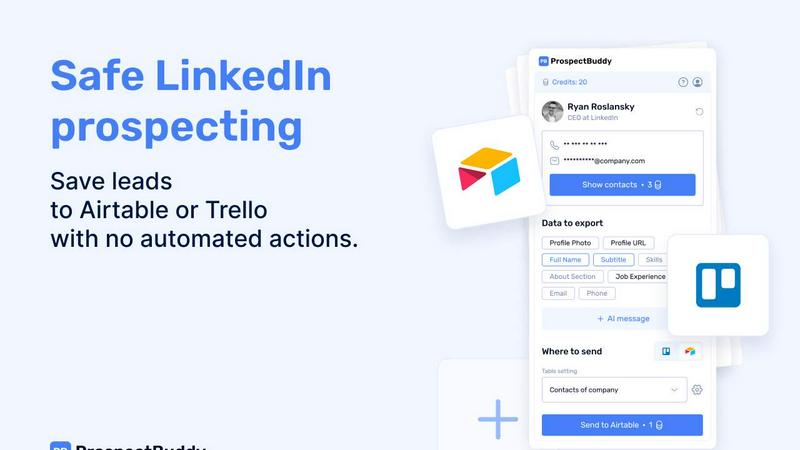
About ProspectBuddy
ProspectBuddy is a cutting-edge LinkedIn prospecting tool meticulously crafted to seamlessly integrate with workflows in Airtable and Trello. This innovative platform is designed for sales teams, recruiters, founders, and operators who aim to manage leads more effectively. With just a single click, users can save LinkedIn profiles, eliminating the tedious and error-prone manual copy-pasting process. By transforming LinkedIn profiles into structured records, ProspectBuddy streamlines lead management, allowing users to focus on outreach rather than data entry. Unlike conventional automation tools that automate actions on behalf of users, ProspectBuddy emphasizes manual prospecting, giving users full control over their outreach strategies. This approach not only enhances safety and compliance but also promotes a more personal connection during the prospecting process. Key features include verified email and phone number discovery, AI-generated personalized outreach messages, and the ability to capture only essential profile fields, ensuring an organized and consistent prospecting workflow.
Features of ProspectBuddy
One-Click Profile Saving
ProspectBuddy allows users to save LinkedIn profiles with a single click, automatically transforming them into structured records in Airtable or Trello. This eliminates manual data entry, drastically reducing errors and saving valuable time.
Verified Contact Discovery
The tool offers verified email and phone number discovery, enabling users to acquire accurate contact information for their leads. This feature ensures that your outreach is directed at the right individuals, increasing the chances of successful engagement.
AI-Powered Outreach Messaging
With ProspectBuddy, users can generate personalized outreach messages in seconds using LinkedIn profile data. This AI-driven feature allows for tailored communication, making your outreach more relevant and engaging to potential leads.
Customizable Data Capture
Users can select specific LinkedIn fields to capture and send to their preferred database, whether it be Airtable or Trello. This customization ensures that only the necessary information is recorded, maintaining clarity and organization within the prospecting workflow.
Use Cases of ProspectBuddy
Sales Teams
Sales teams can leverage ProspectBuddy to efficiently manage their leads from LinkedIn. By saving profiles directly into Airtable or Trello, teams can streamline their outreach process and focus on closing deals rather than data entry.
Recruiters
Recruiters can utilize ProspectBuddy to enhance their hiring pipeline. The ability to save candidate profiles as structured cards in Trello allows for a more organized and efficient recruitment process, ensuring that no candidate is overlooked.
Founders and Entrepreneurs
Founders can use ProspectBuddy to build their network and connect with potential partners or investors. By capturing relevant LinkedIn data, they can effectively manage outreach efforts and follow up with key contacts.
Marketing Professionals
Marketing professionals can use ProspectBuddy to gather leads for targeted campaigns. By easily saving and organizing LinkedIn profiles, they can create tailored marketing strategies based on the specific needs and interests of their prospects.
Frequently Asked Questions
How do I connect Airtable?
To connect Airtable, click the "Airtable" option on the Connect screen or in your Profile, select the bases or workspaces you wish to access, and then click "Grant access." The connection status will be displayed on your Profile page, and you can disconnect anytime.
How do I send LinkedIn data to Airtable?
First, create a new setting in the Settings menu. Select your Airtable base and table, and map the LinkedIn fields accordingly. Once set up, open a LinkedIn profile, parse the profile, select the fields and your setting, then click "Send to Airtable" to add the contact to your selected table.
Is ProspectBuddy safe to use with LinkedIn?
Yes, ProspectBuddy is designed for safe, manual LinkedIn prospecting. It does not perform automated actions on your behalf, allowing you to maintain control while working directly from LinkedIn, making it a safer alternative to bulk scraping and risky automation tools.
Why don’t I see some Airtable fields?
Only compatible field types are supported in ProspectBuddy. If certain field types do not appear, it is because they are unsupported. Examples of compatible types include Text for names and skills, and Email or Phone for contact information.
Similar to ProspectBuddy

CleanSmart removes duplicates, fixes formatting, fills gaps, and flags anomalies in one automated pass. No code. No data engineers.

Peak Answer helps brands understand when AI search engines recommend them, where competitors win, and most importantly, how to close the gap.

Search 20,000+ open-source and SaaS tools by the job you need done or the app you want to replace.

Your Social Media Content Engine That Drives Revenue. Distribute your content to every social media platform and track it in real time.

The #1 Native Form Builder Plugin for Framer - No Code, No Embeds, No External Platforms.

Create AI UGC video ads from a product URL, image, or script with lifelike creators, natural voices, captions, product visuals, and clear CTAs.

Z Image Turbo is an online AI image generator for photorealistic images, bilingual posters, ecommerce visuals, ads, and social content.

AI SEO platform for keyword research, content briefs, writing, grading, optimization and publishing.