
online audio test
Test your mic, speakers, latency, and hearing instantly with free, no-signup audio tools that keep getting better.
Visit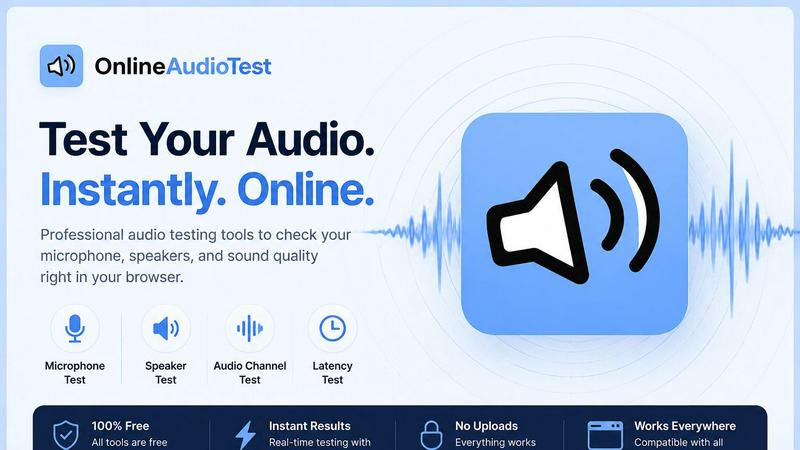
About online audio test
Online Audio Test is a comprehensive, browser-based suite of free audio diagnostic tools designed to give users instant, accurate feedback on their audio hardware. The platform eliminates the traditional friction of audio testing by requiring no downloads, no sign-ups, and no app store visits. Whether you are a remote worker troubleshooting a muffled microphone before a critical Zoom call, a musician checking headphone frequency response, a gamer measuring Bluetooth audio latency, or a DJ analyzing the BPM and key of a new track, this toolset provides focused, single-purpose tools that deliver clear, honest results. The core value proposition is speed and clarity. Every tool on the site is built to do one thing exceptionally well, with a clean interface that responds immediately. Mic audio processing happens entirely within your browser using the Web Audio API, meaning nothing is ever sent to any server, making the platform private by default. The suite includes a mic check online tool, a left right audio test for stereo imaging, a headphone test with frequency sweeps, an audio latency tester for Bluetooth and wired connections, a hearing test that estimates your hearing range, a real-time spectrum analyzer, a browser-based voice recorder, a microphone quality diagnostic tool, a BPM detector, and a song key finder. All tools are mobile, tablet, and desktop friendly, fully responsive, and completely free. The platform is continuously refined to ensure every test provides actionable insights, helping users identify faulty channels, driver damage, tonal imbalances, audio delay, or microphone issues in seconds. It is built for anyone who needs to verify their audio setup is working correctly, from casual users to audio professionals.
Features of online audio test
Mic Check Online
The Mic Check Online tool is the most frequently used feature, designed to instantly verify your microphone is functioning correctly. When you click the test button and grant browser permission, the tool detects your connected microphone and displays a live waveform and real-time input level meter that responds to your voice. This immediate visual feedback confirms the mic is being detected and capturing sound. You can then record a short sample and play it back instantly to hear how you sound to others. The tool supports all common microphone types, including built-in laptop mics, USB desk microphones, Bluetooth headsets, and earphone mics. This makes it an essential first step for troubleshooting audio issues before important calls, recordings, or streaming sessions.
Left Right Audio Test
The Left Right Audio Test is a comprehensive stereo imaging diagnostic tool for speakers, headphones, and earphones. It helps users identify if their audio output is correctly configured for stereo playback. The tool includes tests using pink noise and sine tones to check for correct channel identification, faulty channels, and swapped left/right audio output. By playing distinct sounds through each channel separately, users can quickly determine if their audio setup is delivering sound to the correct ear or speaker. This is particularly valuable for gamers who rely on spatial audio cues, music producers mixing in stereo, or anyone who has recently connected new audio hardware and wants to verify proper channel mapping.
Audio Latency Test
The Audio Latency Test measures the delay between when audio is generated and when it is heard, providing precise measurements in milliseconds. This feature is essential for diagnosing Bluetooth audio delay, AirPods lag, Zoom meeting sync issues, and gaming latency. The test works by playing a sound and detecting when it reaches the microphone, calculating the round-trip delay. Users can test both wired and wireless connections to compare performance. For professionals who rely on real-time audio feedback, such as video conferencing participants or online gamers, this tool helps identify problematic latency that could cause echo, desynchronization, or delayed reactions. The results are displayed instantly, allowing users to troubleshoot and optimize their audio setup.
Hearing Test
The Hearing Test uses a pure tone sweep generated through the Web Audio API to estimate the highest frequency a user can hear. The test gradually increases the frequency of a sine tone, and the user indicates when they can no longer hear it. This provides an estimate of their hearing range, which can be correlated with typical age-related hearing loss patterns to suggest a "hearing age." The test is entirely browser-based, requiring no downloads or special equipment beyond standard headphones or earbuds. It is a useful tool for anyone curious about their hearing health, musicians who need to ensure they can perceive the full frequency range of their instruments, or individuals who want to monitor changes in their hearing over time.
Use Cases of online audio test
Troubleshooting Remote Work Audio Issues
Remote workers frequently encounter audio problems during video calls, from colleagues saying "you sound muffled" to complaints about echo or background noise. Using the Mic Check Online tool, a user can quickly verify their microphone is detected and capturing clear audio. They can then use the Audio Latency Test to check if Bluetooth delay is causing desynchronization with video. The Left Right Audio Test ensures their headphones are correctly configured for stereo audio. This systematic approach allows remote workers to identify and resolve audio issues before important meetings, ensuring professional communication quality without needing IT support.
Evaluating New Headphones or Speakers
When purchasing new headphones, speakers, or earphones, users need to verify the product is functioning correctly. The Left Right Audio Test confirms proper stereo imaging and identifies any faulty channels. The Headphone Test runs frequency sweeps and pink noise to evaluate audio quality across the entire frequency range, helping to identify driver damage or tonal imbalances. A user can compare the frequency response of their new device against their old one, ensuring the new purchase delivers the expected audio quality. This use case is valuable for audiophiles, gamers, and casual listeners alike who want to ensure their investment performs as advertised.
Diagnosing Bluetooth and Gaming Latency
Gamers and streamers are highly sensitive to audio delay, as even small amounts of latency can ruin gameplay or create a disjointed viewing experience. The Audio Latency Test measures the delay in milliseconds for both Bluetooth and wired connections. A gamer can test their wireless gaming headset to see if the latency is acceptable for fast-paced games where audio cues are critical. Similarly, someone using AirPods for video calls can measure if the Bluetooth delay is causing a noticeable echo or sync issue. This data allows users to make informed decisions about whether to switch to a wired connection or upgrade their wireless hardware.
Analyzing Music for DJing and Production
DJs and music producers need to quickly analyze tracks to prepare for sets or production work. The BPM Detector and Song Key Detector tools allow users to upload any MP3 or WAV file and instantly get the beats per minute and musical key, including the Camelot code for harmonic mixing. The combined Key + BPM Detector provides both results in a single analysis, making it the fastest way to prepare tracks for DJ sets. This eliminates the need for expensive software or manual tempo detection, providing a free, browser-based solution that works on any device. The results are accurate and immediate, helping DJs build cohesive playlists and producers match samples harmonically.
Frequently Asked Questions
Is Online Audio Test really free to use?
Yes, every tool on Online Audio Test is completely free to use. There are no hidden charges, no subscription fees, and no premium tiers. All tools, including the mic check online, left right audio test, latency test, hearing test, spectrum analyzer, voice recorder, mic quality test, BPM detector, and key finder, are available at no cost. The platform is supported by its utility and does not require any payment or account creation to access any feature.
Do I need to download any software or create an account?
No. Online Audio Test operates entirely within your web browser. There is no software to download, no app to install, and no account registration required. Simply navigate to the website, choose the tool you need, and start your test immediately. The platform uses standard web technologies like the Web Audio API to process audio directly in your browser, ensuring a frictionless user experience.
How does Online Audio Test protect my privacy?
Privacy is a core design principle. All microphone audio processing happens entirely within your browser using local JavaScript code. No audio data is ever sent to any server, recorded on a backend, or stored externally. The mic check, voice recorder, and mic quality test all process your voice locally. The BPM and key detectors also analyze uploaded audio files entirely in your browser. This means your audio data never leaves your device, ensuring complete privacy by default.
Which browsers and devices are supported?
Online Audio Test works on all modern browsers including Chrome, Firefox, Safari, and Edge. The platform is fully responsive and touch-friendly, meaning it works seamlessly on mobile phones, tablets, and desktop computers. Whether you are using a Windows PC, Mac, Linux machine, Android device, or iPhone, you can access and use every tool without compatibility issues. The tools are designed to adapt to different screen sizes and input methods for a consistent experience.
Similar to online audio test


Send files straight between two browsers with a 6-digit key. No signup, no install, nothing stored on a server.

Manifolds deanonymizes and researches your users at signup, so you can know who your users actually are.

Jomatter provides free online tools for HTML, CSS, and JavaScript developers, helping simplify common web development and coding tasks.

Clone any webpage pixel-perfect, export HTML/CSS/ZIP or React/Vue components.

A human-tested directory of new software, AI apps, and dev tools. Tested by real people, ranked by honest community votes.

Mainspring turns the settings macOS hides into 90+ one-click, fully reversible power-ups for Finder, Dock, screenshots and more. $29 once.
