

Alternatives to online audio test
Test your mic, speakers, latency, and hearing instantly with free, no-signup audio tools that keep getting better.
Explore 20 alternatives to online audio test. Compare features, pricing, and find the best fit for your needs.
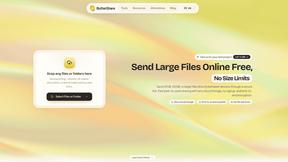
ButterShare
Send files straight between two browsers with a 6-digit key. No signup, no install, nothing stored on a server.
Manifolds
Manifolds deanonymizes and researches your users at signup, so you can know who your users actually are.
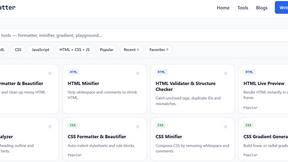
JoMatter
Jomatter provides free online tools for HTML, CSS, and JavaScript developers, helping simplify common web development and coding tasks.
ToolVerified
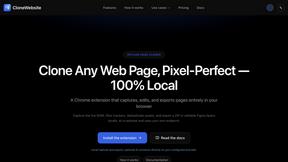
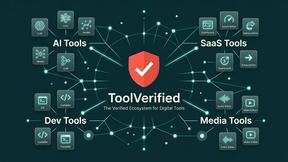
A human-tested directory of new software, AI apps, and dev tools. Tested by real people, ranked by honest community votes.
Mainspring
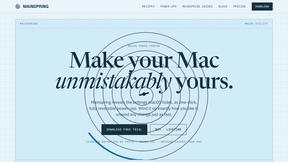
Mainspring turns the settings macOS hides into 90+ one-click, fully reversible power-ups for Finder, Dock, screenshots and more. $29 once.
Crumb
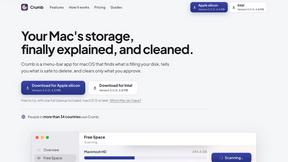
A Mac menu bar app for a full disk. See what is using your space, read whether it comes back on its own, and remove only what you tick.
Screen Issues
Free Online Screen Test Tool - Instantly diagnose dead pixels, lines, color issues, and flickering. Multiple test modes, no download needed.
OG Image Generator
Paste a URL and AI designs on-brand Open Graph images from your page's colours, fonts and logo. Free, no sign-up.
ChatterAPI
One API key and one credit balance for Reddit and X data. REST endpoints and a hosted MCP server, so your code and your agents call the same tools.
Vim.is
Vim.is is a simple online tool that helps you learn and practice Vim keyboard shortcuts quickly.
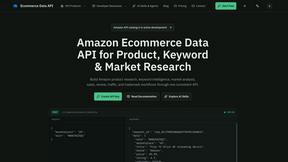
Ecommerce Data API
Amazon research data APIs for developers, sellers and AI agents. Integrate product, keyword and market research through REST APIs and MCP.
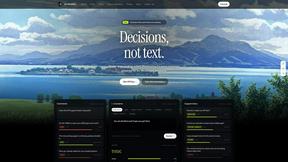
JevModel
Jev turns text or JSON into Choice, Score and Noul answers with probabilities. Build decision flows, process batches and call the API from one Console
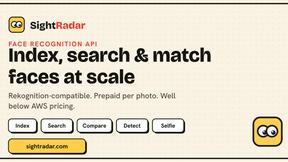
SightRadar
Face recognition API, a drop-in replacement for AWS Rekognition. Index, search, compare and detect faces, billed per photo with no subscription.
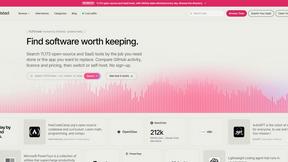
Enlisted
Search 20,000+ open-source and SaaS tools by the job you need done or the app you want to replace.
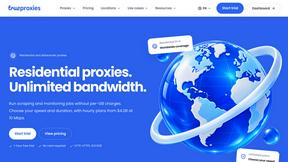
TrueProxies
Residential and datacenter proxy provider with 50M+ ethically sourced IPs across 150+ countries. Unlimited from $4.08/hr, pay-per-GB from $1.64/GB.

Sprite Sheet Maker
A free browser-based toolkit for creating, cutting, converting, and previewing sprite sheet animations.
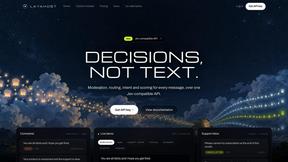
layahost
Moderation, routing, intent and scoring for any text over one Jev-compatible API, hosted in the EU.
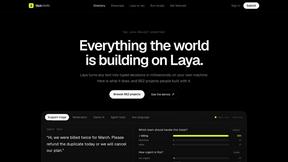
laya.tools
A free directory of 950+ projects built on Laya, the open-source decision model. Updated daily.
About online audio test Alternatives
An online audio test is a browser-based diagnostic tool that falls under the category of developer and audio hardware utilities. It allows users to instantly check the functionality and performance of their microphones, speakers, headphones, and overall audio latency without needing to install any software. Users commonly look for alternatives to such tools when they encounter limitations in feature depth, such as the need for more advanced frequency analysis, a desire for offline functionality, or specific platform requirements like compatibility with professional audio interfaces or older operating systems. Others may seek alternatives if the current tool lacks support for specific hardware configurations, such as Bluetooth codec testing or multi-channel surround sound diagnostics. When choosing an alternative, you should prioritize tools that offer a cyclical improvement cycle—meaning they provide clear, actionable feedback that helps you continuously refine your audio setup. Look for solutions that offer real-time monitoring with detailed metrics, such as precise latency measurements in milliseconds and comprehensive frequency sweeps. It is also essential to consider the breadth of tests available, from basic mic and speaker checks to advanced hearing assessments and stereo imaging verification. The ideal alternative will be one that evolves with your needs, offering iterative updates and a user interface that makes diagnosing and resolving audio issues a repeatable, straightforward process.
FAQs about online audio test Alternatives
What is online audio test?
An online audio test is a free, browser-based suite of diagnostic tools designed to evaluate your audio hardware. It includes tests for microphones, speakers, headphones, and audio latency, all accessible without any downloads or sign-ups. The suite uses the Web Audio API to provide precise measurements and real-time feedback directly in your browser.
Who is online audio test for?
This tool is built for a wide range of users, including remote workers, gamers, podcasters, musicians, and IT professionals. It is ideal for anyone who needs to quickly verify their audio setup for meetings, streaming, recording, or gaming. Additionally, it serves developers who require reliable browser-based audio diagnostics for testing and debugging purposes.
Is online audio test free?
Yes, the entire online audio test suite is completely free to use. There are no hidden fees, subscription requirements, or in-app purchases. All features, including the Mic Check, Left Right Audio Test, Headphone Test, Audio Latency Test, and Hearing Test, are available at no cost.
What are the main features of online audio test?
The suite includes five primary features: a Mic Check that verifies microphone functionality with real-time level monitoring and playback; a Left Right Audio Test that checks stereo imaging and channel balance using pink noise and sine tones; a Headphone Test with frequency sweeps to evaluate driver quality; an Audio Latency Test that measures output delay in milliseconds for wired and wireless connections; and a Hearing Test that estimates your highest audible frequency via a pure tone sweep.