
Imgezy vs MyImageUpscaler
Side-by-side comparison to help you choose the right product.

Imgezy
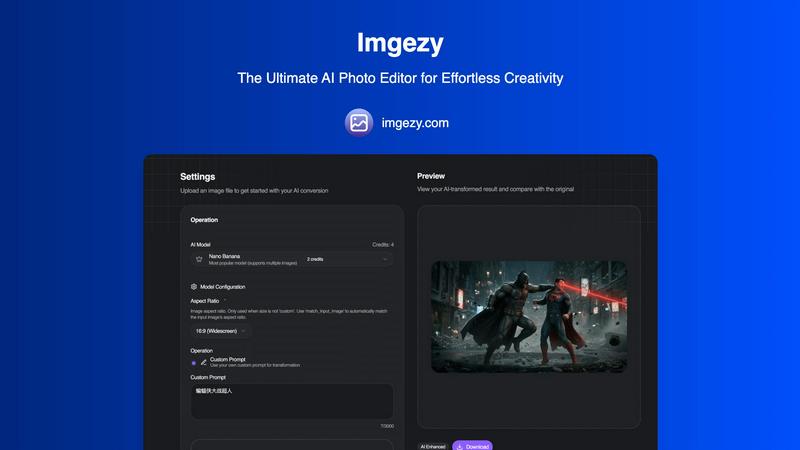
Imgezy transforms your photos effortlessly with AI, allowing you to edit, remove objects, and change backgrounds like a.
Last updated: March 1, 2026

MyImageUpscaler
Enhance and upscale your images to 4K in seconds while preserving sharp details and text clarity with MyImageUpscaler.
Last updated: February 26, 2026
Visual Comparison
Imgezy
MyImageUpscaler

Feature Comparison
Imgezy
Object Removal
Imgezy's object removal feature allows users to eliminate unwanted elements from their photos with remarkable precision. The AI intelligently identifies and reconstructs backgrounds, ensuring that no trace of the removed object remains, thereby preserving the integrity of the image.
Background Replacement
With Imgezy, changing backgrounds has never been easier. Users can swiftly replace dull or distracting backgrounds with vibrant scenes, such as stunning landscapes or solid colors, instantly enhancing the overall appeal of their photographs.
Photo Enhancement
The photo enhancement feature of Imgezy automatically optimizes images by adjusting colors, lighting, and sharpness. This ensures that every photo looks its best, making the edits professional-quality without requiring any manual adjustments.
Batch Processing
Imgezy supports batch processing, allowing users to edit multiple images simultaneously. This feature is a time-saver for those working on large projects, enabling efficient editing without sacrificing quality or detail.
MyImageUpscaler
Advanced Detail Preservation
MyImageUpscaler features advanced detail preservation technology, ensuring that images are upscaled without losing crispness. This capability is essential for maintaining the integrity of vital elements such as text and logos, making it perfect for professional applications.
Lightning-Fast Processing
With the ability to process images in under 10 seconds, MyImageUpscaler ensures that users can swiftly upscale their images without long waiting times. This feature is particularly beneficial for those on tight deadlines or handling large volumes of images.
Flexible Upscaling Options
Users can choose between 2x and 4x upscaling options, allowing for flexibility based on their specific needs. Whether a user requires a modest enhancement or a significant resolution boost, MyImageUpscaler provides tailored solutions for every scenario.
Batch Processing Capabilities
MyImageUpscaler supports batch processing, enabling users to upscale up to 500 images simultaneously. This feature is invaluable for businesses and photographers who need to enhance large quantities of images efficiently, saving time and effort.
Use Cases
Imgezy
E-commerce Product Shots
Imgezy is ideal for e-commerce businesses needing high-quality product images. Users can quickly remove distractions, adjust backgrounds, and enhance visual appeal, making their listings more attractive to potential customers.
Travel Photography
Travel enthusiasts can use Imgezy to enhance their vacation photos. By removing unwanted tourists from the background and replacing it with breathtaking landscapes, users can create stunning memories that are perfect for sharing.
Social Media Content Creation
Marketers and influencers can leverage Imgezy to generate captivating content for their social media platforms. The ability to edit photos quickly and effectively allows for more engaging posts that capture audience attention.
Personal Projects and Memories
Imgezy is perfect for personal use, enabling individuals to edit family photos or memories with ease. Users can enhance their images, making them look professional, and preserve cherished moments in the best possible light.
MyImageUpscaler
E-Commerce Optimization
E-commerce sellers can leverage MyImageUpscaler to enhance product images, making them more appealing and professional for potential buyers. High-quality visuals are crucial in attracting customers and boosting sales.
Content Creation for Social Media
Content creators can use MyImageUpscaler to resize and enhance images for platforms like Instagram, YouTube, and TikTok. By ensuring that visuals are sharp and eye-catching, creators can elevate their online presence and engagement.
Real Estate Listings
Real estate agents can prepare stunning MLS listings with enhanced property images using MyImageUpscaler. High-resolution images can capture the essence of a property, attracting potential buyers and facilitating quicker sales.
Photographic Workflow Management
Photographers can streamline their workflow by using MyImageUpscaler to process large batches of images. The platform's rapid processing and batch capabilities allow photographers to focus on creativity rather than time-consuming editing.
Overview
About Imgezy
Imgezy is a groundbreaking AI photo editing platform that redefines the way we approach digital creativity. It empowers users to transform their images using simple text instructions, making high-level photo editing accessible to everyone, from novices to seasoned professionals. With Imgezy, the need for complicated tools, layers, and extensive design experience is completely eliminated. Users can effortlessly edit images by describing what they want to change, such as "remove the person on the left" or "change the background to a sunny beach." This ease of use enables a vast community of over 200,000 creators to harness the power of AI for their projects. Imgezy is built on a foundation of continuous improvement, constantly refining its algorithms to ensure users receive pixel-perfect results every time they edit. Whether enhancing travel photos, perfecting product images for e-commerce, or creating captivating content for social media, Imgezy is your intelligent partner in creativity, turning your visions into reality within seconds.
About MyImageUpscaler
MyImageUpscaler is a revolutionary AI-powered image enhancement platform designed specifically for businesses and content creators who demand high-quality visuals. With the capability to upscale images by 2x to 4x while maintaining sharpness and enhancing fine details, MyImageUpscaler transforms ordinary images into striking visuals in mere seconds. The platform caters to a diverse audience, including e-commerce sellers looking to enhance product images, content creators optimizing visuals for social media, real estate agents preparing eye-catching MLS listings, and photographers managing large batches of images. The cutting-edge technology ensures that even the finest details are preserved, making it an ideal choice for marketing materials and branded content. MyImageUpscaler provides a free tier with 10 credits and no credit card requirement, allowing users to experience the power of AI image enhancement risk-free. Paid plans start at an affordable $9 per month, providing even more features and capabilities for professional use. Upscale smarter, not harder, with MyImageUpscaler.
Frequently Asked Questions
Imgezy FAQ
How does Imgezy work?
Imgezy utilizes advanced AI algorithms that interpret user descriptions to make specific edits to images. Users simply upload their photos and describe the changes they want, and the AI does the rest.
What types of images can I edit with Imgezy?
Imgezy supports all major image formats, including JPG, PNG, and WebP, making it versatile for various types of projects, whether personal or professional.
Is there a limit to how many edits I can make?
The number of edits you can perform depends on the plan you choose. Each plan offers a set number of credits, which determine how many images you can edit in a month.
Can I use Imgezy for commercial purposes?
Yes, Imgezy offers plans that include a commercial license, allowing users to utilize edited images for business and marketing purposes without any legal concerns.
MyImageUpscaler FAQ
How does MyImageUpscaler preserve image quality during upscaling?
MyImageUpscaler utilizes advanced neural networks to intelligently upscale images while preserving essential details, edges, and text clarity. Unlike traditional methods that result in blurry pixels, our AI reconstructs realistic details based on extensive training with high-quality image pairs.
Is MyImageUpscaler suitable for professional use?
Absolutely! MyImageUpscaler is designed for professional applications, offering superior detail preservation, high-resolution outputs, and fast processing times. It is an ideal solution for businesses, content creators, and photographers seeking quality results without the need for complicated software.
Can I use MyImageUpscaler for free?
Yes, MyImageUpscaler offers a free tier that includes 10 credits with no credit card required. This allows users to experience the platform's capabilities before deciding on a paid plan.
What types of images can I enhance with MyImageUpscaler?
MyImageUpscaler is versatile and suitable for various image types, including product photos, social media graphics, portraits, landscapes, and more. The platform is equipped to handle different formats and ensures high-quality results across the board.
Alternatives
Imgezy Alternatives
Imgezy is a revolutionary AI photo editor that simplifies the editing process by transforming text descriptions into expertly edited photos. Positioned in the image and photo editing category, it caters to a wide range of users, from novices to experienced professionals. Many users often seek alternatives to Imgezy for various reasons, including pricing, specific features, or compatibility with their preferred platforms. When choosing an alternative, it's essential to look for user-friendliness, the range of editing capabilities, and the level of support provided, ensuring that the tool aligns well with individual creative needs and workflows.
MyImageUpscaler Alternatives
MyImageUpscaler is an AI-powered image upscaling tool designed for businesses and content creators who need to enhance and improve the quality of their images quickly. By leveraging advanced technology, it can upscale images by 2x to 4x while preserving essential details and sharpness. Users often seek alternatives to MyImageUpscaler due to various reasons such as pricing structures, specific feature requirements, or compatibility with particular platforms. When searching for an alternative, it’s critical to consider the range of features offered, processing speed, and whether the platform meets your specific needs, such as batch processing capabilities or particular presets for various social media platforms. Prioritizing ease of use and the ability to maintain image quality during upscaling is also essential for ensuring you choose the right tool for your projects.