

Alternatives to TinyFast
TinyFast instantly shrinks your files privately on your Mac, getting faster and safer with every use.
Explore 20 alternatives to TinyFast. Compare features, pricing, and find the best fit for your needs.
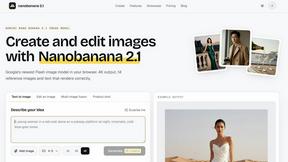
nanobanana 21
Fast, simple image creation and editing with accurate details, readable text, consistent characters, and up to 14 reference images.

Panzoe
Panzoe is an all-in-one AI platform for personal productivity, business automation, AI assistants, content creation, and custom AI solutions.
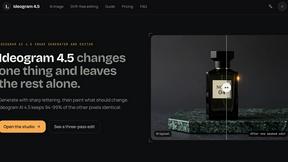
Ideogram 4.5
AI image generation and editing with precise typography, native 2K output, and localized edits.

AIPetGen
AIPetGen turns a photo of your dog, cat, or other pet, or a written description, into a new picture or a short animation.
Novastart
Novastart brings apps and files onto an infinite canvas where people and AI agents can work together.
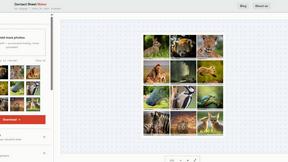
Contact Sheets Maker
Contact Sheet Maker is an online tool that allows photographers to create professional contact sheets and mood boards. It enables users to add waterma

AI Email Filter
AI Email Filter sorts incoming mail into folders using plain-language prompts you write. Works with any IMAP mailbox; bring your own LLM if you want.

Sprite Sheet Maker
A free browser-based toolkit for creating, cutting, converting, and previewing sprite sheet animations.

Kody Tools
Free collection of online developer utilities, code formatters, and digital converters designed to streamline your daily workflow.
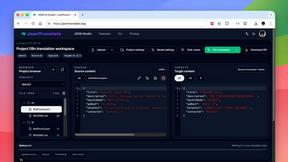
JsonTranslate
Translate JSON, Markdown, and TXT files while preserving keys, nested paths, and project structure.
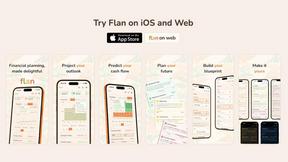

Forms Plugin
The #1 Native Form Builder Plugin for Framer - No Code, No Embeds, No External Platforms.

FaceCoda
Free AI attractiveness test and face analysis with private, on-device photo processing.

HomeAnswerBook
Practical, independent guides to home repairs, maintenance, costs, troubleshooting, and everyday fixes.
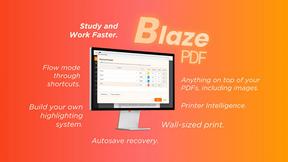
BlazePDF
Highlight faster. Study in flow with custom shortcuts and a workflow built around you. Print smarter, or turn any page into a tiled poster.


Product Launch Checklist
A free launch checklist for SaaS, apps, AI tools and more. Every step says why it matters and when you can skip it.

AIEnhancer
Enhance photos, create images, and generate videos with AI workflows, effects, and production-tested models.

Video2URL
Turn videos, images, and files into secure direct links for sharing, embedding, and automated workflows.
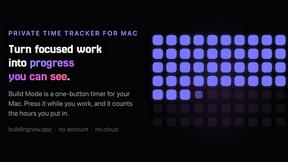
Build Mode for Mac
Build Mode is a Mac app that turns focused sessions into visible progress, so you can see the work adding up before the results arrive.
About TinyFast Alternatives
TinyFast is a dedicated macOS application for local file compression, offering a secure and fast way to shrink images, videos, and PDFs directly on your computer. It belongs to the category of productivity and optimization tools, designed for users who prioritize privacy and workflow efficiency. People often explore alternatives for various reasons, such as different pricing models, the need for cross-platform availability on Windows or Linux, or specific feature requirements not covered by a single tool. When evaluating other options, it's crucial to consider your core needs. Key factors include the privacy model—whether processing happens locally or in the cloud—the range of supported file formats, and the overall impact on your daily workflow. The goal is to find a solution that not only meets your immediate technical requirements but also aligns with a philosophy of continuous improvement in how you manage digital assets. The ideal tool should evolve with your projects, offering reliability and efficiency without compromising on security or speed. This iterative approach to selecting software ensures your digital toolkit remains robust and responsive to the changing demands of creative and technical work.
FAQs about TinyFast Alternatives
What is TinyFast?
TinyFast is a macOS application that shrinks images, videos, and PDFs instantly and privately through local compression on your Mac, eliminating the need for cloud uploads.
Who is TinyFast for?
It is designed for developers, designers, and creators who need fast, private file optimization and want to keep sensitive work securely on their local machine.
Is TinyFast secure?
Yes, TinyFast is engineered with privacy by design, performing 100% local compression so your files never leave your computer, which is ideal for NDAs and confidential projects.
What are the main features of TinyFast?
Its core features are 100% local and private compression, blazing-fast batch processing for folders of files, and support for a wide range of formats like PNG, JPEG, MP4, MOV, and PDF.