

Alternatives to SubcueAI
SubcueAI delivers real-time AI answer suggestions during video interviews to help you prepare, practice, and continuously improve your performance.
Explore 20 alternatives to SubcueAI. Compare features, pricing, and find the best fit for your needs.

JevModel
Jev turns text or JSON into Choice, Score and Noul answers with probabilities. Build decision flows, process batches and call the API from one Console

Panzoe
Panzoe is an all-in-one AI platform for personal productivity, business automation, AI assistants, content creation, and custom AI solutions.

Novastart
Novastart brings apps and files onto an infinite canvas where people and AI agents can work together.
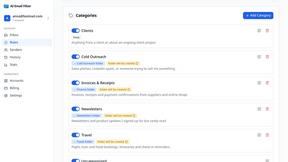
AI Email Filter
AI Email Filter sorts incoming mail into folders using plain-language prompts you write. Works with any IMAP mailbox; bring your own LLM if you want.
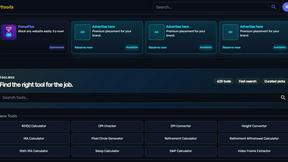
Kody Tools
Free collection of online developer utilities, code formatters, and digital converters designed to streamline your daily workflow.
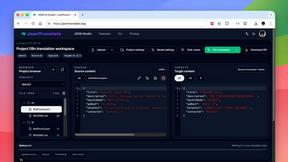
JsonTranslate
Translate JSON, Markdown, and TXT files while preserving keys, nested paths, and project structure.
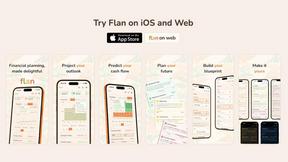
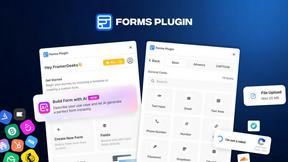
Forms Plugin
The #1 Native Form Builder Plugin for Framer - No Code, No Embeds, No External Platforms.

HomeAnswerBook
Practical, independent guides to home repairs, maintenance, costs, troubleshooting, and everyday fixes.
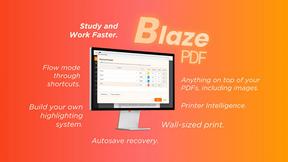
BlazePDF
Highlight faster. Study in flow with custom shortcuts and a workflow built around you. Print smarter, or turn any page into a tiled poster.


Product Launch Checklist
A free launch checklist for SaaS, apps, AI tools and more. Every step says why it matters and when you can skip it.

Video2URL
Turn videos, images, and files into secure direct links for sharing, embedding, and automated workflows.

Build Mode for Mac
Build Mode is a Mac app that turns focused sessions into visible progress, so you can see the work adding up before the results arrive.



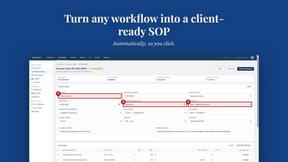
MySOP.guru
Capture any workflow in your browser and export a branded, step-by-step SOP with screenshots. €5 per document, no subscription.

PerPageFax
PerPageFax lets you send a fax online from any browser for a flat $0.50 per page — no account, no subscription, no fax machine.

About SubcueAI Alternatives
SubcueAI is an AI interview assistant that captures audio from video conferencing platforms like Zoom, Google Meet, and Microsoft Teams to transcribe questions and generate real-time, context-aware answers powered by GPT-4o. It falls under the Productivity & Management category, specifically designed to help users improve their performance in technical coding, behavioral, and case interviews. While SubcueAI offers a streamlined experience for macOS and Windows, users often begin searching for alternatives when they encounter specific limitations such as pricing tiers that don't fit their budget, a need for broader platform support beyond desktop operating systems, or a desire for additional features like integrated practice modes or offline capabilities. When evaluating alternatives, it is essential to prioritize tools that offer flexible subscription models, cross-platform compatibility, and robust support for the interview formats most relevant to your career goals. Look for solutions that provide real-time transcription accuracy, customizable answer generation, and a user interface that integrates smoothly with your existing workflow. The best choice will be one that not only addresses your immediate needs but also evolves with your skills, allowing for continuous improvement through iterative feedback and performance analytics. Always consider whether the tool offers a trial period to test its effectiveness in live or simulated interview scenarios before committing to a long-term plan.
FAQs about SubcueAI Alternatives
What is SubcueAI?
SubcueAI is an AI interview assistant designed for macOS and Windows users to enhance job interview performance. It captures audio from video calls on platforms like Zoom, Google Meet, and Microsoft Teams to transcribe questions and generate real-time, context-aware answers powered by GPT-4o. The tool supports multiple interview formats, including technical coding, behavioral, and case interviews, providing a versatile solution for candidates.
Who is SubcueAI for?
SubcueAI is primarily for job seekers and professionals preparing for video-based interviews across various industries. It is especially useful for candidates facing technical coding assessments, behavioral questions, or complex case interviews where quick, accurate responses are critical. The tool is tailored for individuals using macOS or Windows who want to leverage AI to improve their real-time answer quality and confidence during live interviews.
Is SubcueAI free?
The provided product content does not specify pricing details, so it is recommended to check the official SubcueAI website for the most current information on free trials or paid plans. Typically, tools in this category offer tiered subscriptions, with basic features available at a lower cost or during a trial period. Users should verify whether a free version or limited free tier exists to test the tool before committing.
What are the main features of SubcueAI?
SubcueAI's main features include real-time audio capture from major video conferencing platforms, automatic transcription of interview questions, and generation of context-aware answers using GPT-4o. It supports a range of interview formats such as technical coding, behavioral, and case interviews, and is compatible with both macOS and Windows operating systems. The tool is designed to provide instant suggestions to help users respond effectively during live video calls.