

Alternatives to Plate Photo AI
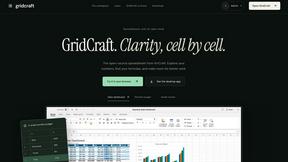
GridCraf
Free open-source spreadsheet app for exploring, editing, and analyzing XLSX workbooks in browser or on desktop.
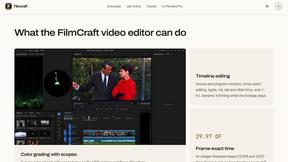

DeckCraft
Free, open-source presentation editor for creating and presenting slides online or on desktop.
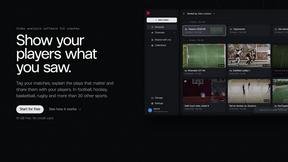

MangoLiving
MangoLiving™ learns what matters to you and surface homes you'll truly love. Smart property search and matching for buyers and agents.
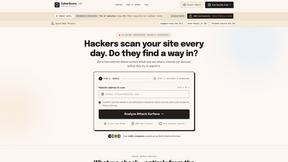
CyberScore Labs
Free outside-in security check for small businesses: email spoofing, website settings, known flaws and exposed services, with plain-English fixes.
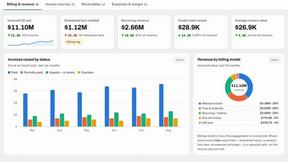
CrmLeaf
PSA software for agencies and service firms: CRM, projects, time tracking, resource planning and invoicing in one place.

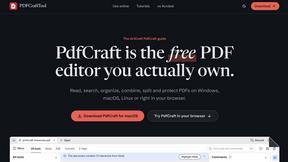
PDFCraft
Free, open-source PDF editor for Windows, macOS, Linux, FreeBSD, and modern browsers.
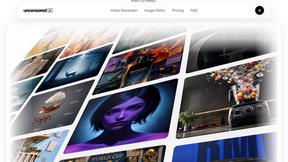
Uncensored AI
AI image creation and editing studio with text prompts, reference images, flexible controls, and clean watermark-free downloads.

VD6S
VD6S is a free online YouTube video downloader that supports HD, 4K and up to 8K downloads. Save videos in MP4 or audio in multiple formats.
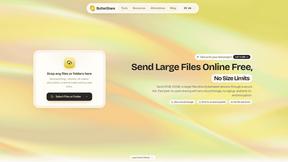
ButterShare
Send files straight between two browsers with a 6-digit key. No signup, no install, nothing stored on a server.

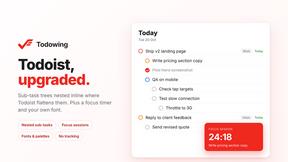
Todowing
Chrome extension that shows Todoist sub-tasks nested inline in Today, Upcoming, and Filter views. Free tier, $19.99 one-time unlock.
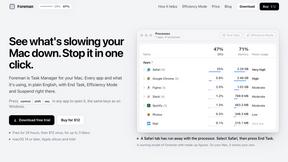
Foreman
See every app and what it's using in plain English, and end or slow down the one that's hogging your Mac.
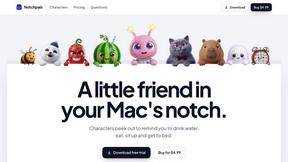
Notchpals
Little characters peek out of your Mac's notch to remind you to drink water, eat, sit up and get to bed. Quiet during calls. $4.99 once.
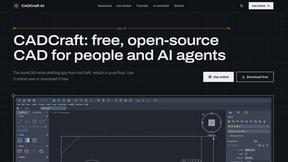
CADCraft
Free open-source 2D CAD in Rust for precision drafting, layers, dimensions, DWG/DXF, and AI-assisted automation on desktop and web.
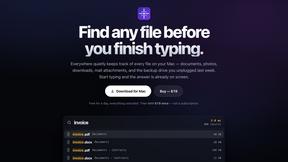
Everywhere
Fast file search for the Mac. Results as you type, files inside Mail and Photos, works with Wi-Fi off. $19 once.
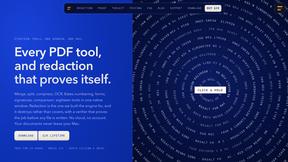
Basalt
Eighteen PDF tools in one native Mac window: merge, split, compress, OCR, Bates numbering, forms, signing and redaction. Offline. $29 once.
About these alternatives
Plate Photo AI has carved a niche as a specialized software tool that uses artificial intelligence to transform ordinary smartphone snapshots of food into professional-grade imagery suitable for menus, delivery platforms, and social media. It belongs to the broader category of AI-driven image editing and enhancement software, specifically tailored for the food and beverage industry. While its ability to deliver studio-quality results at a fraction of the traditional cost is compelling, users often begin searching for alternatives for a few key reasons. Some may find the subscription model or per-image cost doesn’t align with their low-volume or occasional use, while others might need a tool that integrates more deeply with their existing website or point-of-sale system. Additionally, a user’s workflow might demand more granular control over specific elements like lighting angles or ingredient removal that a generalist AI tool might not offer, prompting a search for a solution with a different feature set or pricing structure. When evaluating potential alternatives, it is essential to focus on the core outcome: consistent, brand-aligned food imagery that drives orders. Look for a solution that offers a continuous improvement loop, allowing you to refine your editing style over time rather than starting from scratch with every image. The best alternative will provide a balance between automation and customization, enabling you to apply a signature look to every dish while still being able to make subtle, prompt-driven adjustments for seasonal specials. Consider the total cost of ownership, including whether the tool allows for bulk processing or team collaboration, and ensure it supports the specific file formats and resolutions required by your delivery apps and marketing channels. The goal should be to find a platform that evolves with your menu and brand standards, turning each photo session into a learning experience that improves the next batch of images.
Frequently asked questions
What is Plate Photo AI?
Plate Photo AI is an artificial intelligence-powered software tool specifically designed for food photography. It allows users to upload a simple photo taken with a phone and instantly transform it into a professional, menu-ready image. The tool replaces the need for a photographer, studio, or design skills by applying AI-driven enhancements to lighting, angles, and backgrounds.
Who is Plate Photo AI for?
Plate Photo AI is primarily built for restaurants, food delivery services, and hospitality businesses that need high-quality food imagery for menus, delivery apps, social media, and marketing materials. It is also ideal for individual chefs, food bloggers, and small business owners who lack the budget for traditional photo shoots but still require studio-quality results on demand. The tool is designed for users who want to maintain a consistent brand look across all their dish images without needing graphic design expertise.
Is Plate Photo AI free?
Plate Photo AI is not a free tool; it operates on a pay-per-image pricing model. According to the product details, the cost is approximately $0.33 per image, which is significantly lower than the $500 to $2,000 typically spent on a traditional food photo shoot. There is no mention of a free tier, so users should expect to pay for each image they process through the platform.
What are the main features of Plate Photo AI?
The main features of Plate Photo AI include the ability to upload a photo and choose from professional styles such as Cafe, Fine Dining, Menu Zoom, or Delivery App, with the option to create custom styles. Users can edit photos using simple text prompts to change lighting, remove ingredients, or add garnishes without needing Photoshop. The tool also allows for one-click importing of existing photos from a website or Google Maps, and it ensures consistency in lighting, angles, and backgrounds across all images to keep dishes on-brand.