

Alternatives to Picture Enhancer
Picture Enhancer uses AI to deblur, upscale, and restore your photos in your browser with no software needed.
Explore 20 alternatives to Picture Enhancer. Compare features, pricing, and find the best fit for your needs.
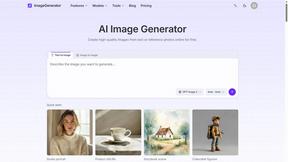
ImageGenerator
Create and edit AI images online with multiple models, text-to-image, image-to-image, background removal, and upscaling.
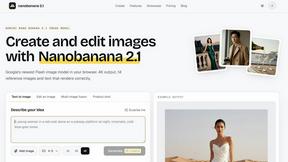
nanobanana 21
Fast, simple image creation and editing with accurate details, readable text, consistent characters, and up to 14 reference images.
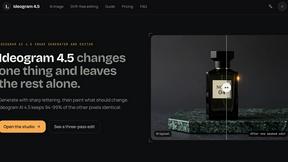
Ideogram 4.5
AI image generation and editing with precise typography, native 2K output, and localized edits.
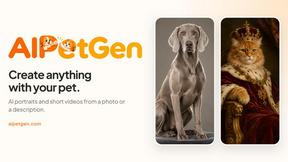
AIPetGen
AIPetGen turns a photo of your dog, cat, or other pet, or a written description, into a new picture or a short animation.
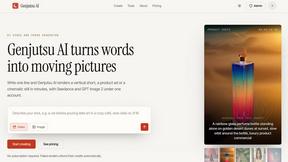
Genjutsu AI
Genjutsu AI turns your ideas into cinematic videos, product ads, social shorts, and high-quality images in minutes.
ImageGPT
ImageGPT is an all-in-one AI creative platform for generating, editing and transforming images and videos using AI.

AI Album Cover Maker
Create release-ready album covers from a prompt or photo. Generate, refine, and export art for singles, EPs, mixtapes, and playlists.
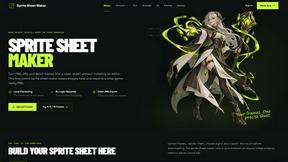
Sprite Sheet Maker
A free browser-based toolkit for creating, cutting, converting, and previewing sprite sheet animations.

Z Image Turbo
Z Image Turbo is an online AI image generator for photorealistic images, bilingual posters, ecommerce visuals, ads, and social content.

AIEnhancer
Enhance photos, create images, and generate videos with AI workflows, effects, and production-tested models.

Vynzo
AI image and video studio. Generate from a prompt, animate stills, swap faces, restyle clips and edit — one credit pool, no subscription.
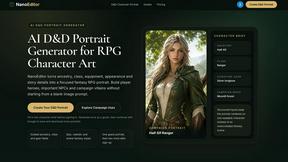
Nano Editor
NanoEditor is an AI-powered D&D portrait generator that turns character details like ancestry, class and gear into focused fantasy RPG art.
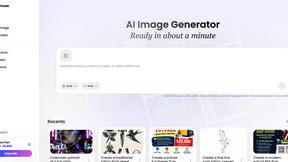
Vismuse
Create polished AI images and videos from prompts or references for social posts, ads, flyers, album covers, and campaigns.
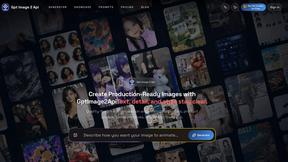
GPT Image 2 API
GPT Image 2 API generates and edits production-ready images with clear text, reference images, and developer-friendly API workflows.
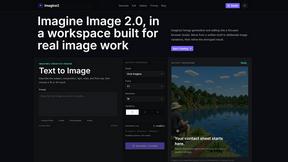
Imagine2
Private browser-based AI image generation and editing with text-to-image, targeted edits, and multi-image references.
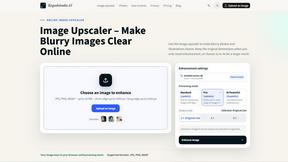
Kogashitsuka AI
An online AI image tool that enhances photos and illustrations at their original size or upscales them by 2x or 4x.

Trushot AI
TruShot creates ultra-realistic AI dating photos from just 4 selfies. Generate natural-looking, verification-friendly profile pictures for Tinder, Hin
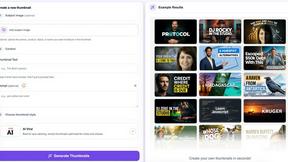
StopScroll
StopScroll is an AI thumbnail maker that generates, compares, and helps creators pick stronger cover images before publishing.

About Picture Enhancer Alternatives
Picture Enhancer is a free, browser-based AI tool that falls within the image generation and enhancement category, specifically designed to deblur, upscale, and restore photos without requiring any software installation. Users often begin exploring alternatives not because the tool lacks capability, but because their workflow demands evolve—perhaps they need unlimited free enhancements, more granular control over AI parameters, or offline capabilities for bulk processing. Others might seek different pricing structures, such as one-time purchases instead of credit-based systems, or require integration with specific platforms like mobile apps or desktop suites. When evaluating an alternative, focus on the core cycle of improvement: start with the tool’s baseline quality for deblurring and upscaling, then assess how its pricing model aligns with your usage frequency. Look for platforms that allow iterative testing—free trials or low-cost credits—so you can refine your results without upfront commitment. Consider whether the alternative supports your primary file formats (JPG, PNG, WebP) and offers preview functionality, as this ensures you can continuously improve your output before finalizing. Ultimately, the best choice is one that grows with your needs, offering scalable features like batch processing or higher intensity levels as your projects become more demanding.
FAQs about Picture Enhancer Alternatives
What is Picture Enhancer?
Picture Enhancer is a free online AI photo enhancer that allows users to deblur, upscale, and restore images directly in their browser without installing any software. It supports JPG, PNG, and WebP formats and offers three intensity levels—Standard, Strong, and Super—for each enhancement type. Users can preview the before-and-after result before downloading a watermark-free image, making it a straightforward tool for quick photo improvement.
Is Picture Enhancer free?
Yes, Picture Enhancer is free for guests, who receive three lifetime tries per IP address without needing to sign up. After those initial tries, users can sign in to use credits, with new accounts receiving starter credits at no cost. Credits are only charged when an enhancement succeeds, and paid plans are available for those who need additional credits or batch processing capabilities.
Who is Picture Enhancer for?
Picture Enhancer is designed for creators, sellers, and everyday users who need sharper images quickly and easily. It is ideal for enhancing social media posts, e-commerce product listings, screenshots, and family photos. The tool caters to both casual users who only need a few enhancements and power users who require batch processing and higher intensity levels for professional results.
What are the main features of Picture Enhancer?
The main features include three enhancement options: Deblur, Upscale, and Restore, each with Standard, Strong, and Super intensity levels. Users can upload JPG, PNG, or WebP photos, preview the before-and-after effect, and download a watermark-free image upon successful processing. The tool also offers batch enhancement for up to 10 images on paid plans, and credits are available through monthly subscriptions or permanent packs that never expire.