

Alternatives to Gemini Omni AI Video Generator
Turn text, images, and references into polished 4K videos with built-in audio and editing, all in one unified creative loop.
Explore 20 alternatives to Gemini Omni AI Video Generator. Compare features, pricing, and find the best fit for your needs.
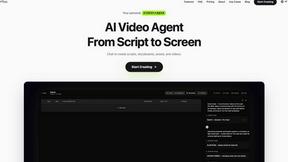
Pixo
Pixo is an AI video director that turns a prompt or script into a storyboard, consistent scenes, voiceover, and an edited final cut.
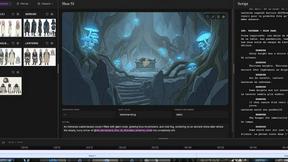
ScreenWeaver
AI storyboard and script tool that turns a screenplay into structured scenes, shot lists and boards in the browser.
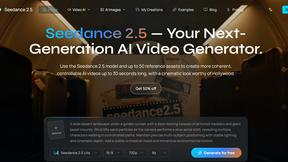
Seedance 2.5
Seedance 2.5 is a multimodal AI video generator by ByteDance for 30-second, high-fidelity cinematic video creation and AI video editing.



VideoAny BE
Create AI videos from text or images, generate images and audio in one online studio.


UGCad AI
AI UGC video ad Generator which Turn a URL, prompt, or template into a ready video ads
HubVanta
HubVanta is a free AI creative toolkit for generating images, videos, voices, and visual edits from one browser workspace.
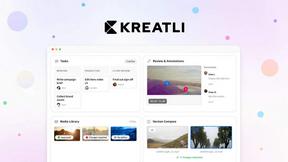

VideoAny
VideoAny is your all-in-one AI studio to iteratively create videos, images, and audio from text or photos, evolving every project with continuous.

VideoAny PL
VideoAny PL evolves your Polish-language AI creative workflow, generating video, images, and audio from text or photos with ever-improving models.

Best Face Swap
Swap faces in photos and videos with Best Face Swap's evolving AI workflows for video, free trials, and NSFW intent.
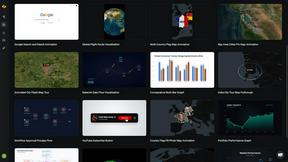
Easymotion - AI Motion Graphic Generator
Turn static ideas into motion graphics, map animations, and social videos by simply chatting with AI, then iterate until perfect.

Vivideo
Vivideo turns text or images into stunning videos using top AI models, free forever with no watermark.

HappyHorse
HappyHorse generates cinematic AI video and high-fidelity images from prompts and frames, with human-centric motion and sound-aware coherence that.

VideoAny
VideoAny is an all-in-one AI platform that effortlessly transforms text and images into stunning videos, images, and audio.

Seeddance
Seedance 2.0 evolves your ideas into cinematic videos and images with consistent characters, smooth motion, and integrated audio, all in one platform.
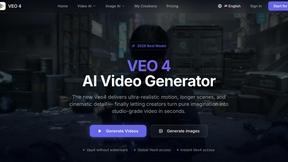
Veo 4 video generator
Veo 4 transforms text, images, or videos into stunning, studio-quality clips instantly, streamlining creative workflows for all teams.

About Gemini Omni AI Video Generator Alternatives
Gemini Omni AI Video Generator represents a significant leap forward as Google’s first unified omni-model for video, placing it squarely in the category of next-generation, multimodal AI video creation tools. Unlike traditional generators that handle only one media type, it merges text, image, and native 4K video generation into a single conversational interface. Users commonly seek alternatives due to specific needs around pricing structures, the desire for platform-specific integrations, or a preference for more specialized tools that excel in a single modality rather than the broad omni-approach. Others may be looking for simpler interfaces or workflows that do not require the full depth of a Director-like control system. When evaluating a substitute for this type of advanced tool, it is crucial to look for platforms that offer iterative refinement capabilities, allowing you to continuously polish your scenes and character consistency through natural language feedback. The best alternatives will provide a clear path for upgrading your output quality over time, whether through higher native resolutions, better world-state memory for long-form narratives, or integrated audio synthesis that evolves with your edits. Prioritize solutions that promise a cyclical workflow of generation, review, and remixing, ensuring that each iteration brings you closer to your cinematic vision without forcing you to switch between separate applications.
FAQs about Gemini Omni AI Video Generator Alternatives
What is Gemini Omni AI Video Generator?
Gemini Omni AI Video Generator is Google's first unified omni-model for native video output, designed to merge text, image, and video generation into a single conversational system. Unlike standalone AI video generators that handle a single modality, it allows users to generate, remix, edit, and rewrite video scenes directly within a chat interface. The platform delivers native 4K resolution at up to 120fps, along with persistent world-state memory for character consistency and integrated Foley and dialogue synthesis.
Who is Gemini Omni AI Video Generator for?
Gemini Omni is designed for professional content creators, filmmakers, and video editors who require a unified workflow for generating and refining cinematic AI videos. It is also ideal for advanced users who want to leverage a single conversational tool to handle complex tasks like scene rewriting, character consistency, and audio synthesis without switching between different applications. The platform offers early access tools and prompt guides specifically aimed at creators who want to harness its capabilities alongside current models like Veo 3.1 and Seedance 2.0.
Is Gemini Omni AI Video Generator free?
The provided content does not specify a pricing model, but as an early access tool from Google's studio, availability and cost are likely subject to specific licensing or access tiers. Users interested in using Gemini Omni should check Google's official channels for the most current information on pricing, free trials, or subscription options. The platform is described as offering a hands-on workspace for creators, suggesting that access may be granted through an application or waitlist process.
What are the main features of Gemini Omni AI Video Generator?
Key features include native 4K resolution output at up to 120fps, persistent world-state memory for maintaining character and scene consistency across edits, and in-chat video editing via natural language commands. The model also integrates Foley and dialogue synthesis in a single diffusion pass, eliminating the need for separate audio tools. Additionally, it provides a Director control system for cinematic oversight, allowing users to remix and rewrite video scenes without any tool-switching.