
Gemini Omni AI Video Generator
Turn text, images, and references into polished 4K videos with built-in audio and editing, all in one unified creative loop.
Visit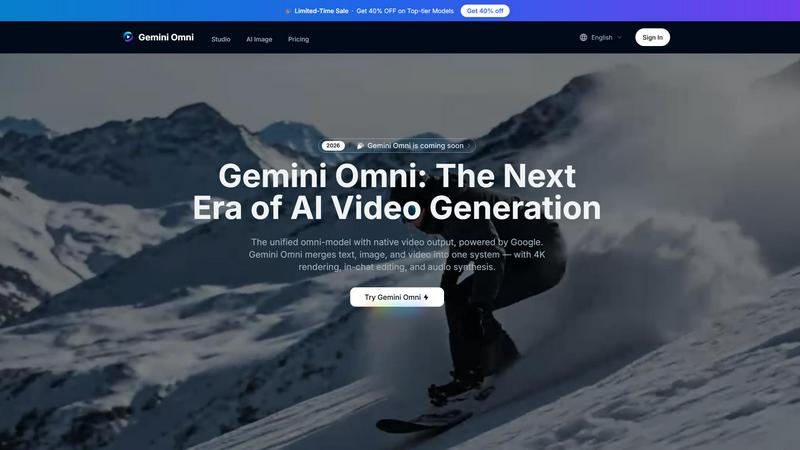
About Gemini Omni AI Video Generator
Gemini Omni AI Video Generator is Google's first unified omni-model that redefines video creation by merging text, image, and video generation into a single conversational system. Unlike traditional AI video generators that handle only one modality at a time, Gemini Omni allows you to generate, remix, edit, and rewrite video scenes directly within a chat interface, eliminating the need for tool-switching or complex pipelines. This platform is built for creators, filmmakers, marketers, and content producers who want to produce polished, high-quality video content faster and with greater creative control. The core value proposition of Gemini Omni lies in its native video output, which supports 4K resolution at up to 120fps, persistent world-state memory for maintaining character consistency across scenes, and integrated Foley and dialogue synthesis in a single diffusion pass. Whether you are a solo creator looking to animate a sketch or a production studio needing cinematic-grade clips, Gemini Omni adapts to your workflow. The platform also provides early access tools, prompt guides, and a hands-on workspace through the Gemini Omni Studio, enabling users to harness the full power of the omni-model alongside other cutting-edge models like Veo 3.1 and Seedance 2.0. With in-chat editing, AI avatars that mirror your likeness, and built-in world knowledge, Gemini Omni represents a new era where video creation is as simple as having a conversation. The cyclical nature of improvement is built into the platform, allowing you to continuously refine your output through iterative prompts and real-time feedback, making every project better than the last.
Features of Gemini Omni AI Video Generator
Unified Omni-Model Architecture
Gemini Omni is natively multimodal from the ground up, meaning it can accept text, images, video clips, and audio as inputs and produce polished video output without requiring separate pipelines or tool-chaining. This unified architecture eliminates the friction of switching between different software for different modalities, allowing you to feed in a storyboard frame, a product shot, or a written script and receive a coherent video scene in return. The model processes all inputs simultaneously, ensuring that visual details, audio cues, and narrative elements are perfectly aligned. This feature is especially valuable for creators who need to iterate quickly, as they can continuously refine their inputs and see immediate improvements in the generated video, fostering a cyclical workflow of creation and enhancement.
In-Chat Video Editing with Natural Language
One of the most transformative features of Gemini Omni is the ability to edit, remix, and rewrite video scenes directly within the chat interface using natural language instructions. You can swap objects, remove watermarks, change backgrounds, alter character expressions, or even rewrite entire scenes without ever leaving the conversation. This eliminates the need for external video editing software and complex timelines, making professional-level editing accessible to everyone. The iterative nature of this feature means you can give a command, review the output, and then refine further with another prompt, continuously improving the final result until it matches your vision perfectly. This conversational editing loop is at the heart of Gemini Omni's design, enabling a fluid and responsive creative process.
Persistent World-State Memory for Character Consistency
Gemini Omni maintains a persistent world-state memory that ensures characters, objects, and environmental details remain consistent across different scenes and clips. When you generate a character in one video and then reference them in a new scene, the model remembers their facial geometry, clothing, voice, and other key attributes, preventing the jarring inconsistencies that plague other AI video generators. This feature is critical for storytelling, brand content, and any project that requires a unified visual identity across multiple clips. The continuous improvement cycle is evident here as well: as you generate more content, the model learns and refines its understanding of your world, leading to increasingly accurate and coherent outputs over time.
Integrated Foley and Dialogue Synthesis
Gemini Omni synthesizes sound effects, ambient noise, and spoken dialogue alongside the visuals in a single diffusion pass, meaning audio is generated natively with the video rather than as a separate step. This integrated approach saves significant production time and ensures that audio cues are perfectly synchronized with on-screen action. Whether you need footsteps on gravel, a bustling city street, or a character delivering a line of dialogue, the model handles it all within the same generation process. This feature enables creators to produce complete, polished clips from a single prompt, and the iterative nature of the platform allows you to refine both audio and visual elements together, continuously improving the overall sensory experience of your video.
Use Cases of Gemini Omni AI Video Generator
Ad and Text Animation for Marketing
Marketers can drop a script into Gemini Omni and receive a scroll-stopping ad sizzle reel where each word is delivered with a unique animated style, perfectly paced to a rhythm. The model handles bold typography, dynamic transitions, and engaging visual effects, all without requiring After Effects or other animation software. This use case benefits from the iterative workflow, as marketers can test different animation styles, adjust pacing, and refine messaging through successive prompts, continuously improving the ad's impact until it achieves the desired conversion rate. The unified omni-model also allows for the integration of brand assets, logos, and product images directly into the animation, creating a cohesive and professional final product.
Film and VFX Magic for Cinematic Projects
Filmmakers and VFX artists can use Gemini Omni to create complex visual effects that would traditionally require hours of manual work. A simple prompt can turn a mirror into rippling liquid, shift an arm to reflective chrome, or transform a mundane background into a fantastical landscape. The model handles complex material transformations and camera moves within the same shot, enabling high-end cinematic effects with minimal effort. The cyclical nature of this use case is particularly powerful, as directors can iteratively refine effects, adjust timing, and experiment with different visual styles through natural language commands, continuously improving the final scene until it matches their creative vision. The persistent world-state memory ensures that effects remain consistent across multiple shots, maintaining visual continuity throughout the film.
AI Avatars for Personalized Content Creation
Content creators, educators, and business professionals can leverage Gemini Omni to create digital avatars that mirror their own face and voice from a single photo. These avatars can be used in videos, presentations, social media content, or training materials, ensuring that the creator's likeness remains consistent across every clip they generate. This use case is ideal for individuals who want to produce personalized video content at scale without filming themselves repeatedly. The iterative improvement process allows users to refine the avatar's appearance, voice modulation, and mannerisms through successive prompts, continuously enhancing the realism and authenticity of the digital representation. As the model learns from each generation, the avatar becomes more lifelike and responsive to different scenarios.
Sketch-to-Video for Rapid Prototyping
Designers, storyboard artists, and product developers can feed Gemini Omni a napkin sketch or a rough wireframe and receive a fully animated scene in return. Hand-drawn strokes are transformed into camera-ready motion, complete with lighting, texture, and movement, no polished artwork required to start creating. This use case accelerates the prototyping process, allowing ideas to be visualized and tested in minutes rather than days. The cyclical nature of this workflow is essential, as creators can iteratively refine their sketches, adjust animation parameters, and explore different visual directions through continuous prompts, progressively improving the fidelity and impact of the generated video. This makes Gemini Omni an invaluable tool for brainstorming, pitch decks, and early-stage concept development.
Frequently Asked Questions
What is Gemini Omni AI Video Generator and how is it different from other AI video tools?
Gemini Omni is Google's first unified omni-model that generates, edits, and remixes video natively from text, images, and video references within a single conversational interface. Unlike standalone AI video generators that handle only one modality, Gemini Omni eliminates tool-switching by processing all input types through one unified model. It also features in-chat video editing via natural language, persistent world-state memory for character consistency, and integrated Foley and dialogue synthesis, making it a comprehensive solution for professional video creation.
What input types does Gemini Omni support for video generation?
Gemini Omni supports multiple input modalities including text prompts, images, video clips, and audio. You can use Text to Video mode by describing your scene in words, Image to Video mode by uploading a reference image, or Multimodal mode which accepts a combination of image, audio, and video inputs. This flexibility allows you to start from whatever source material you have and iteratively refine the output through successive prompts, continuously improving the final video.
What video quality and duration options are available?
Gemini Omni delivers native 4K resolution at up to 120fps, with additional quality options including 720P and 1080P for faster generation times. The platform supports video lengths of up to 10 seconds per continuous clip, with aspect ratio options for both landscape and portrait orientations. The iterative workflow means you can generate multiple clips and seamlessly combine them, continuously improving the overall production quality through refinement and editing within the chat interface.
Can I edit or remix a video after it is generated?
Yes, in-chat video editing is a core feature of Gemini Omni. You can remix clips, swap objects, remove watermarks, change backgrounds, and rewrite entire scenes using natural language instructions directly in the chat interface. This eliminates the need for external editing software and supports a cyclical improvement process where you can continuously refine your video through iterative prompts, making each version better than the last until you achieve your desired result.
Explore more in this category:
Similar to Gemini Omni AI Video Generator

Pixo is an AI video director that turns a prompt or script into a storyboard, consistent scenes, voiceover, and an edited final cut.

AI storyboard and script tool that turns a screenplay into structured scenes, shot lists and boards in the browser.

Seedance 2.5 is a multimodal AI video generator by ByteDance for 30-second, high-fidelity cinematic video creation and AI video editing.

Create polished AI videos from text or images online with Seedance 2.5 Free.


Create AI videos from text or images, generate images and audio in one online studio.


AI UGC video ad Generator which Turn a URL, prompt, or template into a ready video ads