

Alternatives to Browser Notes
Browser Notes keeps your notes, boards, and mind maps local in your browser without signup or cloud, improving how you think with every iteration.
Explore 20 alternatives to Browser Notes. Compare features, pricing, and find the best fit for your needs.

Panzoe
Panzoe is an all-in-one AI platform for personal productivity, business automation, AI assistants, content creation, and custom AI solutions.
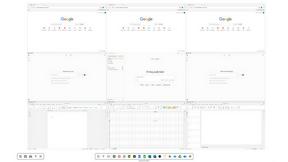
Novastart
Novastart brings apps and files onto an infinite canvas where people and AI agents can work together.

Kody Tools
Free collection of online developer utilities, code formatters, and digital converters designed to streamline your daily workflow.
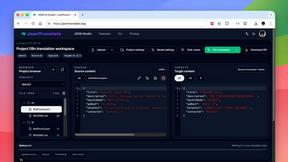
JsonTranslate
Translate JSON, Markdown, and TXT files while preserving keys, nested paths, and project structure.
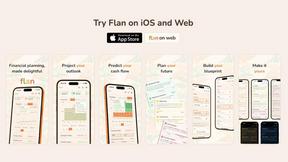
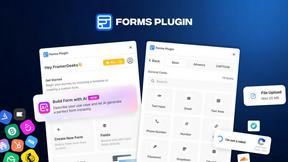
Forms Plugin
The #1 Native Form Builder Plugin for Framer - No Code, No Embeds, No External Platforms.

HomeAnswerBook
Practical, independent guides to home repairs, maintenance, costs, troubleshooting, and everyday fixes.
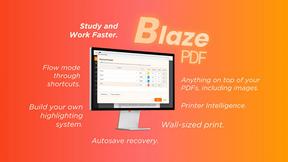
BlazePDF
Highlight faster. Study in flow with custom shortcuts and a workflow built around you. Print smarter, or turn any page into a tiled poster.


Product Launch Checklist
A free launch checklist for SaaS, apps, AI tools and more. Every step says why it matters and when you can skip it.

Video2URL
Turn videos, images, and files into secure direct links for sharing, embedding, and automated workflows.

Build Mode for Mac
Build Mode is a Mac app that turns focused sessions into visible progress, so you can see the work adding up before the results arrive.



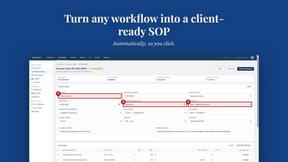
MySOP.guru
Capture any workflow in your browser and export a branded, step-by-step SOP with screenshots. €5 per document, no subscription.

PerPageFax
PerPageFax lets you send a fax online from any browser for a flat $0.50 per page — no account, no subscription, no fax machine.



Maeve Social
Plan, approve, publish, and report on social content across nine platforms in one workspace.
About Browser Notes Alternatives
Browser Notes is a local-first productivity tool that combines notes, sticky notes, and mind maps into a single workspace, all without requiring any signup or cloud storage. It falls under the Productivity & Management category, offering a private, offline-capable environment where your ideas stay within your browser rather than being pushed to external servers. Users commonly look for alternatives when they need more advanced collaboration features, cross-platform synchronization across devices, or integration with other productivity tools like project management software or calendar apps, as Browser Notes is intentionally limited to local storage and single-browser use. When evaluating an alternative, focus on what matters most for your workflow: whether you need real-time team collaboration, the ability to access notes from multiple devices, or a specific feature set like advanced formatting, tagging, or export options. Consider the trade-off between privacy and convenience—some alternatives offer cloud sync with encryption, while others remain fully local but may lack seamless backup capabilities. The best choice will balance your need for data control with the flexibility to work across different environments, and it should ideally allow you to continuously improve your process by iterating on how you capture, organize, and revisit your ideas over time.
FAQs about Browser Notes Alternatives
What is Browser Notes?
Browser Notes is a local-first productivity tool that brings notes, sticky notes, and mind maps into one unified workspace. It operates entirely within your browser, requiring no signup, no cloud storage, and no account creation. All data is stored locally on your device, and you can back up your information anytime without forced sync or tracking.
Who is Browser Notes for?
Browser Notes is designed for individuals who prioritize privacy and simplicity in their note-taking and idea organization. It is ideal for students, freelancers, writers, and professionals who want to capture thoughts, create visual mind maps, or manage sticky boards without relying on cloud services. It also suits users who work offline frequently and need a tool that respects their data sovereignty.
Is Browser Notes free?
Yes, Browser Notes is free to use. There are no subscription fees, hidden charges, or premium tiers that restrict core functionality. Because it operates locally in your browser with no cloud infrastructure, the tool does not require any payment to access its full set of features, including offline access and data backup.
Is Browser Notes secure?
Browser Notes is inherently secure because it stores everything locally in your browser rather than on external servers. There is no tracking, no forced sync, and no data sent to the cloud, which minimizes exposure to breaches or unauthorized access. Users maintain full control over their information and can back up their data manually anytime for added peace of mind.