
MCPize
MCPize helps developers discover, install, and manage premium MCP servers while publishers earn 80% revenue share.
Visit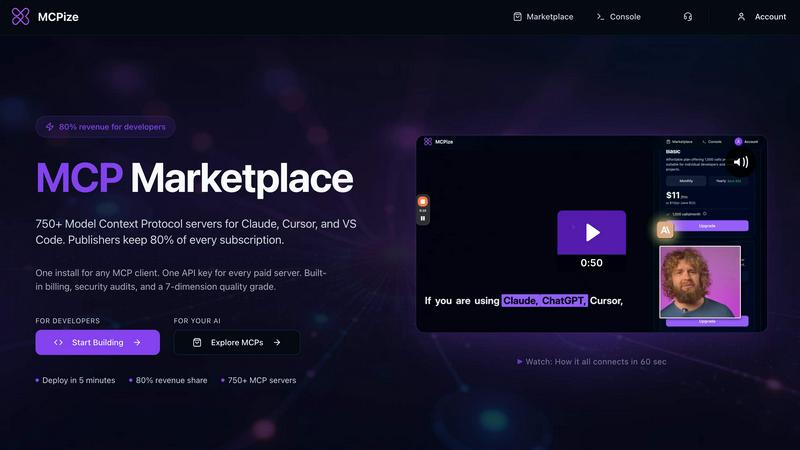
About MCPize
MCPize is the complete platform for Model Context Protocol (MCP) servers, designed to bridge the gap between AI agents and the tools they need to be truly useful. Think of it as the App Store for AI, but purpose-built for the new world of agentic workflows. At its core, MCPize is a vibrant marketplace featuring over 1,000 vetted MCP servers that integrate seamlessly with popular AI tools like Claude, Cursor, VS Code, Windsurf, and ChatGPT. Every single server on the platform undergoes a rigorous 7-dimension quality audit that checks for protocol compliance, OAuth security, reliability, and safety, so you never have to worry about plugging in a shady or broken tool. For developers, MCPize is a launchpad. You can publish and deploy a new MCP server in about 30 seconds using GitHub auto-deploy, and you get to keep 80 percent of every subscription dollar you earn. For users, it is a dream of simplicity. Instead of juggling a dozen different API keys and billing accounts, you get one unified API key, one consolidated bill, and one dashboard to track usage, costs, and set alerts. There is even a generous free tier that gives you 25,000 requests per month with no credit card required. Whether you are a solo developer building a niche tool or a large team looking to supercharge your AI workflows, MCPize provides the infrastructure, the audience, and the trust layer to make it all work. The platform is designed to continuously improve, with each new server and update building on the last to create a more powerful, reliable, and accessible ecosystem for AI agent tooling.
Features of MCPize
Vetted Marketplace with Quality Assurance
Every MCP server listed on MCPize undergoes a comprehensive 7-dimension quality audit. This process checks for protocol compliance, OAuth security, reliability, and safety, ensuring that every tool you connect is trustworthy and functional. You never have to worry about integrating a broken or malicious server, as each one is verified and tested before it appears in the marketplace. This continuous improvement loop means that the quality of the ecosystem only gets better over time as more servers are audited and refined.
Unified API Key and Consolidated Billing
Say goodbye to managing a dozen different API keys and separate billing accounts for each tool. MCPize provides you with a single API key that works for every paid server on the platform. You get one consolidated bill, one dashboard to track usage and costs, and the ability to set alerts for spending thresholds. This streamlined approach simplifies your workflow and reduces administrative overhead, allowing you to focus on building and integrating rather than managing accounts.
Rapid Developer Deployment and High Revenue Share
For developers, MCPize is the fastest way to get your MCP server live. You can publish and deploy a new server in about 30 seconds using GitHub auto-deploy. There is no complex infrastructure to manage. On top of that, you keep 80 percent of every subscription dollar you earn. This high revenue share model is designed to reward developers for creating valuable tools and to incentivize continuous improvement of their servers. The platform handles billing, security audits, and customer management, so you can focus on building great products.
Generous Free Tier and Usage Monitoring
MCPize offers a generous free tier that gives you 25,000 requests per month with no credit card required. This allows you to explore the marketplace, test servers, and start building your AI workflows without any upfront investment. For paid plans, the unified dashboard gives you real-time visibility into your usage and costs. You can set custom alerts to stay within budget and monitor which servers are consuming the most resources, enabling you to continuously optimize your spending and tool selection.
Use Cases of MCPize
Supercharging AI Development Workflows
Developers using Claude, Cursor, VS Code, or Windsurf can instantly enhance their AI coding assistants with specialized MCP servers. For example, you can integrate a server for automated CI/CD pipeline generation, code review, and debugging. This turns your AI agent into a senior developer assistant that can architect complex systems, refactor code, and manage GitHub workflows directly. The result is a faster, more efficient development lifecycle where you ship robust code faster, and you can continuously improve your toolset by adding new servers as needed.
Integrating Local Payment Gateways
For businesses building e-commerce, remittance, or fintech apps in specific markets, MCPize provides MCP servers for local payment orchestration. A server like the Bangladesh Payment Orchestrator allows you to programmatically handle transactions via bKash and Nagad mobile financial services. With one unified API key, you can initiate transactions, check statuses, and manage payouts without dealing with multiple vendor integrations. This simplifies a complex process and ensures your AI agents can handle financial operations securely and reliably.
Automating Digital Marketing Campaigns
Marketing teams and agencies can leverage MCP servers like Behemoth for digital marketing. This server provides over 100 professional tools for content creation, paid advertising, SEO optimization, social media management, and brand development. Your AI agent can generate SEO content, high-converting ads, email campaigns, and social media posts in minutes instead of hours. This transforms your marketing workflow from a manual, time-consuming process into an AI-powered engine that scales growth without extra effort. You can continuously refine your campaigns by integrating new marketing tools from the marketplace.
Generating Technical Diagrams and Visualizations
Software architects and DevOps engineers can use MCP servers like diagram-designer to convert Mermaid code into professional PNG architecture diagrams. You can select from five styles (cloud, isometric, blueprint, whiteboard, darkmode) and various aspect ratios for presentations, docs, or social media. The server supports AWS, GCP, and Azure palettes and detail levels from overview to full. This allows your AI agent to generate high-quality diagrams in about 50 to 110 seconds, providing a secure download link. This streamlines documentation and communication, making it easier to visualize complex systems and continuously improve your architecture documentation.
Frequently Asked Questions
How do I get started with MCPize?
Getting started is simple. Visit the MCPize website and sign up for a free account. You will receive a unified API key and access to the free tier, which gives you 25,000 requests per month with no credit card required. From there, you can browse the marketplace of over 1,000 vetted MCP servers, install them with one click, and start integrating them with your AI tools like Claude, Cursor, or VS Code. The platform provides a single dashboard to monitor your usage and costs from the start.
How does the 7-dimension quality audit work?
Every MCP server on the platform is subjected to a rigorous 7-dimension quality audit before it is listed. This audit checks for protocol compliance to ensure the server follows the Model Context Protocol correctly. It also verifies OAuth security to protect user credentials, assesses reliability through stress testing, and evaluates overall safety. This process is continuous, meaning servers are re-audited as updates are made, ensuring that the marketplace maintains a high standard of quality and trust over time.
What is the revenue share for developers who publish servers?
Developers who publish MCP servers on MCPize keep 80 percent of every subscription dollar they earn. This is one of the highest revenue shares in the industry. The platform handles all billing, customer management, security audits, and infrastructure for deployment. You simply focus on building and improving your server. The 80 percent share is designed to incentivize developers to create high-quality, useful tools that continuously improve the ecosystem.
Can I use MCPize with any AI tool?
Yes, MCPize is designed to work with any MCP-compatible AI client. This includes popular tools like Claude, Cursor, VS Code, Windsurf, Zed, and ChatGPT. The platform provides a single SDK and unified credentials, so you do not need to manage different integrations for each tool. As long as your AI client supports the Model Context Protocol, you can install and use any server from the MCPize marketplace with a single API key and a unified billing system.
Similar to MCPize

Manifolds deanonymizes and researches your users at signup, so you can know who your users actually are.

Jomatter provides free online tools for HTML, CSS, and JavaScript developers, helping simplify common web development and coding tasks.

Clone any webpage pixel-perfect, export HTML/CSS/ZIP or React/Vue components.

A human-tested directory of new software, AI apps, and dev tools. Tested by real people, ranked by honest community votes.

Mainspring turns the settings macOS hides into 90+ one-click, fully reversible power-ups for Finder, Dock, screenshots and more. $29 once.

A Mac menu bar app for a full disk. See what is using your space, read whether it comes back on its own, and remove only what you tick.

Free Online Screen Test Tool - Instantly diagnose dead pixels, lines, color issues, and flickering. Multiple test modes, no download needed.

Paste a URL and AI designs on-brand Open Graph images from your page's colours, fonts and logo. Free, no sign-up.