
HappyHorse AI
HappyHorse AI transforms your text and images into cinematic videos instantly, perfect for ads and social media.
Visit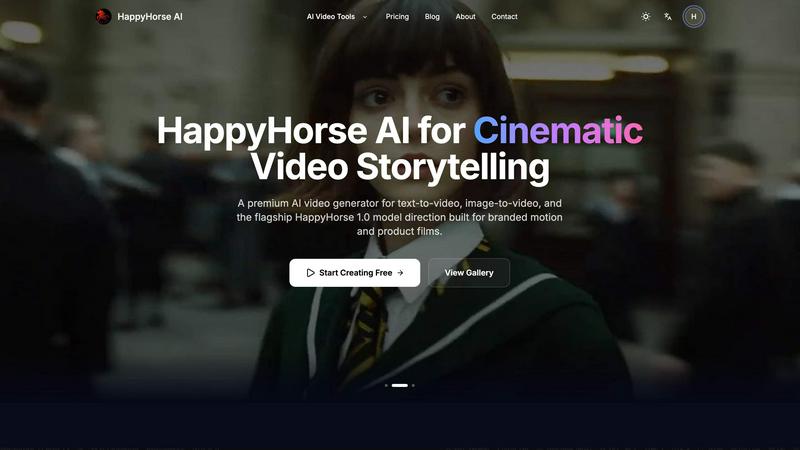
About HappyHorse AI
HappyHorse AI is a premium, browser-based AI video generator engineered to transform the creative process for storytellers, marketers, and product teams. It empowers users to effortlessly convert simple text prompts or static images into high-quality, cinematic videos, eliminating the need for complex editing software or specialized skills. The platform is built on a foundation of advanced AI models, including the flagship HappyHorse 1.0 model, which is specifically tuned for branded motion and product films. This multi-model workspace accelerates content production from concept to final clip, enabling the rapid creation of engaging marketing materials, social media content, and narrative videos in minutes. Designed for a cyclical and iterative workflow, HappyHorse AI champions continuous improvement by allowing creators to quickly test ideas, refine prompts, and compare outputs from different models within a single, unified interface. Its core value lies in simplifying the video creation loop, prioritizing speed, usability, and commercial-ready results, so users can focus on bringing their vision to life without technical friction.
Features of HappyHorse AI
Multi-Model Video Workspace
HappyHorse AI provides a centralized platform to access and compare leading AI video models, including its own HappyHorse 1.0 model. Instead of juggling multiple tools and accounts, creators can experiment with different AI engines from one intuitive interface. This allows for rapid testing of visual styles and capabilities, fostering an iterative process where you can find the perfect model for each project, whether it's a cinematic scene or a dynamic product shot, all while streamlining your creative workflow.
Text-to-Video & Image-to-Video Core Workflows
The platform supports two fundamental, user-friendly creation paths. The text-to-video workflow lets you generate video concepts, ad scenes, and social clips directly from descriptive prompts, offering control over camera movement and style. The image-to-video workflow allows you to upload portraits, product photos, or illustrations and animate them, preserving the original composition and tone while adding motion. This dual approach enables a clean, flexible creation loop for any starting point.
Fast Iteration and Flexible Controls
HappyHorse AI is built for speed and adaptability. Move from a prompt or image to a video preview in moments, then easily adjust key parameters like aspect ratio, duration, and resolution without restarting your project. This supports a rapid, cyclical improvement process where you can generate, evaluate, and refine your output quickly. The model-specific settings are exposed when helpful, keeping the interface simple while offering depth for fine-tuning.
Commercial-Friendly Output and Simple Credit System
Designed for professional use, HappyHorse AI generates export-ready video files suitable for campaigns, client presentations, and social media. The straightforward credit-based pricing plan, including free credits for new users, makes it easy to integrate into commercial and creative workflows. This ensures teams can produce high-quality visual content for business purposes efficiently and predictably, turning ideas into assets without complication.
Use Cases of HappyHorse AI
Social Media Content Creation
Marketers and social media managers can rapidly produce eye-catching clips for platforms like Instagram, TikTok, and YouTube. By using text prompts to describe trendy concepts or animating product images, they can generate a high volume of engaging, platform-optimized video content in a fraction of the time required for traditional production, allowing for consistent posting and trend-jacking.
Product Marketing and Demo Videos
Product teams and e-commerce brands can create stunning motion films for their products without expensive shoots. By uploading product photos and using the image-to-video feature, they can generate dynamic showcase videos that highlight features, demonstrate use cases, and create compelling ad creatives that capture customer attention and drive conversions.
Concept Visualization and Storyboarding
Creators, writers, and agencies can use HappyHorse AI to visualize narrative concepts and create animated storyboards. By turning descriptive text into video scenes, they can pitch ideas more effectively, experiment with cinematic styles, and refine the visual direction of a story before committing to full-scale production, fostering a collaborative and iterative creative process.
Internal Communications and Presentations
Teams can enhance internal reports, training materials, and company announcements with custom AI-generated video segments. Transforming key messages or data points into short, engaging visual clips makes communication more memorable and effective, improving engagement without requiring dedicated video production resources or expertise.
Frequently Asked Questions
What is the HappyHorse 1.0 model?
The HappyHorse 1.0 model is the platform's flagship AI model, specifically engineered and optimized for creating high-quality branded motion content and product films. It represents a significant advancement in the tool's capabilities, offering users enhanced control and cinematic quality for professional video outputs, distinguishing it from other more general-purpose AI video models available on the platform.
Do I need video editing experience to use HappyHorse AI?
No, you do not need any prior video editing experience. HappyHorse AI is designed with a user-friendly, browser-based interface that simplifies the entire process. You only need to provide a text prompt or upload an image, select your desired settings, and the AI handles the complex generation, making professional video creation accessible to everyone.
What kind of files can I upload for image-to-video?
For the image-to-video workflow, you can upload common image file formats including PNG, JPG, JPEG, and WEBP. The system supports up to 2 files per generation, with each file having a maximum size of 50MB. This allows you to animate portraits, product shots, illustrations, or any still frame you wish to bring to life.
Can I use the videos I generate for commercial purposes?
Yes, videos generated with HappyHorse AI are intended for creative and commercial workflows, making them suitable for use in marketing campaigns, social media posts, client work, and other business applications. It is always recommended to review the platform's specific terms of service and any model-specific usage policies to ensure compliance for your particular use case.
Similar to HappyHorse AI

Privacy-first, cookieless web analytics that ties your traffic and marketing channels to real Stripe revenue.

Residential and datacenter proxy provider with 50M+ ethically sourced IPs across 150+ countries. Unlimited from $4.08/hr, pay-per-GB from $1.64/GB.

Translate JSON, Markdown, and TXT files while preserving keys, nested paths, and project structure.

SnitchFeed is an agentic social listening tool that surfaces high-intent conversations on LinkedIn, X, Hackernews, and more for GTM and product teams.


Where modern software products get discovered, launched, and distributed. Explore verified AI tools, SaaS startups, and developer software.

Z Image Turbo is an online AI image generator for photorealistic images, bilingual posters, ecommerce visuals, ads, and social content.

Enhance photos, create images, and generate videos with AI workflows, effects, and production-tested models.