
Easy Watermark Remover
Remove Gemini AI watermarks and SynthID instantly with crop or AI smart removal, no signup needed, for cleaner images every time.
Visit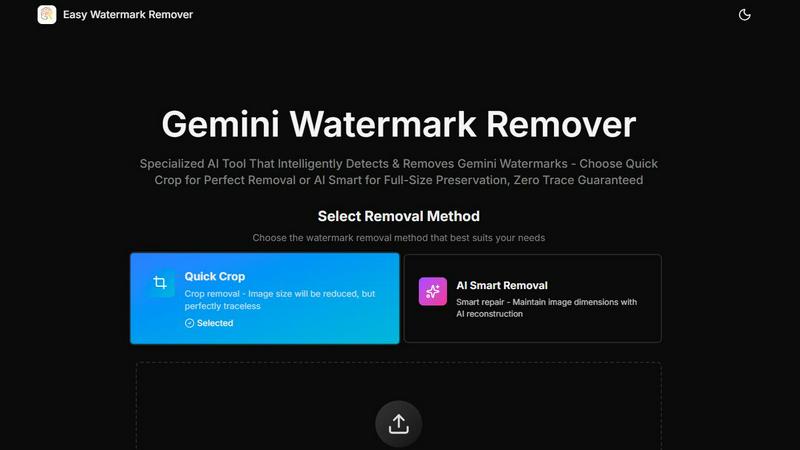
About Easy Watermark Remover
Easy Watermark Remover is a free, browser‑based tool designed specifically to erase Gemini AI logos and SynthID watermarks from images. It offers two distinct removal methods—Quick Crop and AI Smart Removal—so you can choose the approach that best matches your image and final use case. The product is built for anyone who regularly exports images from Gemini and needs a clean, professional result without visible branding. Whether you are a content creator, marketer, designer, or casual user, this tool removes watermarks quickly and privately. All processing runs entirely on your local device, meaning your images never leave your computer, ensuring complete privacy and security. The tool supports PNG, JPG, and WebP formats up to 16MB, and it works on any device with a modern browser—no installation, signup, or extensions required. The core value proposition is continuous improvement: you can preview results, choose the method that preserves image quality, and iterate until the cleaned image meets your standards. For images where the watermark sits on empty background, Quick Crop delivers a perfectly traceless result by trimming the corner. For images where the watermark overlaps important detail, AI Smart Removal uses pixel reconstruction to maintain the original canvas size and fill in the marked area with contextually accurate content. This cyclical, iterative workflow—check, choose, process, preview, and refine—makes Easy Watermark Remover a practical, reliable solution for everyday watermark removal.
Features of Easy Watermark Remover
Quick Crop Removal
Quick Crop is the fastest and most straightforward method for removing a Gemini watermark when the lower‑right corner of your image contains no important detail. This approach simply trims the marked area away, reducing the overall image size but leaving absolutely no trace of the watermark. It is ideal for images where the watermark sits on empty sky, a plain wall, background blur, or any uniform texture. Because cropping is a deterministic operation, the result is always perfect and requires no reconstruction or guesswork. For social media posts, thumbnails, or any use case where a slight crop is acceptable, Quick Crop delivers instant, traceless results with zero processing time. You can preview the cropped image before downloading, ensuring the composition still works for your needs.
AI Smart Removal
AI Smart Removal is the advanced method for preserving the full original image dimensions while intelligently reconstructing the pixels where the watermark was located. This feature uses AI‑driven pixel reconstruction to analyze the surrounding textures, colors, lighting, and gradients, then fills in the marked area to match the nearby content. It is the best choice when the watermark overlaps a product edge, subject outline, shadow, text, or any layout‑critical detail that cannot be cropped away. The reconstruction is texture‑aware, meaning it attempts to replicate grain, blur, and compression noise so the repaired area blends seamlessly into the image. After processing, you can preview the result and decide if the reconstruction meets your quality standards, allowing for an iterative refinement cycle.
Local Processing for Privacy
All image processing with Easy Watermark Remover happens entirely on your local device. Your images are never uploaded to any server, stored in the cloud, or shared with third parties. This is a critical feature for users who work with sensitive, confidential, or proprietary visual content. The tool runs directly in your browser using client‑side technologies, so you can remove watermarks from product mockups, presentation slides, or internal documents with complete peace of mind. No signup, account creation, or data sharing is required. This local‑first approach ensures that your images remain under your control from start to finish, and you can delete the processed files from your device immediately after download.
Batch Processing and Format Support
Easy Watermark Remover supports batch processing, allowing you to upload and process multiple images in a single session. This is a significant time‑saver for users who need to clean a series of Gemini exports, such as a set of product images, blog thumbnails, or social media graphics. The tool accepts PNG, JPG, and WebP formats, with a maximum file size of 16MB per image, covering the vast majority of standard image exports. It works on any device—desktop, laptop, tablet, or smartphone—without requiring any software installation or browser extension. This cross‑platform compatibility ensures you can remove watermarks wherever you are, using whatever device you have available.
Use Cases of Easy Watermark Remover
Cleaning Product Mockups for E‑commerce
E‑commerce sellers and product photographers often export images from Gemini for use in online store listings. A visible Gemini watermark in the corner can make a product look unprofessional and distract potential buyers. With Easy Watermark Remover, you can quickly remove the mark using AI Smart Removal to preserve the full image dimensions, ensuring the product mockup fits perfectly into your listing template. The iterative preview lets you check that the reconstructed area matches the product shadow or edge detail, maintaining a polished, brand‑ready appearance. This use case benefits from both the dimension‑aware reconstruction and the local privacy processing, as product images are often proprietary.
Preparing Presentation Slides and Reports
Professionals who create presentations, pitch decks, or internal reports using Gemini‑generated visuals need clean, watermark‑free images that fit specific slide dimensions. Cropping the corner may alter the layout or cut off important content. Using AI Smart Removal, you can keep the original canvas size while erasing the Gemini mark from the lower‑right area. This is especially valuable when the watermark overlaps a chart edge, a product shadow, or a text box. The ability to preview before download ensures the repaired area blends seamlessly, and batch processing allows you to clean an entire slide deck’s worth of images in one go.
Creating Social Media Content
Social media managers and content creators frequently use Gemini exports for posts, stories, and thumbnails across platforms like Instagram, Facebook, and LinkedIn. For these use cases, a slight crop using Quick Crop is often perfectly acceptable, especially when the watermark sits on a plain background like a gradient or blurred wall. The traceless result from cropping ensures the image looks natural and unaltered. When the watermark overlaps a subject’s edge or a key visual element, switching to AI Smart Removal preserves the full frame. The cyclical workflow—check the corner, choose the method, process, and preview—makes it easy to iterate until the image is ready for public posting.
Refining Blog Thumbnails and Featured Images
Bloggers and website owners often generate featured images or thumbnails using Gemini, only to find a watermark in the corner that clashes with the site’s branding. Removing this watermark cleanly is essential for a professional look. If the watermark overlaps a layout‑critical element like a headline or a product outline, AI Smart Removal reconstructs the corner to match the surrounding design. If the mark is on an empty background, Quick Crop provides a fast, perfect solution. The tool’s support for WebP format is particularly useful for web‑optimized images, and the local processing ensures no delay from uploads or server queues.
Frequently Asked Questions
How do I choose between Quick Crop and AI Smart Removal?
The best method depends on what is in the lower‑right corner of your image. If the watermark sits on empty space like sky, a plain wall, or background blur, Quick Crop is the fastest and most traceless option. If the watermark overlaps a product edge, subject outline, shadow, text, or any layout‑critical detail, choose AI Smart Removal to preserve the original dimensions. You can preview the result from either method before downloading, so you can iterate if needed. For complex textures or faces, always preview the repaired area to ensure quality.
Is my image data safe and private?
Yes. All processing in Easy Watermark Remover happens entirely on your local device. Your images are never uploaded to any server, stored in the cloud, or shared with third parties. This ensures complete privacy for sensitive or proprietary content. No signup, account, or extension is required, and you can delete the processed files from your device immediately after download. The tool runs directly in your browser using client‑side technologies.
What image formats and sizes are supported?
Easy Watermark Remover supports PNG, JPG, and WebP formats, with a maximum file size of 16MB per image. These formats cover the vast majority of standard image exports from Gemini and other sources. The tool also supports batch processing, so you can upload and clean multiple images in a single session. It works on any device with a modern browser, including desktops, laptops, tablets, and smartphones.
Can I use this tool for images that are not from Gemini?
While Easy Watermark Remover is optimized for removing Gemini AI logos and SynthID watermarks, it can be used for any watermark that sits in a similar lower‑right corner position. The Quick Crop method will trim any corner mark, and the AI Smart Removal will reconstruct the area based on surrounding pixels. However, the tool is specifically designed and tested for the predictable placement and texture of Gemini watermarks, so results may vary for other types of watermarks.
Explore more in this category:
Similar to Easy Watermark Remover

Face recognition API, a drop-in replacement for AWS Rekognition. Index, search, compare and detect faces, billed per photo with no subscription.

Fast, simple image creation and editing with accurate details, readable text, consistent characters, and up to 14 reference images.

AI image generation and editing with precise typography, native 2K output, and localized edits.

AIPetGen turns a photo of your dog, cat, or other pet, or a written description, into a new picture or a short animation.

Contact Sheet Maker is an online tool that allows photographers to create professional contact sheets and mood boards. It enables users to add waterma

A free browser-based toolkit for creating, cutting, converting, and previewing sprite sheet animations.

Free AI attractiveness test and face analysis with private, on-device photo processing.

Enhance photos, create images, and generate videos with AI workflows, effects, and production-tested models.