
Budgeting App
Walleta is a free iOS budgeting app that effortlessly tracks expenses, scans receipts, and helps you set monthly limits for smarter spending.
Visit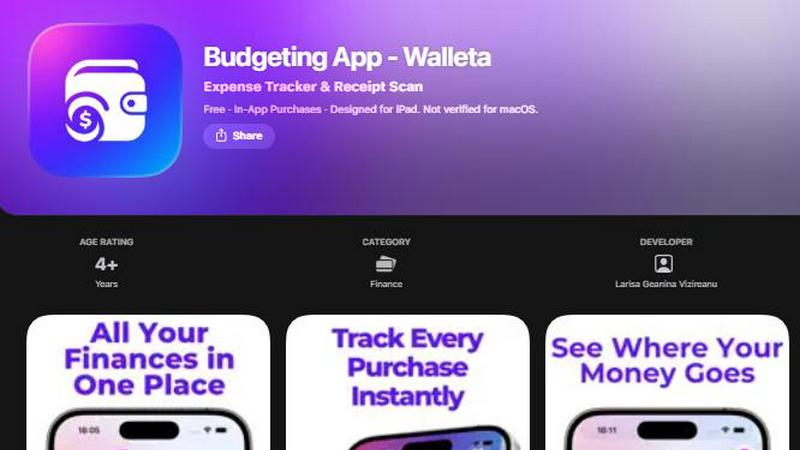
About Budgeting App
Budgeting App is an innovative budgeting solution designed specifically for iOS users seeking a straightforward and private way to manage their finances. This free app combines an AI-driven expense tracker with a comprehensive budget planner, allowing users to set monthly spending limits, capture receipts, and analyze their expenditures without the need for bank linking or account creation. Ideal for individuals who prioritize privacy—such as travelers, expats, and students—Budgeting App empowers users to take control of their financial habits with ease and efficiency. By offering features like one-tap logging and monthly budget tracking, it simplifies the often daunting task of expense management while maintaining a user-friendly interface. With Walleta, users can effortlessly scan receipts, categorize spending, and receive real-time alerts when nearing their budget limits, ensuring they stay on top of their finances without the worry of cloud sync or data tracking.
Features of Budgeting App
AI Receipt Scanning
With the AI receipt scanning feature, users can simply point their camera at any receipt to capture essential details such as the merchant name, total amount, date, and category. This eliminates the need for tedious manual entry, allowing users to quickly verify and save their expenses with just a few taps. Free users have access to three AI scans to try out the feature, while Walleta Pro subscribers can enjoy unlimited scans, making expense tracking faster and more efficient.
One-Tap Expense Logging
Budgeting App enables users to log their spending in seconds using an intuitive one-tap feature. Users can easily categorize their expenses across fourteen predefined categories such as Food, Groceries, Transport, and more. This streamlined process ensures that users can keep their financial records updated without spending excessive time on data entry, allowing them to focus on managing their budgets effectively.
Monthly Budget Management
Setting monthly budgets is a breeze with Budgeting App. Users can define their spending limits for various categories and monitor their progress in real time. The app sends alerts when users approach or exceed their budget, empowering them to make informed decisions and avoid overspending. This feature encourages responsible financial habits and helps users stay within their desired spending thresholds.
Comprehensive Analytics
Budgeting App provides users with beautiful and informative analytics to visualize their spending patterns. Through pie charts, bar graphs, and category summaries, users can easily review their expenses on a weekly, monthly, or yearly basis. This comprehensive analysis helps users understand where their money goes, enabling them to make adjustments to their spending habits as needed.
Use Cases of Budgeting App
Tracking Daily Expenses
For users who want to keep a close eye on their daily spending, Budgeting App provides a simple and effective solution. By logging expenses quickly and categorizing them, users can see how much they are spending each day, helping them to stay aware of their financial habits and make adjustments as necessary.
Managing Monthly Budgets
Individuals looking to manage their monthly budgets can benefit greatly from the app's budget setting and monitoring features. Users can set specific limits for different categories, allowing them to allocate funds appropriately and receive alerts when nearing their limits, which helps in preventing overspending.
Analyzing Spending Trends
Budgeting App allows users to analyze their spending trends over time. By reviewing detailed graphs and charts, users can identify patterns in their expenses, such as recurring costs that they might want to reduce or eliminate. This insight is invaluable for making informed financial decisions.
Maintaining Privacy in Finance
For those who prioritize privacy, Budgeting App is the perfect solution. It operates entirely on-device, meaning users do not need to link their bank accounts or create accounts, thus keeping their financial data private. This feature is especially important for users who are cautious about sharing their information online.
Frequently Asked Questions
How does the AI receipt scanning feature work?
The AI receipt scanning feature allows users to capture receipt images using their camera. The app's on-device AI then extracts key information such as the merchant, total amount, date, and category. Users simply need to verify these details before saving the expense, making tracking effortless.
Can I use Budgeting App without an internet connection?
Yes, Budgeting App is designed to function fully offline. All data is stored on your device, ensuring that you can track your expenses and manage your budget without needing an internet connection.
Is my financial data safe with Budgeting App?
Absolutely. Budgeting App prioritizes user privacy by not connecting to any banks, requiring account signups, or using cloud sync. All your financial data remains on your device, ensuring that it is kept safe and secure.
What happens if I run out of AI scans?
If you are a free user and exhaust your three available AI scans, you can continue to log expenses manually or opt for Walleta Pro to unlock unlimited AI receipt scans. This allows for continued use of the app's AI features as needed.
Similar to Budgeting App

Visual financial timelines for couples and young professionals.


Effortlessly track your income and expenses on iPhone with the Money Tracker App, combining AI receipt scanning and on-device privacy.

CalcFi gives you free, instantly updated financial calculators with cited formulas so you can make every money decision with confidence.

Redbark syncs your Australian bank data to apps like Google Sheets automatically, evolving your financial tracking.

Master financial skills through engaging gameplay that simulates real-life money management and investment decisions.

BudgetSheet effortlessly imports live bank transactions into Google Sheets, giving you complete control over your.