
AssetCenter
AssetCenter tracks every asset lifecycle event from acquisition to retirement, giving your team complete visibility to continuously improve.
Visit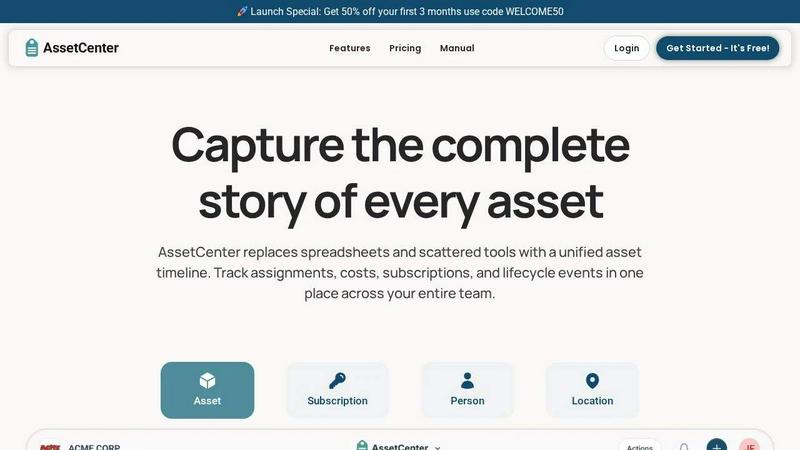
About AssetCenter
AssetCenter is a modern asset management platform designed to give organizations complete visibility and control over every asset through a unified timeline. Instead of relying on scattered data across multiple systems, AssetCenter captures every event from acquisition to end-of-life in one clear, chronological view. This includes purchases, assignments, maintenance, transfers, subscriptions, and decommissioning, creating a single source of truth that is easy to understand and act upon. The platform is built for flexibility, supporting any industry with customizable categories and fields that allow teams to model real-world workflows without rigid constraints. Assets, subscriptions, people, and locations can all be tracked, with every change automatically recorded for full accountability and traceability. AssetCenter is for organizations of all sizes, including healthcare, construction, education, government, nonprofit, IT, agriculture, manufacturing, and entertainment sectors. Its main value proposition is providing continuous improvement through iterative tracking, allowing teams to make smarter decisions, reduce inefficiencies, and stay organized throughout the entire lifecycle of their resources. With built-in lifecycle tracking, depreciation insights, and an intuitive dashboard, AssetCenter helps organizations stop guessing and start tracking with total visibility.
Features of AssetCenter
Unified Timeline for Every Resource
Every asset, subscription, person, and location has its own dedicated timeline that captures all events in chronological order. This feature provides a complete history of each resource from acquisition to retirement, including assignments, notes, to-dos, maintenance, and decommissioning. The timeline eliminates the need to search through multiple systems or spreadsheets, giving teams immediate context and a clear picture of what has happened, who was responsible, and what needs attention next.
Customizable Timeline Events
AssetCenter includes prebuilt events for the three main stages of an asset lifecycle: acquisition, lifecycle, and decommission. Users can start immediately with these events or fully customize them to match their organization's specific workflows. This flexibility allows teams to create unique events for maintenance, repairs, vandalism, oil changes, firmware updates, factory resets, or any other activity. The ability to iterate and adjust events over time ensures the system continuously improves to meet evolving business needs.
Dashboard for Total Visibility
The dashboard brings everything together in one place, providing an at-a-glance view of costs, expirations, end-of-life assets, and recent activity across all resources. Without jumping between pages, teams can track spending, stay ahead of subscription renewals, and identify assets that need attention. This feature supports continuous improvement by highlighting trends and inefficiencies, enabling proactive decision-making rather than reactive firefighting.
Bulk Import and Custom Categories
AssetCenter allows users to create unlimited, industry-specific categories for organizing assets and subscriptions exactly how their business needs. Whether tracking vehicles, machinery, software licenses, or office equipment, the platform adapts without rigid constraints. Additionally, the bulk import feature provides downloadable Excel templates that can be filled in with all assets, subscriptions, people, and locations. Uploading the completed template quickly imports everything into the application, making it easy to get started and continuously update the system as the organization grows.
Use Cases of AssetCenter
IT Asset Management for Software and Hardware
IT teams can use AssetCenter to track all hardware and software assets from procurement to retirement. The unified timeline captures assignments to employees, subscription renewals for software licenses, firmware updates, and decommissioning events. This use case helps IT departments maintain compliance, avoid unnecessary spending on duplicate licenses, and ensure that end-of-life hardware is properly retired, all while providing a clear audit trail for internal and external reviews.
Equipment Tracking for Construction and Manufacturing
Construction and manufacturing companies can manage heavy machinery, tools, and production equipment with custom categories and events. The timeline records maintenance schedules, repairs, oil changes, and transfers between job sites or departments. This continuous tracking improves equipment uptime, reduces unexpected breakdowns, and provides data to make informed decisions about when to replace or retire assets, ultimately lowering operational costs.
Healthcare Asset Management for Medical Devices
Hospitals and clinics can track medical devices, diagnostic equipment, and patient monitoring systems through every stage of their lifecycle. The platform captures acquisition costs, vendor details, assignment to specific departments or locations, and critical events like calibration, maintenance, and repairs. This use case ensures regulatory compliance, improves patient safety by keeping equipment in optimal condition, and provides visibility into asset utilization across the entire healthcare facility.
Subscription Management for Software and Services
Organizations can manage all their software subscriptions and service contracts in one place, including renewal dates, costs, and user assignments. The timeline shows when subscriptions were purchased, when they expire, and any changes in usage or cost over time. This use case helps teams avoid costly automatic renewals, identify unused licenses, and negotiate better terms by having a complete history of subscription spending and usage patterns.
Frequently Asked Questions
How does the unified timeline work for different types of resources?
The unified timeline captures all events for assets, subscriptions, people, and locations in chronological order. Each resource type has its own timeline that records acquisition, assignments, notes, to-dos, lifecycle events, and decommissioning. This means you can see the complete history of a laptop, a software license, an employee, or a warehouse at a glance, without needing to search through multiple systems or spreadsheets.
Can I customize the events and categories to fit my industry?
Yes, AssetCenter is built for flexibility. You can create unlimited, industry-specific categories to organize assets and subscriptions exactly how your business needs. The platform includes prebuilt events for the acquisition, lifecycle, and decommission stages, but you can fully customize these events or create your own to match your organization's unique workflows, whether you are in healthcare, construction, education, or any other industry.
What is included in the free trial and how do I get started?
The free trial includes access to the entire platform with 25 assets, no time limit, and no credit card required. You can create your free account, set up custom categories, and use the bulk import templates to quickly load your resources. The trial gives you full visibility into the unified timeline, dashboard, and all features so you can see how AssetCenter helps you get better control of your organization.
How does AssetCenter help with asset lifecycle management?
AssetCenter captures every stage of an asset's lifecycle from acquisition to retirement. The timeline records purchases, costs, vendor details, assignments, maintenance, repairs, and decommissioning events. Built-in lifecycle tracking and depreciation insights help teams make smarter decisions about when to maintain, upgrade, or replace assets. This continuous improvement approach reduces inefficiencies and ensures that every asset is used to its full potential.
Explore more in this category:
Similar to AssetCenter

Panzoe is an all-in-one AI platform for personal productivity, business automation, AI assistants, content creation, and custom AI solutions.

Novastart brings apps and files onto an infinite canvas where people and AI agents can work together.

AI Email Filter sorts incoming mail into folders using plain-language prompts you write. Works with any IMAP mailbox; bring your own LLM if you want.

Free collection of online developer utilities, code formatters, and digital converters designed to streamline your daily workflow.

Translate JSON, Markdown, and TXT files while preserving keys, nested paths, and project structure.

Visual financial timelines for couples and young professionals.

The #1 Native Form Builder Plugin for Framer - No Code, No Embeds, No External Platforms.

Practical, independent guides to home repairs, maintenance, costs, troubleshooting, and everyday fixes.