
AI Audio Translator
AI Audio Translator seamlessly transcribes, translates, and dubs spoken content in real-time, enhancing communication across languages.
Visit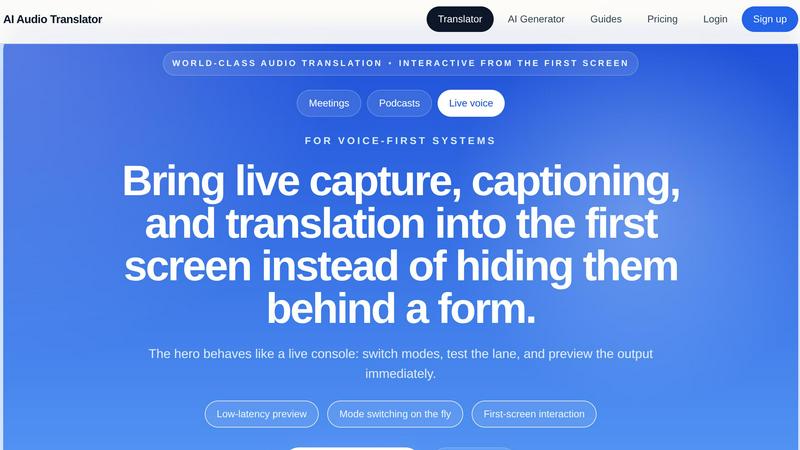
About AI Audio Translator
AI Audio Translator is an innovative browser-based tool designed to streamline spoken-content workflows. It allows users to seamlessly upload audio files, paste public audio URLs, or even record directly in the browser. The tool excels at generating transcripts, translated text, and optional dubbed audio in a single, focused workflow. This makes it particularly valuable for those engaged in creating podcasts, conducting interviews, delivering lessons, or handling localization tasks. The platform prioritizes practical review, enabling users to inspect the transcript before checking the translation and generating dubbed speech only when necessary. By offering a user-friendly interface with interactive features, AI Audio Translator enhances the efficiency of audio translation processes, ensuring that users can produce high-quality outputs suited to their specific needs.
Features of AI Audio Translator
Interactive Workflow
The AI Audio Translator provides an interactive workflow that allows users to switch modes and preview outputs in real-time. This enables immediate feedback and adjustments, making the translation process more efficient and user-friendly.
Multi-Language Support
With support for numerous languages, including English, Chinese, Japanese, and many more, users can translate audio content across a wide range of languages. This feature is essential for global teams and diverse content creators aiming to reach broader audiences.
Transcript-First Review
The platform emphasizes a transcript-first approach, allowing users to review the transcribed text before translating or generating dubbed audio. This ensures accuracy and quality, as users can make necessary edits or adjustments before finalizing the output.
Seamless Input Handling
AI Audio Translator allows users to handle various input methods, including uploaded files, public URLs, and browser recordings. This flexibility streamlines the workflow, enabling users to work with their preferred audio sources without hassle.
Use Cases of AI Audio Translator
Podcast Localization
Podcasters can utilize AI Audio Translator to convert their episodes into multiple languages, expanding their audience reach. By translating transcripts and generating dubbed audio, creators can share their content with non-English speaking listeners.
Educational Content Translation
Educators can leverage the tool to translate lessons, lectures, and recorded explainers, making their materials accessible to students from different linguistic backgrounds. This supports inclusive learning environments and enhances educational outreach.
Business Meeting Documentation
Businesses conducting international meetings can use the AI Audio Translator to transcribe and translate discussions. This ensures that all stakeholders are on the same page, regardless of their native language, facilitating better communication and collaboration.
Content Creation for Global Brands
Brands aiming for a global presence can use the tool to translate promotional audio material, interviews, or product demonstrations. This capability helps in creating localized content that resonates with various cultural contexts.
Frequently Asked Questions
What types of audio files can I upload?
You can upload multiple audio file formats including MP3, WAV, M4A, AAC, and OGG, with a maximum file size of 100MB. This ensures compatibility with various recording devices and applications.
How does the transcription process work?
The transcription process begins by converting the spoken audio into text. Once the transcript is ready, it can be reviewed and edited before moving on to the translation phase, ensuring accuracy and quality.
Can I translate audio in real-time?
Yes, AI Audio Translator offers low-latency previews and real-time translation capabilities, allowing for dynamic interaction during the translation process. This feature is particularly useful for live events or meetings.
Is there a limit to the length of audio I can translate?
Currently, you can process audio files up to 100MB in size, which typically translates to approximately 12 minutes of audio content, depending on the audio format and quality. This allows for substantial spoken material to be translated efficiently.
Explore more in this category:
Similar to AI Audio Translator


Melodank turns your memories and special occasions into unique German or English songs you can preview and share as digital gifts.


VideoAny is your all-in-one AI studio to iteratively create videos, images, and audio from text or photos, evolving every project with continuous.

InstaSong turns any text prompt into a full royalty-free song with vocals and beats in under a minute, starting free with no credit card needed.

MusicAny transforms text prompts into original songs, background music, and video-ready audio, continuously improving your creative workflow.

Create studio-quality, royalty-free music in just 60 seconds by transforming your text ideas into captivating songs effortlessly.

The Audio Stuff delivers honest, benchmarked reviews of audiophile gear to help you build a better hi-fi system, updated weekly with zero sponsored.