
Hush Touch | Voice-to-Text for MacOS vs SVG to 3D
Side-by-side comparison to help you choose the right product.

Hush Touch | Voice-to-Text for MacOS
Hush Touch is an offline voice-to-text app for Mac that learns your vocabulary and enhances dictation accuracy.
Last updated: February 26, 2026

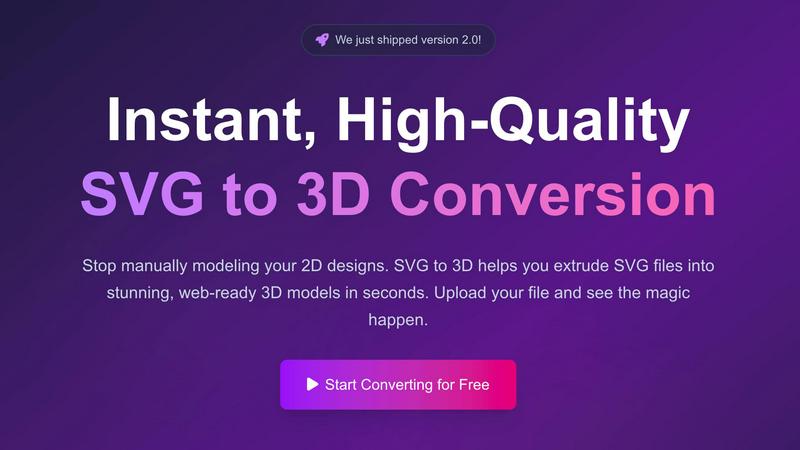
SVG to 3D
Effortlessly convert your SVG files into stunning 3D models in seconds with advanced controls and optimized exports.
Last updated: February 27, 2026
Visual Comparison
Hush Touch | Voice-to-Text for MacOS

SVG to 3D
Feature Comparison
Hush Touch | Voice-to-Text for MacOS
Dual-Engine Recognition
Hush Touch utilizes a sophisticated dual-engine recognition system, combining DictationTranscriber for natural flow and punctuation with SFSpeechRecognizer for custom vocabulary enhancement. This powerful combination ensures that your dictation is not only accurate but also tailored to your specific needs, regardless of the complexity of the vocabulary.
Custom Vocabulary
With the ability to recognize up to 500 terms and automatically learn from corrections, Hush Touch is built to handle terminology from various fields. Whether you are drafting medical notes or technical documents, the app seamlessly adapts to your voice, ensuring that your unique jargon and brand names are accurately transcribed every time.
Smart Text Processing
This feature enhances your dictation by removing filler words, correcting common errors, and formatting text correctly in real-time. Hush Touch listens actively to your speech patterns, so phrases you commonly use can be instantly recognized and inserted, allowing for a smoother writing process without cumbersome editing later.
Context Modes & Hands-Free Operation
Hush Touch offers four distinct context modes—General, Email, Code, and Notes—each tailored for specific writing scenarios. With the hands-free operation, you can initiate dictation using Siri or a hotkey, making it easy to use without manual input. The app automatically inserts text after a brief pause, streamlining the dictation experience further.
SVG to 3D
One-Click to GLB for the Web
This feature allows users to export their 3D models as GLB files, which are optimized for web usage. This means developers can easily integrate the models into their Three.js or React Three Fiber projects without worrying about performance issues, enhancing the interactivity and visual appeal of websites.
3D-Print Ready
SVG to 3D supports clean STL exports, ensuring that your 3D models are ready for 3D printing. This feature eliminates the need for additional software, allowing you to directly use the exported files with your slicer for seamless fabrication of your designs.
Advanced Material System
With our sophisticated material system, users can apply realistic PBR materials, custom textures, and dynamic lighting effects to their 3D models. This feature allows for a more polished and professional appearance, setting your designs apart from the competition.
Lightning-Fast Processing
Our tool utilizes optimized algorithms that convert SVG files to 3D models in seconds. This lightning-fast processing ensures that users can quickly turn their ideas into tangible models, saving time and increasing productivity in their creative workflows.
Use Cases
Hush Touch | Voice-to-Text for MacOS
Professional Email Drafting
Hush Touch is perfect for professionals who need to draft emails quickly and efficiently. By using voice dictation, users can compose messages hands-free, ensuring that their communication is faster and more fluid while maintaining accuracy in tone and content.
Note Taking in Meetings
During meetings or lectures, Hush Touch allows users to take notes without the distraction of typing. Simply dictate your thoughts, and the app will transcribe them in real-time, capturing important points and insights effortlessly, ensuring you never miss crucial information.
Creative Writing
Writers can leverage Hush Touch to brainstorm ideas and draft content without the constraints of typing. This voice-to-text tool encourages a natural flow of ideas, allowing creativity to flourish as thoughts are transformed into text effortlessly, which can later be refined in editing.
Medical Documentation
Healthcare professionals can benefit from Hush Touch by dictating medical notes and reports. The app's ability to learn specific medical terminology ensures accurate transcription, streamlining the documentation process and allowing clinicians to focus more on patient care rather than paperwork.
SVG to 3D
Create Interactive 3D Logos and Icons
Web developers can effortlessly convert SVG icons into 3D models, making them ideal for enhancing user interfaces with interactive elements. This capability allows for a more engaging experience on websites and applications, capturing user attention effectively.
From Digital Design to Physical Object
For those in the 3D printing community, SVG to 3D offers a streamlined workflow from 2D designs to STL files. This makes it easy to fabricate custom parts, art, or logos without needing extensive CAD experience, ensuring that your creative vision comes to life with precision.
Enhance Your UI/UX Designs
Designers can use SVG to 3D to add depth and realism to their mockups. By integrating 3D elements into UI/UX presentations, they can impress clients and stakeholders, showcasing designs with a more immersive and realistic aesthetic.
Rapid Prototyping
Entrepreneurs and product developers can utilize SVG to 3D for rapid prototyping of concepts. The ability to quickly generate and adjust 3D models allows for iterative design processes, making it easier to refine ideas and test them in real-world applications.
Overview
About Hush Touch | Voice-to-Text for MacOS
Hush Touch is an innovative voice-to-text application designed specifically for macOS users who require a seamless and efficient dictation experience. This lightweight app, weighing only 5.5 MB, operates entirely on-device, ensuring user privacy while delivering high-quality transcription. Hush Touch combines two advanced Apple transcription engines with an Apple Intelligence final pass, resulting in impressively accurate text outputs that learn and adapt to your unique vocabulary over time. Ideal for professionals, creatives, and anyone looking for a hands-free writing solution, Hush Touch simplifies the process of drafting emails, notes, documents, and more. With customizable commands and an intuitive interface, you can easily integrate dictation into your daily workflows, eliminating the need for cloud dependence and subscription fees. For a one-time payment of $20, Hush Touch offers a lifetime license, making it a cost-effective choice for anyone serious about dictation.
About SVG to 3D
SVG to 3D is a cutting-edge online tool specifically designed to transform your 2D SVG vector graphics into stunning, high-quality 3D models in a matter of seconds. Tailored for web developers, designers, and 3D printing enthusiasts, this tool eliminates the need for cumbersome software like Blender or C4D, which can be overwhelming and time-consuming for simple tasks like logo extrusion. With SVG to 3D, users can upload their SVG files directly through a user-friendly interface and witness the swift conversion process. This tool not only enhances your designs with realistic depth and textures but also optimizes them for web use and 3D printing, making it the ultimate solution for anyone looking to elevate their creative projects.
Frequently Asked Questions
Hush Touch | Voice-to-Text for MacOS FAQ
How does Hush Touch ensure privacy?
Hush Touch processes all voice data entirely on your Mac, with no cloud dependency or data collection. This guarantees that your dictation is secure and private, giving you peace of mind while you work.
Can I try Hush Touch before purchasing?
Yes, Hush Touch offers a 7-day free trial without requiring a credit card. This allows you to experience the app's full capabilities before making a commitment.
What platforms does Hush Touch support?
Hush Touch is specifically designed for macOS, ensuring a seamless integration with the Mac ecosystem and optimized performance tailored to Mac users.
Is there a learning curve with Hush Touch?
Hush Touch is designed to be user-friendly, with minimal setup required. The intuitive interface and hands-free operation make it easy to start dictating right away, and it continually learns from your corrections, enhancing the experience over time.
SVG to 3D FAQ
How do I start using SVG to 3D?
To begin, simply visit our website, upload your SVG file, and watch as our tool transforms it into a 3D model instantly. No software installation is required, and it's 100% free.
What file formats can I export my 3D model to?
You can export your 3D models in multiple formats including GLB, GLTF, OBJ, and STL. This versatility ensures compatibility with various 3D frameworks and printing software.
Is my data safe when using SVG to 3D?
Yes, your files are processed locally in your browser whenever possible, ensuring your designs remain private and secure without the need for uploads to external servers.
Can I customize the 3D model after conversion?
Absolutely! Our tool offers advanced controls that allow you to fine-tune every detail of your 3D model, including thickness, bevels, and materials, ensuring you achieve the perfect look for your project.
Alternatives
Hush Touch | Voice-to-Text for MacOS Alternatives
Hush Touch | Voice-to-Text for MacOS is an innovative offline dictation application designed to streamline the writing process for users by utilizing advanced Apple transcription technology. It falls under the AI Assistants category, catering to individuals seeking a reliable voice-to-text solution that emphasizes speed, accuracy, and privacy. While Hush Touch offers a compelling set of features, users often explore alternatives due to factors such as pricing, specific feature sets, or compatibility with different platforms. When searching for an alternative, it's essential to consider aspects like ease of use, the reliability of voice recognition, and privacy features. Additionally, users should evaluate whether the alternative meets their specific needs, such as offline functionality, integration with existing workflows, and overall cost-effectiveness. Understanding these criteria can significantly enhance the decision-making process for finding the right voice-to-text solution.
SVG to 3D Alternatives
SVG to 3D is an innovative tool designed to effortlessly transform 2D SVG vector graphics into high-quality 3D models. This product fits within the category of AI assistants, catering specifically to developers, designers, and 3D printing enthusiasts who seek a seamless way to integrate 3D elements into their projects. Users often explore alternative solutions due to factors such as pricing concerns, the breadth of features offered, and specific platform compatibility to meet their unique needs. When seeking alternatives, it is crucial to evaluate the ease of use, the quality of output, and the range of functionalities available. Look for options that provide efficient workflows, robust export formats, and the ability to preview changes in real-time. Ultimately, the right alternative should enhance productivity while aligning with individual project requirements.