
SVG to 3D
Effortlessly convert your SVG files into stunning 3D models in seconds with advanced controls and optimized exports.
Visit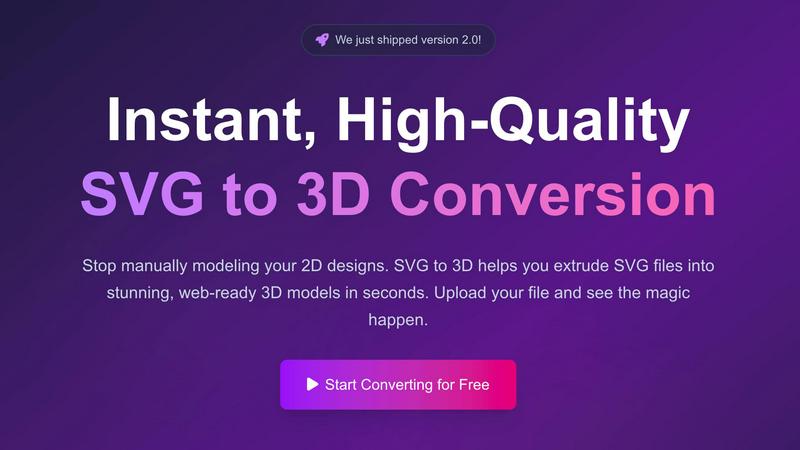
About SVG to 3D
SVG to 3D is a cutting-edge online tool specifically designed to transform your 2D SVG vector graphics into stunning, high-quality 3D models in a matter of seconds. Tailored for web developers, designers, and 3D printing enthusiasts, this tool eliminates the need for cumbersome software like Blender or C4D, which can be overwhelming and time-consuming for simple tasks like logo extrusion. With SVG to 3D, users can upload their SVG files directly through a user-friendly interface and witness the swift conversion process. This tool not only enhances your designs with realistic depth and textures but also optimizes them for web use and 3D printing, making it the ultimate solution for anyone looking to elevate their creative projects.
Features of SVG to 3D
One-Click to GLB for the Web
This feature allows users to export their 3D models as GLB files, which are optimized for web usage. This means developers can easily integrate the models into their Three.js or React Three Fiber projects without worrying about performance issues, enhancing the interactivity and visual appeal of websites.
3D-Print Ready
SVG to 3D supports clean STL exports, ensuring that your 3D models are ready for 3D printing. This feature eliminates the need for additional software, allowing you to directly use the exported files with your slicer for seamless fabrication of your designs.
Advanced Material System
With our sophisticated material system, users can apply realistic PBR materials, custom textures, and dynamic lighting effects to their 3D models. This feature allows for a more polished and professional appearance, setting your designs apart from the competition.
Lightning-Fast Processing
Our tool utilizes optimized algorithms that convert SVG files to 3D models in seconds. This lightning-fast processing ensures that users can quickly turn their ideas into tangible models, saving time and increasing productivity in their creative workflows.
Use Cases of SVG to 3D
Create Interactive 3D Logos and Icons
Web developers can effortlessly convert SVG icons into 3D models, making them ideal for enhancing user interfaces with interactive elements. This capability allows for a more engaging experience on websites and applications, capturing user attention effectively.
From Digital Design to Physical Object
For those in the 3D printing community, SVG to 3D offers a streamlined workflow from 2D designs to STL files. This makes it easy to fabricate custom parts, art, or logos without needing extensive CAD experience, ensuring that your creative vision comes to life with precision.
Enhance Your UI/UX Designs
Designers can use SVG to 3D to add depth and realism to their mockups. By integrating 3D elements into UI/UX presentations, they can impress clients and stakeholders, showcasing designs with a more immersive and realistic aesthetic.
Rapid Prototyping
Entrepreneurs and product developers can utilize SVG to 3D for rapid prototyping of concepts. The ability to quickly generate and adjust 3D models allows for iterative design processes, making it easier to refine ideas and test them in real-world applications.
Frequently Asked Questions
How do I start using SVG to 3D?
To begin, simply visit our website, upload your SVG file, and watch as our tool transforms it into a 3D model instantly. No software installation is required, and it's 100% free.
What file formats can I export my 3D model to?
You can export your 3D models in multiple formats including GLB, GLTF, OBJ, and STL. This versatility ensures compatibility with various 3D frameworks and printing software.
Is my data safe when using SVG to 3D?
Yes, your files are processed locally in your browser whenever possible, ensuring your designs remain private and secure without the need for uploads to external servers.
Can I customize the 3D model after conversion?
Absolutely! Our tool offers advanced controls that allow you to fine-tune every detail of your 3D model, including thickness, bevels, and materials, ensuring you achieve the perfect look for your project.
Similar to SVG to 3D

AI transcription for voice notes, meetings, and audio files in 1,700 languages, with AI summaries and subtitle export and unlimited chat ai usage.

AI sales agent that finds qualified leads, runs outreach, follows up automatically, creates content, and helps book more meetings.

A working index of AI tools. We record what each one costs, what it connects to, and exactly where it stops being useful.

Find SaaS growth tools worth your time. Every tool is reviewed before it's listed, so the shortlist is already made for you.

Tired of chasing down the right AI tool across a dozen tabs? Tools Network brings them all together in one curated directory.


Skydive lets teams create AI agents that can complete real work inside the tools they already use.