
RocketShare vs SupaSidebar
Side-by-side comparison to help you choose the right product.

RocketShare
RocketShare enables secure file sharing with zero-knowledge encryption, ensuring your privacy is protected at all times.
Last updated: March 4, 2026

SupaSidebar
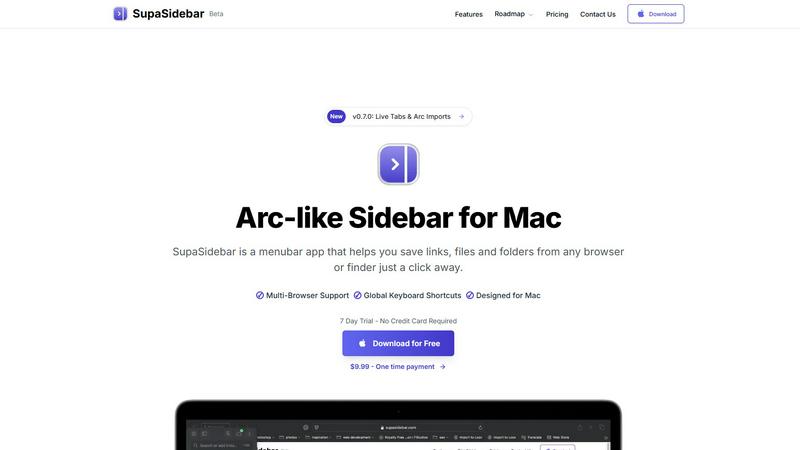
SupaSidebar is your Mac's evolving quick-access hub for links, files, and folders.
Last updated: February 28, 2026
Visual Comparison
RocketShare

SupaSidebar
Feature Comparison
RocketShare
Zero-Knowledge Encryption
RocketShare employs a zero-knowledge encryption model, ensuring that your files are encrypted before they leave your device. This means that only you hold the encryption key, making your data completely secure from unauthorized access.
Cloud and Local Sharing Options
Users have the flexibility to choose between cloud-based sharing and local peer-to-peer transfers. This versatility allows you to select the method that best fits your needs, whether for convenience or enhanced security.
Secure EU Data Storage
All files shared through RocketShare are stored securely within the EU. This not only complies with strict data protection regulations but also provides peace of mind that your information is in a secure environment.
User-Friendly Interface
RocketShare boasts an intuitive and user-friendly interface, designed for simplicity. Uploading files is as easy as dragging and dropping, allowing users of any technical level to share files securely without a steep learning curve.
SupaSidebar
Universal Save & Copy Shortcuts
Effortlessly capture web content without interrupting your flow. With globally recognized keyboard shortcuts (Command + Control + S to save, Command + Control + C to copy the current URL), you can instantly send any link from any major browser directly into your SupaSidebar. This eliminates the tedious process of copy-pasting into separate note-taking apps or managing a chaotic bookmark bar, keeping your research and resources neatly organized in one dedicated, accessible space.
Recents & Favorites for Instant Recall
Never lose track of your work again. The "Recents" section automatically tracks every website you've visited in the last 48 hours, acting as a short-term memory for your browsing. For your essential tools, the "Favorites" (pinned items) feature keeps your most-used links, files, and apps permanently anchored at the top of the sidebar. This combination ensures that whether you're returning to yesterday's research or launching a daily dashboard, everything is just one click away.
Fast, Unified Search (CMD + CTRL + K)
Break down the barriers between apps and files. By pressing Command + Control + K, you activate a powerful, instantaneous search across your entire SupaSidebar library. This command bar lets you find and launch any saved website, local file, folder, or application without ever needing to switch contexts or dig through Finder windows. It's the fastest way to navigate your digital workspace, turning intention into action in seconds.
Native macOS Design & Privacy
SupaSidebar is built to feel like a natural extension of your Mac. It features a lightweight, unobtrusive interface that perfectly aligns with macOS aesthetics, appearing only when you need it. Critically, it operates with a strong commitment to privacy: all your data—every link, file reference, and organizational structure—stays locally on your machine. Nothing is sent to external servers, giving you complete control and peace of mind.
Use Cases
RocketShare
Legal Document Sharing
Lawyers can send sensitive case files and legal documents through RocketShare, ensuring that client confidentiality is maintained at all times. The zero-knowledge encryption adds an extra layer of security that is essential in the legal field.
Healthcare Data Transmission
Healthcare professionals can securely share patient records and sensitive medical information without fear of breaches. This is critical for compliance with regulations such as HIPAA, making RocketShare a valuable tool for the healthcare industry.
Creative Project Collaboration
Photographers and videographers can deliver high-resolution files and collaborate on projects without the worry of data interception. RocketShare's secure sharing capabilities ensure that creative works are protected throughout the process.
Marketing Campaign Materials
Marketing agencies can easily share campaign assets, presentations, and confidential client information securely. The platform's robust security features ensure that proprietary materials remain confidential during collaboration.
SupaSidebar
Academic and Deep Research
For students and academics conducting research, SupaSidebar is indispensable. You can save journal articles, source materials, and reference websites from multiple browsers into dedicated project spaces. The "Recents" feature helps you backtrack through your browsing history, while fast search lets you pull up any source instantly when writing papers. This keeps your research pipeline organized and efficient, turning a sprawling literature review into a manageable process.
Creative Project Management
Designers, writers, and developers can use SupaSidebar to centralize all project assets. Save inspiration from the web, pin links to design prototypes or copy documents, and keep project folders and resource files instantly accessible. By having mood boards, briefs, tools, and deliverables in one unified sidebar, you can maintain creative focus without the distraction of hunting through downloads, bookmarks, and open tabs.
Daily Workflow and Multitasking
For any professional juggling communication, documentation, and task management, SupaSidebar streamlines the daily grind. Pin your email, calendar, task manager, and CRM to the top. Use global shortcuts to quickly save meeting links or relevant documents encountered during the day. The sidebar becomes a persistent, clean hub for all work essentials, drastically reducing time spent alt-tabbing between applications and browser windows.
Personal Knowledge Curation
For lifelong learners and hobbyists building a personal knowledge base, SupaSidebar acts as a digital commonplace book. Save interesting articles, tutorials, recipes, or travel ideas as you browse. Organize them into spaces for different interests. Since everything is saved locally and searchable, you build a valuable, private repository of information that you can easily revisit and draw from over time, all without relying on cloud services.
Overview
About RocketShare
RocketShare is a cutting-edge file-sharing platform that prioritizes your privacy above all else. Built on the foundation of zero-knowledge encryption, it allows both individuals and businesses to transmit files of any size securely. With RocketShare, your files are encrypted directly on your device before they are uploaded, ensuring that no one—neither unauthorized users nor even RocketShare—can access the content. This makes it an ideal solution for professionals who handle sensitive information, such as lawyers, healthcare providers, and marketers. The main value proposition of RocketShare lies in its unique combination of robust security features and user-friendly interface, allowing you to share files with confidence and ease. Whether you require cloud-based sharing or prefer local peer-to-peer transfers, RocketShare guarantees that your data remains private and protected. Furthermore, with data storage located securely within the EU, you can trust that your intellectual property and private information are safeguarded without compromise.
About SupaSidebar
SupaSidebar is a transformative menubar application for macOS, designed to bring the elegant, productivity-boosting experience of the Arc browser's sidebar to your entire Mac desktop. It acts as a universal command center, providing instant, organized access to your most important digital resources—links, files, folders, and applications—right from a sleek, native sidebar. Built for professionals, students, researchers, and anyone who multitasks online, SupaSidebar solves the common frustrations of tab overload, disorganized bookmarks, and slow context-switching. Its core value proposition is a seamless, focused, and fast workflow. With global keyboard shortcuts that work across any browser (including Safari, Chrome, Firefox, Brave, and Arc) and Finder, you can save or copy a URL in one keystroke. The app is built on a philosophy of continuous improvement, with regular updates driven by user feedback, ensuring the tool evolves to meet real-world needs. Your data remains private and local on your Mac, and with a free-forever tier available, you can experience a new level of organized productivity without risk. SupaSidebar is more than just an organizer; it's an ever-evolving platform designed to help you work smarter, not harder.
Frequently Asked Questions
RocketShare FAQ
How does RocketShare ensure my files are secure?
RocketShare uses zero-knowledge encryption, meaning your files are encrypted on your device before they are uploaded, and only you hold the encryption key. This guarantees that no one else can access your data.
Can I share large files with RocketShare?
Yes, RocketShare allows you to share files of any size securely. Whether you're sending large video files or extensive documents, you can do so with confidence.
Is there a limit on the number of files I can share?
RocketShare does not impose limits on the number of files you can share. You can send multiple files in a single transfer, providing flexibility for your sharing needs.
Where is my data stored when I use RocketShare?
All data shared through RocketShare is stored securely within the EU. This ensures compliance with strict data protection laws, safeguarding your information in a reliable environment.
SupaSidebar FAQ
Is SupaSidebar a browser extension?
No, SupaSidebar is not a browser extension. It is a standalone macOS menubar application that works independently alongside all your browsers. It uses system-level accessibility features to interact with your active browser window, allowing its global keyboard shortcuts to function universally in Safari, Chrome, Firefox, Brave, Arc, and others without requiring individual extensions.
Which browsers does SupaSidebar work with?
SupaSidebar is compatible with all major web browsers on macOS, including Safari, Google Chrome, Mozilla Firefox, Brave, and the Arc browser. Its universal keyboard shortcuts are designed to work seamlessly across these platforms, providing a consistent save and copy experience regardless of which browser you prefer to use for your daily tasks.
What macOS version do I need?
SupaSidebar requires macOS 13 (Ventura) or a later version to operate. This ensures the application can utilize the latest system frameworks and security features necessary for its global shortcuts, native integration, and smooth performance, providing you with the best possible experience on your Mac.
Where is my data stored?
All your data is stored locally and privately on your Mac. Nothing—not your saved links, file paths, or organizational spaces—leaves your computer or is sent to external servers. This commitment to local-first storage is a core part of SupaSidebar's design philosophy, ensuring your privacy and giving you complete control over your information.
Alternatives
RocketShare Alternatives
RocketShare is a secure file-sharing platform that prioritizes user privacy through its zero-knowledge encryption model. As a part of the productivity and management category, it enables individuals and businesses to share files of any size while ensuring that the content remains inaccessible to anyone, including RocketShare itself. Users often seek alternatives to RocketShare for reasons such as pricing considerations, feature requirements, or compatibility with specific platforms. When searching for an alternative, it's essential to evaluate the security measures in place, ease of use, and the level of customer support offered. Understanding your unique file-sharing needs will help you make the best choice for a solution that aligns with your privacy and operational requirements.
SupaSidebar Alternatives
SupaSidebar is a Mac productivity application designed to streamline access to your most important links, files, and folders through a convenient sidebar. It falls into the category of organizational and quick-access tools, helping users manage digital clutter and enhance their workflow efficiency. Users often explore alternatives for various reasons, such as budget constraints, a need for different feature sets, or compatibility with other operating systems. The search for the right tool is a natural part of refining one's personal productivity system, as needs evolve and new workflows emerge. When evaluating an alternative, consider core functionality like cross-browser integration, the method for saving and retrieving items, and the overall user experience. The goal is to find a solution that adapts to your habits, encouraging a cycle of continuous improvement in how you organize and access digital resources.