
Nabbed vs Refbox
Side-by-side comparison to help you choose the right product.

Track jobs & contacts. Get AI intel. Autofill ATS.

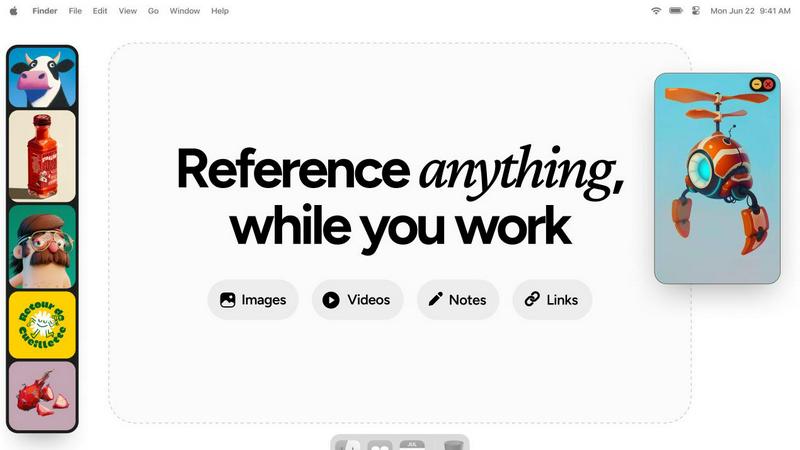
Refbox keeps your references visible and accessible right above your workspace for a smoother, faster workflow.
Last updated: February 28, 2026
Visual Comparison
Nabbed

Refbox
Overview
About Nabbed
Nabbed is the first CRM built specifically for sales and revenue professionals managing their career. Track job applications in a visual pipeline, build a contact CRM with warm path mapping, get AI-powered company intelligence (funding, headcount, Glassdoor ratings), and autofill applications on 60+ ATS platforms with our Chrome extension. Features include Gmail auto-sync that detects interviews and rejections, hiring signal alerts when target companies are growing, interview prep with AI coaching, salary benchmarking with offer analysis, and a Job Fit Score that matches your profile to listings. Search 11 job sources at once including Google Jobs, Indeed, LinkedIn, and Glassdoor. Free tier available, Core at $19/mo.
About Refbox
Refbox is the ultimate floating reference companion for creative professionals who demand an uninterrupted, focused workflow. It is an innovative application designed to end the constant, distracting cycle of alt-tabbing between folders, browser tabs, and your primary creative software. At its core, Refbox allows you to pin images, GIFs, videos, and notes into always-on-top, resizable frames that float above any other application on your desktop. This means your inspiration and critical references are perpetually visible, right where you need them, whether you're sketching, designing, animating, modeling, or illustrating. By centralizing your media into a customizable sidebar that you can populate instantly from the web, local storage, or your clipboard, Refbox transforms a fragmented process into a seamless flow. It champions a philosophy of continuous improvement for your creative process, eliminating friction points one by one. With powerful organizational features like Masonry Mode for dynamic layouts, full-screen galleries for dual-monitor setups, and markdown-enabled notes, Refbox ensures your tools adapt to your vision, not the other way around. It's built for the professional who can't afford distractions, empowering you to maintain a state of deep focus where creativity thrives.