
Decode This Text vs Quickfix AI
Side-by-side comparison to help you choose the right product.

Decode This Text
Decode This Text delivers quick, human-like insights to help you clarify confusing conversations in just 30 seconds.
Last updated: February 28, 2026

Quickfix AI
Quickfix AI instantly diagnoses and explains your system's health in plain English.
Last updated: February 28, 2026
Visual Comparison
Decode This Text

Quickfix AI
Feature Comparison
Decode This Text
Comprehensive Text Analysis
Decode This Text analyzes the messages you provide, examining the words, context, and emotional tone to reveal what is truly happening beneath the surface. This ensures you understand not just the words, but the sentiment behind them.
User-Friendly Interface
The platform is designed with ease of use in mind. You can paste text directly or upload a screenshot of your conversation, making it accessible for users of all tech-savviness levels. This simplicity encourages engagement and frequent use.
Emotional Tone Detection
The tool measures the emotional temperature of messages, identifying whether they are friendly, sarcastic, or cold. By understanding the emotional context, you can avoid misinterpretations and respond appropriately.
Response Suggestions
When you're unsure of how to reply, Decode This Text provides tailored response options. Whether you need a calm, direct, or assertive reply, the tool equips you with the best ways to communicate, enhancing your confidence in interactions.
Quickfix AI
One-Click Full System Diagnostics
Quickfix AI performs a comprehensive scan of your computer's vital systems in under a minute. It analyzes CPU usage, memory pressure, GPU load, storage health, battery cycles, network speeds, and security protection status, presenting all critical data in a single, easy-to-read dashboard. This feature eliminates the need for multiple, complex tools, providing a holistic view of your system's health instantly and continuously improving its detection algorithms with every scan.
AI-Powered Plain-English Explanations
This feature reads your full diagnostic report and translates technical jargon into clear, actionable insights. You can ask questions like "Why is my Mac running slow?" and receive specific, plain-English answers with tailored recommendations. The AI learns from each interaction, refining its explanations to become more precise and helpful, ensuring users of any technical level can understand and act on their system's data.
Secure Remote Diagnostics via Sharing Code
IT professionals and helpers can troubleshoot any machine remotely without invasive software. Simply generate a secure sharing code, send the download link to the user, and once they run the scan, you instantly receive their anonymized diagnostic report. This creates a seamless, iterative support loop that gets faster and more effective with every use case, streamlining remote IT support.
Universal Communication Assistant
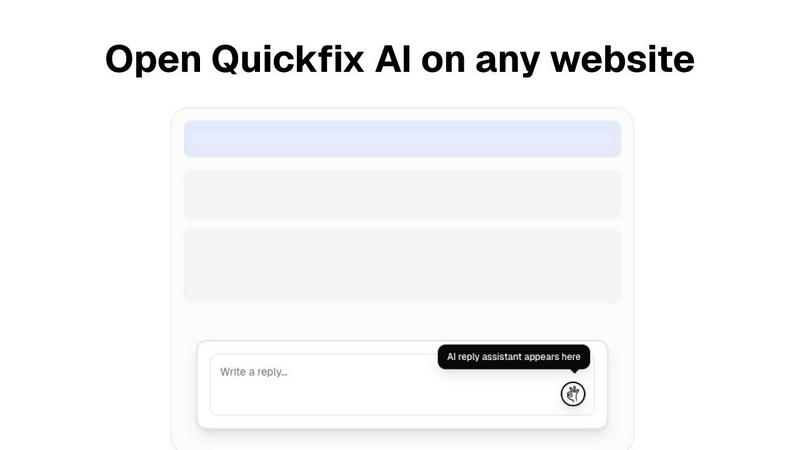
Available as a browser extension, this feature provides intelligent, context-aware reply generation across any website or communication platform, including Gmail, LinkedIn, Slack, and customer support portals. With a single click, it crafts perfect responses, learning your communication style over time to save hours per week and continuously improve the relevance and tone of its suggestions.
Use Cases
Decode This Text
Clarifying Confusing Messages
Decode This Text is perfect for deciphering vague texts from friends or colleagues. If a friend says they had fun but goes quiet afterward, the tool helps you understand the underlying sentiment and decide how to follow up.
Professional Email Interpretation
When faced with terse emails from bosses or clients, this tool can help you gauge their mood and intentions, guiding you on how to respond effectively, whether it's with empathy or assertiveness.
Understanding Relationship Dynamics
For those navigating the complexities of personal relationships, Decode This Text can provide insights into messages that may seem ambiguous, helping you to avoid misunderstandings and improve communication.
Family Communication Clarity
Family dynamics can be challenging, especially when messages are misinterpreted. Use Decode This Text to analyze family group chats and ensure that everyone's intentions are clear, fostering healthier communication.
Quickfix AI
Personal Troubleshooting for Everyday Users
For individuals who sense their computer is underperforming but lack the technical knowledge to diagnose the issue, Quickfix AI is the perfect first step. It automatically identifies the root cause of slowdowns, battery drain, or strange behavior and explains it in simple terms with clear steps to resolve it, empowering users to maintain their own systems through a cycle of learning and improvement.
IT Support and Remote Assistance
IT support teams can drastically reduce resolution times by using Quickfix AI's secure sharing code feature. Instead of lengthy back-and-forth descriptions, technicians get instant, comprehensive diagnostics from any user's machine. This enables precise, first-contact solutions and builds a knowledge base that makes the support process smarter and more efficient with every ticket resolved.
Performance Monitoring for Tech Enthusiasts
Gamers, developers, and power users who demand peak performance from their hardware use Quickfix AI for deep, real-time insights into system metrics like CPU/GPU temperatures, memory pressure, and disk health. The tool facilitates an iterative tuning process, allowing enthusiasts to monitor the impact of their adjustments and continuously optimize their setup for better results.
Proactive System Security Audits
Users concerned about their digital security can run Quickfix AI to get an immediate snapshot of their protection status. It checks firewall settings, disk encryption status, and other critical security layers, providing clear feedback and recommendations. This enables a proactive, evolving security posture, ensuring systems are not just fixed but fortified against future threats.
Overview
About Decode This Text
Decode This Text is a revolutionary tool designed to help individuals decipher the often complex and ambiguous meanings behind various forms of communication. Whether you're receiving a cryptic email from your boss, an unclear text from a friend, or a puzzling message from a client, Decode This Text provides the clarity you need. By simply pasting the conversation or describing the situation, users can obtain a comprehensive analysis of the underlying intentions, emotional tones, and effective response strategies. This tool is ideal for anyone looking to enhance their communication skills, improve interpersonal relationships, and eliminate misunderstandings. With its intuitive interface and quick response time, Decode This Text empowers you to interact with confidence, alleviating the stress of second-guessing every word.
About Quickfix AI
Quickfix AI is a revolutionary, dual-purpose platform designed to streamline both digital communication and system diagnostics through intelligent automation. It represents a continuous cycle of improvement, evolving to meet user needs by eliminating tedious tasks and providing instant, actionable clarity. For communication, it serves as a universal browser extension that generates context-aware, perfect replies across any website—from Gmail and LinkedIn to Slack and customer support portals—with a single click, saving hours every week. For system health, it transforms into a powerful diagnostics tool that delivers instant, comprehensive insights into your computer's performance, security, and hardware status in under a minute. Whether you're a professional drowning in emails, an IT support technician troubleshooting remotely, or a user puzzled by a slow machine, Quickfix AI provides the immediate, intelligent solution. Its core value proposition is seamless integration and effortless understanding, turning complex tasks into simple, one-click actions that get smarter with every use. The platform is built on a foundation of iterative learning, ensuring that each interaction refines its capabilities to deliver even greater clarity and efficiency for the next challenge.
Frequently Asked Questions
Decode This Text FAQ
How does Decode This Text ensure privacy?
Your privacy is guaranteed as Decode This Text operates on a 100% anonymous basis. No human reads your texts, ensuring that your personal information remains confidential.
Can I use Decode This Text for professional communication?
Absolutely! Decode This Text is designed for both personal and professional contexts, helping you interpret emails and messages at work to enhance your communication skills in the workplace.
How quickly can I expect a response?
You will receive a comprehensive analysis within 30 seconds of submitting your text or description, providing you with timely insights to navigate your conversations.
Is there a limit to the length of text I can analyze?
There is no specific limit mentioned for text length, but concise messages often yield clearer analyses. For best results, try to focus on the key parts of the conversation you want to understand.
Quickfix AI FAQ
Is Quickfix AI free?
Yes, Quickfix AI offers a free version that includes core system diagnostics and AI-powered explanations. This allows users to experience the continuous improvement cycle of instant system insights at no cost. Additional advanced features for power users and teams may be available under other plans.
Is my data secure?
Absolutely. Quickfix AI is built with privacy and security as foundational principles. Diagnostic scans are processed with a strong emphasis on data anonymization and security. For remote sharing, reports are accessed only via a secure, unique code, and no personal files or data are ever collected or stored.
Do I need technical knowledge?
Not at all. Quickfix AI is designed for users of all skill levels. The AI assistant is specifically crafted to explain complex system information in plain, understandable English and provide specific, actionable recommendations, making advanced diagnostics accessible to everyone.
What platforms are supported?
Quickfix AI is available for both Windows and macOS operating systems. You can download the native application for your platform to begin the iterative journey of understanding and improving your system's health and performance immediately.
Alternatives
Decode This Text Alternatives
Decode This Text is an innovative tool designed to assist users in deciphering the often confusing nuances of conversations. Positioned within the Productivity & Management category, this tool serves those seeking clarity in communication, enabling them to understand messages that may otherwise leave them perplexed. Users frequently explore alternatives due to various factors such as pricing, desired features, and compatibility with their preferred platforms. When choosing an alternative, it's essential to consider the tool's user-friendliness, response time, and the range of features it offers. Look for solutions that not only provide quick analyses but also enhance your overall communication skills and foster better relationships. Ultimately, the right choice will empower you to engage confidently in conversations without the burden of misinterpretation.
Quickfix AI Alternatives
Quickfix AI is a productivity and management tool that combines intelligent communication assistance with instant system diagnostics. It operates as a universal browser extension, streamlining digital tasks and providing clear insights into computer health with a single click. Users often explore alternatives for various reasons, such as budget constraints, the need for different feature sets, or compatibility with specific operating systems. The search for the right tool is a natural part of the iterative process of finding a solution that perfectly aligns with one's evolving workflow and technical requirements. When evaluating options, consider the core value of seamless integration and effortless understanding. Look for tools that offer genuine time savings through automation, provide clear and actionable insights without technical jargon, and demonstrate a commitment to continuous improvement that adapts to your changing needs.