
Mailopoly vs SVG to 3D
Side-by-side comparison to help you choose the right product.

Mailopoly intelligently organizes your inbox, highlighting key information and drafting replies in your voice to.
Last updated: February 26, 2026

SVG to 3D
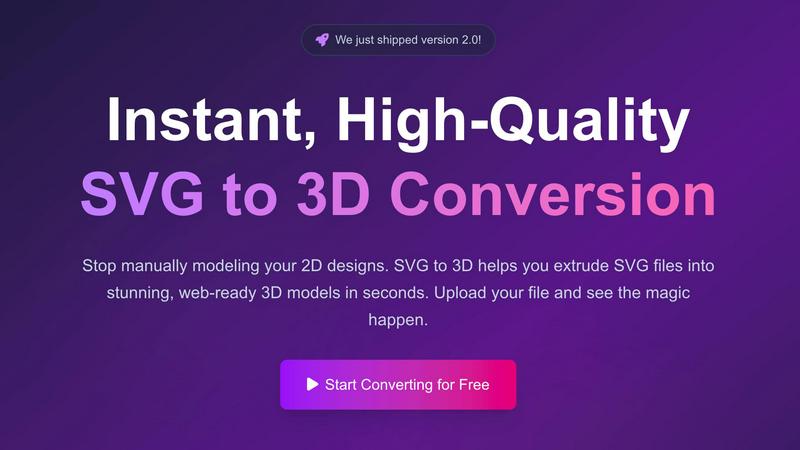
Effortlessly convert your SVG files into stunning 3D models in seconds with advanced controls and optimized exports.
Last updated: February 27, 2026
Visual Comparison
Mailopoly

SVG to 3D
Feature Comparison
Mailopoly
Cleanbox
Mailopoly’s Cleanbox feature ensures your inbox is only filled with the emails that matter most to you. By intelligently filtering out distractions, it allows you to focus on what is truly important, creating a calm environment for productivity.
Instant Information Extraction
With Mailopoly, you no longer need to open every email to find critical details. The AI automatically pulls out important information such as invoice amounts, booking details, and delivery updates, providing you with instant access to what you need at a glance.
AI Drafted Replies
Forget the hassle of typing responses. Mailopoly’s AI drafts replies in your voice, maintaining your unique tone and style. With multiple suggestions available, you can edit or send your responses with just a few clicks, streamlining your communication process.
Poly - Your AI Life Assistant
Poly is your built-in AI assistant that knows your inbox, schedule, and priorities. Whether you need help with tasks, reminders, or drafting replies, Poly is there to assist you with a simple question, making your life easier and more organized.
SVG to 3D
One-Click to GLB for the Web
This feature allows users to export their 3D models as GLB files, which are optimized for web usage. This means developers can easily integrate the models into their Three.js or React Three Fiber projects without worrying about performance issues, enhancing the interactivity and visual appeal of websites.
3D-Print Ready
SVG to 3D supports clean STL exports, ensuring that your 3D models are ready for 3D printing. This feature eliminates the need for additional software, allowing you to directly use the exported files with your slicer for seamless fabrication of your designs.
Advanced Material System
With our sophisticated material system, users can apply realistic PBR materials, custom textures, and dynamic lighting effects to their 3D models. This feature allows for a more polished and professional appearance, setting your designs apart from the competition.
Lightning-Fast Processing
Our tool utilizes optimized algorithms that convert SVG files to 3D models in seconds. This lightning-fast processing ensures that users can quickly turn their ideas into tangible models, saving time and increasing productivity in their creative workflows.
Use Cases
Mailopoly
Professional Email Management
For busy professionals, Mailopoly streamlines email management by filtering out unnecessary messages and highlighting important tasks, ensuring that critical emails are never missed during hectic workdays.
Personal Finance Tracking
Mailopoly helps users keep track of their personal finances by automatically extracting invoice details and payment reminders, allowing for better budgeting and financial planning without the stress of manual tracking.
Event Coordination
Managing events is a breeze with Mailopoly. Its event manager feature allows users to send custom invitations, track responses, and receive reminders, making event planning efficient and hassle-free.
Side Hustle Support
For those juggling side hustles with full-time jobs, Mailopoly ensures that important emails related to projects are prioritized, helping users stay on top of their commitments without feeling overwhelmed.
SVG to 3D
Create Interactive 3D Logos and Icons
Web developers can effortlessly convert SVG icons into 3D models, making them ideal for enhancing user interfaces with interactive elements. This capability allows for a more engaging experience on websites and applications, capturing user attention effectively.
From Digital Design to Physical Object
For those in the 3D printing community, SVG to 3D offers a streamlined workflow from 2D designs to STL files. This makes it easy to fabricate custom parts, art, or logos without needing extensive CAD experience, ensuring that your creative vision comes to life with precision.
Enhance Your UI/UX Designs
Designers can use SVG to 3D to add depth and realism to their mockups. By integrating 3D elements into UI/UX presentations, they can impress clients and stakeholders, showcasing designs with a more immersive and realistic aesthetic.
Rapid Prototyping
Entrepreneurs and product developers can utilize SVG to 3D for rapid prototyping of concepts. The ability to quickly generate and adjust 3D models allows for iterative design processes, making it easier to refine ideas and test them in real-world applications.
Overview
About Mailopoly
Mailopoly is a revolutionary email client designed to transform your email experience fundamentally. Unlike traditional email applications, Mailopoly utilizes advanced AI technology to automatically extract and summarize essential information from your emails, allowing you to focus on what truly matters without the need to sift through every message. This powerful tool is perfect for busy professionals, multi-taskers, and anyone who finds themselves overwhelmed by a cluttered inbox. With Mailopoly, you can reduce notifications and manage your inbox size efficiently, making it a personal command center for both your email and overall life management. From organizing personal finances to tracking shipments and managing events, Mailopoly seamlessly integrates an AI chatbot—Poly—that knows your schedule and priorities, ensuring you stay organized, informed, and in control.
About SVG to 3D
SVG to 3D is a cutting-edge online tool specifically designed to transform your 2D SVG vector graphics into stunning, high-quality 3D models in a matter of seconds. Tailored for web developers, designers, and 3D printing enthusiasts, this tool eliminates the need for cumbersome software like Blender or C4D, which can be overwhelming and time-consuming for simple tasks like logo extrusion. With SVG to 3D, users can upload their SVG files directly through a user-friendly interface and witness the swift conversion process. This tool not only enhances your designs with realistic depth and textures but also optimizes them for web use and 3D printing, making it the ultimate solution for anyone looking to elevate their creative projects.
Frequently Asked Questions
Mailopoly FAQ
How does Mailopoly improve email management?
Mailopoly enhances email management by automatically filtering and summarizing emails, reducing clutter and allowing users to focus on important messages without the stress of traditional inboxes.
Can Mailopoly integrate with my existing email accounts?
Yes, Mailopoly supports multiple email providers such as Gmail, Outlook, Yahoo, and any IMAP account, allowing users to manage all their emails in one centralized location with zero setup required.
Is my data secure with Mailopoly?
Absolutely. Mailopoly is designed with security in mind, holding a SOC 2 certification and implementing privacy-first practices to ensure that your data remains safe and confidential.
How does the AI assistant Poly work?
Poly is an intelligent AI assistant integrated within Mailopoly that understands your inbox, schedule, and priorities. You can ask Poly questions about your tasks and receive instant, relevant responses, making life administration effortless.
SVG to 3D FAQ
How do I start using SVG to 3D?
To begin, simply visit our website, upload your SVG file, and watch as our tool transforms it into a 3D model instantly. No software installation is required, and it's 100% free.
What file formats can I export my 3D model to?
You can export your 3D models in multiple formats including GLB, GLTF, OBJ, and STL. This versatility ensures compatibility with various 3D frameworks and printing software.
Is my data safe when using SVG to 3D?
Yes, your files are processed locally in your browser whenever possible, ensuring your designs remain private and secure without the need for uploads to external servers.
Can I customize the 3D model after conversion?
Absolutely! Our tool offers advanced controls that allow you to fine-tune every detail of your 3D model, including thickness, bevels, and materials, ensuring you achieve the perfect look for your project.
Alternatives
Mailopoly Alternatives
Mailopoly is an innovative AI-powered email client designed to revolutionize the way users manage their inboxes. By utilizing advanced artificial intelligence, it not only declutters email notifications but also extracts and highlights essential information, allowing users to focus on what truly matters. With its comprehensive suite of productivity tools, Mailopoly fits within the Productivity & Management category, making it a powerful asset for anyone looking to streamline their digital communication and task management. Users often seek alternatives to Mailopoly for various reasons, including pricing considerations, specific feature requirements, or compatibility with different platforms. When choosing an alternative, it's crucial to evaluate the features that matter most to you, such as task management capabilities, ease of use, and integration with existing tools. Look for solutions that not only meet your immediate needs but also offer room for growth and enhance your productivity seamlessly.
SVG to 3D Alternatives
SVG to 3D is an innovative tool designed to effortlessly transform 2D SVG vector graphics into high-quality 3D models. This product fits within the category of AI assistants, catering specifically to developers, designers, and 3D printing enthusiasts who seek a seamless way to integrate 3D elements into their projects. Users often explore alternative solutions due to factors such as pricing concerns, the breadth of features offered, and specific platform compatibility to meet their unique needs. When seeking alternatives, it is crucial to evaluate the ease of use, the quality of output, and the range of functionalities available. Look for options that provide efficient workflows, robust export formats, and the ability to preview changes in real-time. Ultimately, the right alternative should enhance productivity while aligning with individual project requirements.