
LLMWise vs SVG to 3D
Side-by-side comparison to help you choose the right product.

LLMWise offers a single API for seamless access to top AI models, optimizing costs with pay-per-use flexibility.
Last updated: February 26, 2026
SVG to 3D
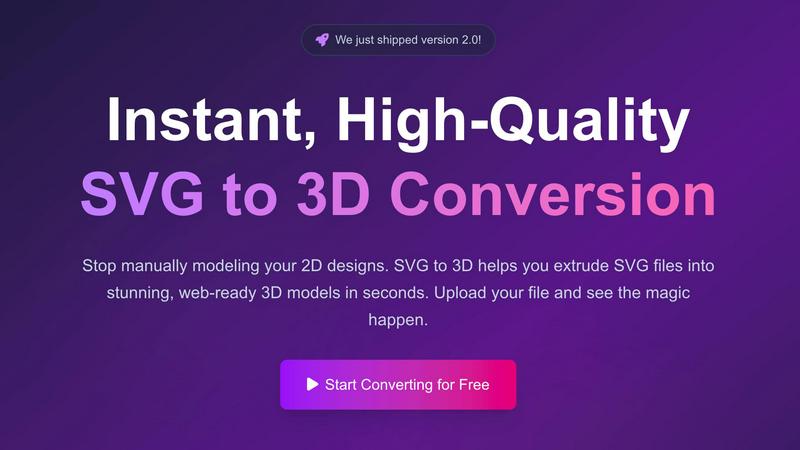
Effortlessly convert your SVG files into stunning 3D models in seconds with advanced controls and optimized exports.
Last updated: February 27, 2026
Visual Comparison
LLMWise

SVG to 3D
Feature Comparison
LLMWise
Smart Routing
LLMWise's smart routing feature automatically directs prompts to the most capable LLM. This means that coding inquiries are sent to GPT, while tasks involving creative writing are routed to Claude. By optimizing model selection based on task type, users can achieve faster and more accurate results, significantly enhancing productivity.
Compare & Blend
The compare mode enables users to run prompts across multiple models side-by-side. This feature allows developers to see which model performs best for specific tasks. Additionally, the blend functionality combines the best outputs into a single, cohesive response, ensuring that users receive the highest quality answers possible.
Always Resilient
With built-in circuit-breaker failover, LLMWise guarantees uninterrupted service even if a specific model goes down. If a provider experiences downtime, requests will automatically reroute to backup models, ensuring that applications remain operational and reliable at all times.
Test & Optimize
LLMWise includes robust benchmarking suites, allowing users to conduct batch tests and implement optimization policies for speed, cost, or reliability. Automated regression checks ensure that the performance of the models remains consistent over time, enabling developers to focus on building instead of troubleshooting.
SVG to 3D
One-Click to GLB for the Web
This feature allows users to export their 3D models as GLB files, which are optimized for web usage. This means developers can easily integrate the models into their Three.js or React Three Fiber projects without worrying about performance issues, enhancing the interactivity and visual appeal of websites.
3D-Print Ready
SVG to 3D supports clean STL exports, ensuring that your 3D models are ready for 3D printing. This feature eliminates the need for additional software, allowing you to directly use the exported files with your slicer for seamless fabrication of your designs.
Advanced Material System
With our sophisticated material system, users can apply realistic PBR materials, custom textures, and dynamic lighting effects to their 3D models. This feature allows for a more polished and professional appearance, setting your designs apart from the competition.
Lightning-Fast Processing
Our tool utilizes optimized algorithms that convert SVG files to 3D models in seconds. This lightning-fast processing ensures that users can quickly turn their ideas into tangible models, saving time and increasing productivity in their creative workflows.
Use Cases
LLMWise
Software Development
Developers can utilize LLMWise to streamline coding tasks by routing requests to the most suitable models. For instance, using GPT for code generation while leveraging Claude for documentation can enhance the overall development workflow.
Creative Writing
Content creators can benefit from LLMWise's blend feature, which allows them to run prompts through different creative writing models. By comparing and synthesizing outputs, they can produce high-quality narratives or marketing content that resonates with their audiences.
Translation Services
Translators can take advantage of LLMWise by selecting the best models for language translation tasks. The platform's smart routing ensures that requests are handled by the most effective LLM for each specific language pair, leading to more accurate translations.
Quality Assurance
Quality assurance teams can use the compare mode to evaluate the outputs of various models against predetermined benchmarks. This allows them to identify strengths and weaknesses, ensuring that the best model is consistently used for production tasks, resulting in higher quality deliverables.
SVG to 3D
Create Interactive 3D Logos and Icons
Web developers can effortlessly convert SVG icons into 3D models, making them ideal for enhancing user interfaces with interactive elements. This capability allows for a more engaging experience on websites and applications, capturing user attention effectively.
From Digital Design to Physical Object
For those in the 3D printing community, SVG to 3D offers a streamlined workflow from 2D designs to STL files. This makes it easy to fabricate custom parts, art, or logos without needing extensive CAD experience, ensuring that your creative vision comes to life with precision.
Enhance Your UI/UX Designs
Designers can use SVG to 3D to add depth and realism to their mockups. By integrating 3D elements into UI/UX presentations, they can impress clients and stakeholders, showcasing designs with a more immersive and realistic aesthetic.
Rapid Prototyping
Entrepreneurs and product developers can utilize SVG to 3D for rapid prototyping of concepts. The ability to quickly generate and adjust 3D models allows for iterative design processes, making it easier to refine ideas and test them in real-world applications.
Overview
About LLMWise
LLMWise is a cutting-edge API solution that streamlines access to multiple large language models (LLMs), including major providers such as OpenAI, Anthropic, Google, Meta, xAI, and DeepSeek. Designed specifically for developers, LLMWise eliminates the complexity of managing diverse AI services by providing a single interface. Its intelligent routing feature ensures that every prompt is sent to the most suitable model, whether it is GPT for coding, Claude for creative writing, or Gemini for translation tasks. The platform enhances productivity and efficiency by allowing users to compare outputs across different models, blend responses for optimal results, and utilize advanced failover mechanisms to maintain application stability. With LLMWise, you can optimize your AI tasks without the burden of multiple subscriptions and API keys, making it the ideal choice for teams seeking the best AI solutions without unnecessary expenses or complexity.
About SVG to 3D
SVG to 3D is a cutting-edge online tool specifically designed to transform your 2D SVG vector graphics into stunning, high-quality 3D models in a matter of seconds. Tailored for web developers, designers, and 3D printing enthusiasts, this tool eliminates the need for cumbersome software like Blender or C4D, which can be overwhelming and time-consuming for simple tasks like logo extrusion. With SVG to 3D, users can upload their SVG files directly through a user-friendly interface and witness the swift conversion process. This tool not only enhances your designs with realistic depth and textures but also optimizes them for web use and 3D printing, making it the ultimate solution for anyone looking to elevate their creative projects.
Frequently Asked Questions
LLMWise FAQ
What models can I access with LLMWise?
LLMWise provides access to 62 models from 20 different providers, including OpenAI's GPT, Anthropic's Claude, Google's Gemini, and many others. This extensive library allows users to choose the best model for each task.
Is there a subscription fee for LLMWise?
No, LLMWise operates on a pay-as-you-go model. Users can start for free with trial credits and only pay for what they use, making it a cost-effective solution without the burden of monthly subscriptions.
How does LLMWise ensure reliability?
LLMWise includes a circuit-breaker failover feature that automatically reroutes requests to backup models if a primary model goes down. This ensures that your applications remain functional and reliable at all times.
Can I use my existing API keys with LLMWise?
Yes, LLMWise supports "Bring Your Own Key" (BYOK) functionality. This means you can plug in your existing API keys from various providers, allowing you to maintain control over costs while benefiting from LLMWise's features.
SVG to 3D FAQ
How do I start using SVG to 3D?
To begin, simply visit our website, upload your SVG file, and watch as our tool transforms it into a 3D model instantly. No software installation is required, and it's 100% free.
What file formats can I export my 3D model to?
You can export your 3D models in multiple formats including GLB, GLTF, OBJ, and STL. This versatility ensures compatibility with various 3D frameworks and printing software.
Is my data safe when using SVG to 3D?
Yes, your files are processed locally in your browser whenever possible, ensuring your designs remain private and secure without the need for uploads to external servers.
Can I customize the 3D model after conversion?
Absolutely! Our tool offers advanced controls that allow you to fine-tune every detail of your 3D model, including thickness, bevels, and materials, ensuring you achieve the perfect look for your project.
Alternatives
LLMWise Alternatives
LLMWise is a cutting-edge API that streamlines access to major language models, including GPT, Claude, Gemini, and others. It belongs to the AI Assistants category, aiming to simplify the process of managing multiple AI providers by intelligently routing prompts to the most suitable model for each task. Users often seek alternatives due to concerns about pricing structures, specific feature sets, or the compatibility of platforms with their unique requirements. When searching for an alternative, consider the flexibility of pricing, the range of supported models, and the ease of integration with existing systems. Look for options that offer robust performance metrics, resilience features, and an intuitive user interface. These factors can significantly enhance the efficiency and effectiveness of your AI-driven applications.
SVG to 3D Alternatives
SVG to 3D is an innovative tool designed to effortlessly transform 2D SVG vector graphics into high-quality 3D models. This product fits within the category of AI assistants, catering specifically to developers, designers, and 3D printing enthusiasts who seek a seamless way to integrate 3D elements into their projects. Users often explore alternative solutions due to factors such as pricing concerns, the breadth of features offered, and specific platform compatibility to meet their unique needs. When seeking alternatives, it is crucial to evaluate the ease of use, the quality of output, and the range of functionalities available. Look for options that provide efficient workflows, robust export formats, and the ability to preview changes in real-time. Ultimately, the right alternative should enhance productivity while aligning with individual project requirements.