
Assured vs Refbox
Side-by-side comparison to help you choose the right product.

Assured
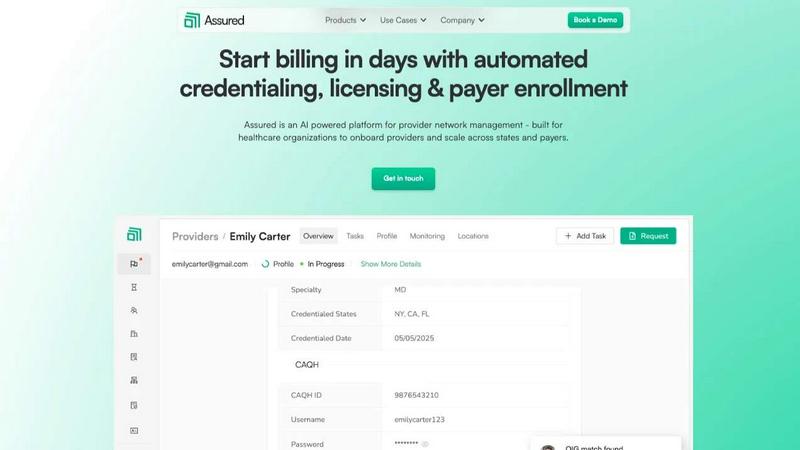
Assured automates provider credentialing and enrollment, enabling healthcare companies to start billing in days instead of months.
Last updated: April 13, 2026

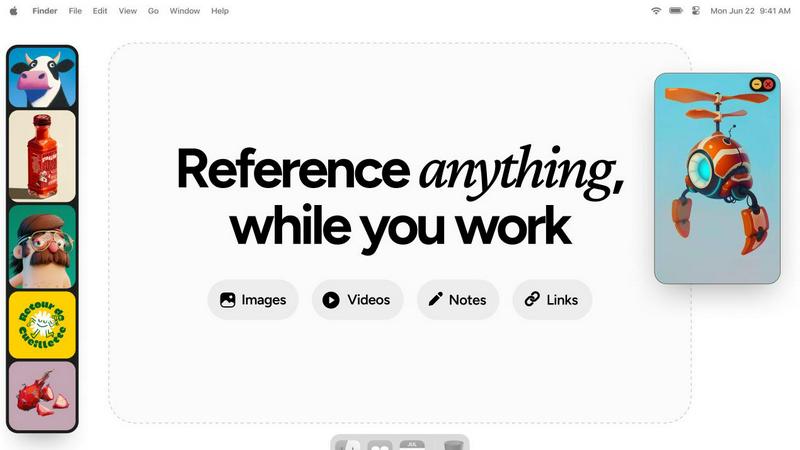
Refbox keeps your references visible and accessible right above your workspace for a smoother, faster workflow.
Last updated: February 28, 2026
Visual Comparison
Assured
Refbox
Feature Comparison
Assured
Credentialing
Assured offers end-to-end credentialing that drastically reduces the time required for onboarding providers, transitioning from weeks to just days. By automating primary source verifications and document management, Assured ensures that administrative bottlenecks are eliminated, allowing healthcare organizations to onboard providers swiftly.
Licensing
With Assured, healthcare organizations can manage multi-state licensing and renewals seamlessly. The platform tracks expiration dates, submits applications, and handles renewals for providers across all 50 states, effectively mitigating the chaos often associated with scaling operations.
Payer Enrollment
Assured accelerates the payer enrollment process, enabling healthcare organizations to get in-network approximately 30% faster. The platform automates submissions and tracks enrollments and follow-ups in real-time, minimizing delays caused by missed communications and complex payer requirements.
Network Management
Real-time provider data monitoring is a cornerstone of Assured’s network management capabilities. Organizations can maintain an up-to-date repository of provider information, with verifications sourced from 2,000+ locations. This proactive approach ensures compliance and readiness for audits, eliminating unexpected issues.
Refbox
Always-on-Top Floating Frames
Refbox’s signature feature allows you to pin any reference—images, GIFs, videos, or notes—into individual frames that hover above all other applications. These frames are fully resizable and can be minimized or locked in place, ensuring your references stay visible and accessible without ever blocking your workflow. This eliminates the need to constantly switch windows, creating a truly integrated and distraction-free creative environment that evolves with your project's needs.
Masonry Mode & Infinite Canvas
Organize your visual inspiration effortlessly with Masonry Mode, which arranges your references in a beautiful, Pinterest-style flowing grid on an infinite canvas. This layout maximizes space and provides a holistic view of your mood board or reference collection. You can also flip through items in a full-screen slideshow for quick comparison, making it perfect for iterative review and ensuring every visual element aligns with your creative direction.
Intelligent Media Handling & Notes
Refbox goes beyond simple image display with deep, thoughtful media controls. Step through GIFs frame-by-frame for detailed animation reference, take markdown-enabled notes with styling and checklists, and crop images to focus on specific details. You can also screenshot websites by pasting a link, view SVG files as images, and use a built-in color picker on any media to copy hex codes directly to your clipboard, continuously refining your asset management.
Streamlined Workflow Shortcuts
Designed for speed, Refbox is packed with shortcuts and smart features that shave seconds off repetitive tasks, which compound into hours saved. Quickly swap floating references with arrow keys, change entire collections with one click, or auto-hide the main sidebar to declutter your screen. These iterative improvements to your daily actions provide full control and keep you firmly in your creative flow, minimizing friction at every turn.
Use Cases
Assured
Streamlined Provider Onboarding
Healthcare organizations can leverage Assured to streamline the onboarding process for new providers, significantly reducing the time from application to patient care. Organizations that implement this solution find they can expand their networks more rapidly and efficiently.
Simplified Multi-State Expansion
For organizations looking to expand their services into multiple states, Assured simplifies the complexities of licensing and payer enrollment across different regulations. This use case highlights how Assured can facilitate rapid growth without administrative burdens.
Enhanced Compliance Monitoring
Organizations can utilize Assured for ongoing compliance monitoring, ensuring that provider credentials and data are always current. This proactive management minimizes risks associated with audits and regulatory compliance.
Increased Revenue Generation
By automating administrative tasks that typically delay billing processes, Assured enables healthcare organizations to generate revenue more quickly. This use case demonstrates how efficient provider management directly contributes to improved financial outcomes.
Refbox
Digital Illustration & Concept Art
Illustrators and concept artists can keep character sheets, environment photos, and color palettes pinned around their canvas in Photoshop or Clip Studio Paint. The ability to lock frames and step through GIF frames is invaluable for studying motion or expressions, allowing for continuous refinement of artwork without breaking concentration to search for files.
UI/UX & Web Design
Designers can float style guides, component libraries, competitor screenshots, and user flow diagrams directly over their design tool like Figma or Sketch. The website screenshot feature and easy color picking streamline the research and implementation phase, fostering an iterative design process where references directly inform each decision.
3D Modeling & Animation
3D artists and animators can reference orthographic drawings, texture maps, and video clips while working in complex software like Blender or Maya. Having model sheets and motion reference always visible accelerates the modeling and rigging process, enabling a continuous cycle of reference and creation that enhances accuracy and speed.
Motion Graphics & Video Editing
Editors and motion designers can pin storyboards, style frames, and asset lists above Premiere Pro or After Effects. The video playback in floating frames and the organized gallery view for mood boards help maintain visual consistency throughout a project, supporting an iterative creative workflow from concept to final render.
Overview
About Assured
Assured is an AI-powered provider network management platform that empowers healthcare organizations to overcome administrative hurdles and optimize their revenue flow. It automates the traditionally complex processes of credentialing, licensing, payer enrollment, and ongoing network monitoring, effectively transforming how provider groups, health systems, payers, and digital health companies operate. By addressing the pervasive issues of disconnected data and slow manual workflows, Assured enables organizations to credential providers in just 48 hours, as opposed to the typical 60+ days. The platform boasts impressive metrics, including a 95% first-pass approval rate for payer enrollments and the capability to detect sanctions 22 days earlier than conventional methods. As an NCQA-certified Credentials Verification Organization (CVO), Assured uniquely leverages AI to conduct credential verifications across over 2,000 primary sources simultaneously, auto-generating applications and submitting them directly to payer portals. This centralization leads to faster provider onboarding, quicker revenue generation, and peace of mind through real-time data monitoring—all from a single, streamlined platform.
About Refbox
Refbox is the ultimate floating reference companion for creative professionals who demand an uninterrupted, focused workflow. It is an innovative application designed to end the constant, distracting cycle of alt-tabbing between folders, browser tabs, and your primary creative software. At its core, Refbox allows you to pin images, GIFs, videos, and notes into always-on-top, resizable frames that float above any other application on your desktop. This means your inspiration and critical references are perpetually visible, right where you need them, whether you're sketching, designing, animating, modeling, or illustrating. By centralizing your media into a customizable sidebar that you can populate instantly from the web, local storage, or your clipboard, Refbox transforms a fragmented process into a seamless flow. It champions a philosophy of continuous improvement for your creative process, eliminating friction points one by one. With powerful organizational features like Masonry Mode for dynamic layouts, full-screen galleries for dual-monitor setups, and markdown-enabled notes, Refbox ensures your tools adapt to your vision, not the other way around. It's built for the professional who can't afford distractions, empowering you to maintain a state of deep focus where creativity thrives.
Frequently Asked Questions
Assured FAQ
How does Assured reduce provider onboarding time and administrative costs?
Traditional credentialing processes can take over 60 days due to manual verifications. Assured reduces this to just 48 hours by processing applications in parallel and integrating with over 2,000 primary sources, allowing organizations to save between $4,200 to $5,800 per provider annually.
What makes Assured more reliable than traditional methods?
Assured’s reliance on AI for real-time data verification across multiple sources drastically minimizes human error and delays. This automated approach results in faster, more accurate credentialing and enrollment processes, offering organizations peace of mind.
Can Assured integrate with existing systems?
Yes, Assured can seamlessly connect with existing systems such as ATS, EMR, and Salesforce through plug-and-play APIs. This flexibility ensures that organizations can easily incorporate Assured into their current workflows without disruption.
What support does Assured provide to its users?
Assured prides itself on offering the fastest support in the industry, with response times under 24 hours. This level of customer service ensures that organizations receive timely assistance whenever they encounter issues or have questions about the platform.
Refbox FAQ
What types of media can I use with Refbox?
Refbox supports a wide array of media types to serve as comprehensive references. You can directly add images (JPG, PNG, SVG, etc.), GIFs (with frame-by-frame control), and video files. Additionally, you can create and format text notes with markdown, take screenshots of websites by pasting URLs, and even use the application as a color picker on any displayed media.
How does Refbox improve my workflow compared to just using browser tabs?
Refbox eliminates the disruptive context-switching required when digging through folders or cycling through dozens of browser tabs. By keeping your references in always-on-top, organized frames directly over your work application, your focus remains locked on creation. Features like instant shortcuts, collections, and media tools further streamline actions, turning a fragmented process into a smooth, continuous, and iterative flow.
Can I use Refbox with multiple monitors?
Absolutely. Refbox is ideal for multi-monitor setups. You can use the full-screen gallery mode to turn a secondary display into a dedicated reference board, or simply drag and position your floating frames across any screen. This gives you expansive, organized visual space, keeping your primary screen clean for your main creative application while all your inspiration remains instantly accessible.
Is there a way to organize my references within Refbox?
Yes, organization is a core strength. You can create multiple Collections to separate references by project, client, or theme and switch between them with a single click. Within a collection, Masonry Mode automatically arranges items in an efficient layout, and you can always pin key items to floating frames. This system evolves with your project, keeping your visual research tidy and actionable.
Alternatives
Assured Alternatives
Assured is an AI-powered provider network management platform specifically designed for healthcare organizations. It streamlines the often cumbersome processes of provider credentialing and enrollment, allowing companies to start billing in a matter of days instead of months. As organizations seek to enhance their operational efficiency and reduce lost revenue caused by administrative delays, many users find themselves exploring alternatives to Assured. Common reasons include pricing considerations, specific feature sets tailored to unique needs, and compatibility with existing platforms. When searching for alternatives, it is crucial to assess what features are most important to your organization, such as speed, accuracy, and the ability to integrate with other systems. Consider the scalability of the solution, the level of support offered, and the overall user experience. The right alternative should not only meet your immediate needs but also provide a pathway for continuous improvement in your provider management process.
Refbox Alternatives
Refbox is a specialized productivity tool designed to streamline creative workflows. It operates as a floating reference manager, allowing users to keep images, videos, and notes visible above their primary workspace. This eliminates disruptive window switching, making it a powerful asset for designers, animators, and other visual professionals. Users often explore alternatives for various reasons, including budget constraints, specific feature needs, or compatibility with different operating systems. The quest for the right tool is a natural part of refining one's creative process, as needs evolve and new workflows emerge. When evaluating alternatives, consider core functionality like always-on-top windows, media support, and organizational features. The goal is to find a solution that integrates seamlessly into your existing routine, fostering a cycle of continuous improvement and sustained creative focus.