

Alternatives to Vivideo
Vivideo turns text or images into stunning videos using top AI models, free forever with no watermark.
Explore 20 alternatives to Vivideo. Compare features, pricing, and find the best fit for your needs.

GenX
All-in-one AI workspace to generate images, videos, and audio with multiple leading AI models.
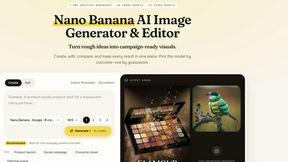
Nano AI
Create and edit AI images, generate videos, and compare models in one creative workbench.
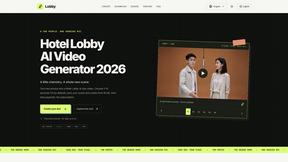
LobbyClip
Turn two photos of people or pets into Hotel Lobby-style duo videos with generated audio.
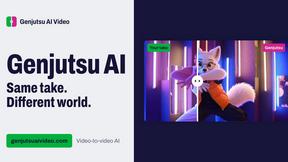
Genjutsu AI Video Editor
AI video-to-video editor for swapping people, outfits, products, and scenes or restyling existing clips.
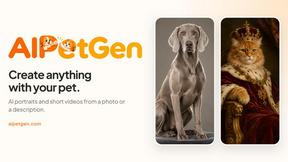
AIPetGen
AIPetGen turns a photo of your dog, cat, or other pet, or a written description, into a new picture or a short animation.

Genjutsu AI
Genjutsu AI turns your ideas into cinematic videos, product ads, social shorts, and high-quality images in minutes.


Reelslaunch
AI video platform for faceless Reels: cinematic clips with native audio and auto-posting

AI UGC Video Generator
Create AI UGC video ads from a product URL, image, or script with lifelike creators, natural voices, captions, product visuals, and clear CTAs.

RunwayAI
Create videos from prompts and images with RunwayAI, an independent Runway AI video generator with live tracking and API access.

Happy Horse AI
Create videos from text, images, or references with Happy Horse AI and its Happy Horse API.
AIEnhancer
Enhance photos, create images, and generate videos with AI workflows, effects, and production-tested models.

Video2URL
Turn videos, images, and files into secure direct links for sharing, embedding, and automated workflows.

Pixo
Pixo is an AI video director that turns a prompt or script into a storyboard, consistent scenes, voiceover, and an edited final cut.
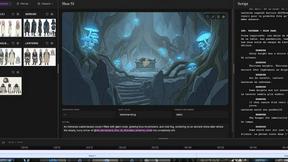
ScreenWeaver
AI storyboard and script tool that turns a screenplay into structured scenes, shot lists and boards in the browser.
Seedance 2.5
Seedance 2.5 is a multimodal AI video generator by ByteDance for 30-second, high-fidelity cinematic video creation and AI video editing.
Seedance 2.5 Free
Create polished AI videos from text or images online with Seedance 2.5 Free.

VideoAny BE
Create AI videos from text or images, generate images and audio in one online studio.

About Vivideo Alternatives
Vivideo is an AI-powered video generation platform that sits squarely in the rapidly expanding video creation software category. It uses artificial intelligence to transform text prompts, scripts, articles, or uploaded images into complete, high-quality videos, complete with voiceovers, subtitles, music, and transitions. While its promise of speed and automation is appealing, many users begin searching for alternatives due to specific friction points. Common reasons include dissatisfaction with the pricing model for higher export resolutions like HD or 4K, a desire for more granular control over the AI-generated visuals or voice styles, or the need for a platform that integrates more deeply with existing marketing or editing workflows. Additionally, users with very niche content requirements might find the available stock assets or AI models too generic for their specific brand voice or educational material. When evaluating an alternative, the key is to focus on the iterative improvement of your own production pipeline. Start by identifying your non-negotiable features: do you need multilingual voiceovers with native accents, or is automatic caption accuracy more critical? Look for a tool that offers a cyclical trial-and-error editing process, allowing you to refine the AI outputs without starting from scratch each time. The best choice will be one that scales with you, offering better value for your specific export needs or a library of assets that aligns more closely with your industry. Ultimately, the right alternative should feel like an upgrade to your creative loop, enabling continuous improvement of your video quality without adding friction to the generation process.
FAQs about Vivideo Alternatives
What is Vivideo?
Vivideo is an advanced AI video generator designed to help creators, marketers, businesses, and educators turn ideas into high-quality videos quickly. It offers both text-to-video and image-to-video capabilities, automatically generating visuals, voiceovers, subtitles, music, and transitions from a simple prompt or script. The platform is powered by multiple AI video models and supported by millions of stock assets to streamline the entire video production process.
Who is Vivideo for?
Vivideo is built for a wide range of users including content creators, digital marketers, business owners, and educators. It is particularly useful for anyone who needs to produce engaging video content for platforms like TikTok, Instagram Reels, YouTube Shorts, marketing campaigns, product promotions, and tutorials. The intuitive editing workflow makes professional video creation accessible to users of all skill levels.
Is Vivideo free?
Based on the available product information, Vivideo offers a tiered service model likely including a free or trial version with limited features, as well as paid plans for HD and 4K exports. Users typically look for specific pricing details related to export resolution and access to premium stock assets. For the most current pricing information, users should refer to the official Vivideo website.
What are the main features of Vivideo?
Vivideo's main features include AI text-to-video and image-to-video generation, multilingual AI voiceovers, automatic captions and subtitles, customizable aspect ratios, and support for HD and 4K exports. The platform also provides an intuitive editing workflow with automatic transitions and music selection, all backed by millions of stock assets. These features are designed to streamline video production for social media, marketing, and educational content.