

Alternatives to VersQ
VersQ delivers precise AI document translations while preserving original formats, empowering professionals with unlimited access for a flat monthly.
Explore 20 alternatives to VersQ. Compare features, pricing, and find the best fit for your needs.

@fuck.it - email with attitude
Private email. Pure. Secure. Exclusive. No ads, no tracking, no data selling. GDPR compliant, EU-hosted.
JevModel
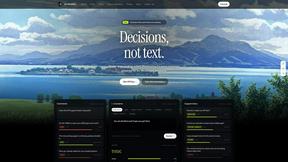
Jev turns text or JSON into Choice, Score and Noul answers with probabilities. Build decision flows, process batches and call the API from one Console

Panzoe
Panzoe is an all-in-one AI platform for personal productivity, business automation, AI assistants, content creation, and custom AI solutions.
Novastart
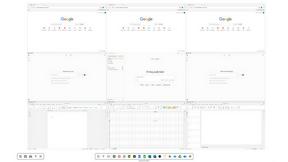
Novastart brings apps and files onto an infinite canvas where people and AI agents can work together.

AI Email Filter
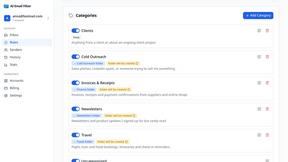
AI Email Filter sorts incoming mail into folders using plain-language prompts you write. Works with any IMAP mailbox; bring your own LLM if you want.

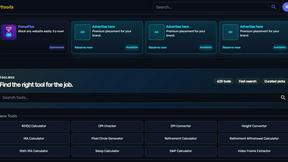
Kody Tools
Free collection of online developer utilities, code formatters, and digital converters designed to streamline your daily workflow.
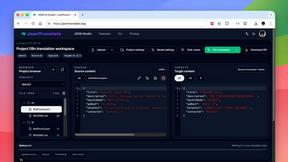
JsonTranslate
Translate JSON, Markdown, and TXT files while preserving keys, nested paths, and project structure.
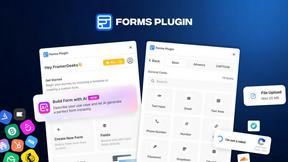
Forms Plugin
The #1 Native Form Builder Plugin for Framer - No Code, No Embeds, No External Platforms.

HomeAnswerBook
Practical, independent guides to home repairs, maintenance, costs, troubleshooting, and everyday fixes.
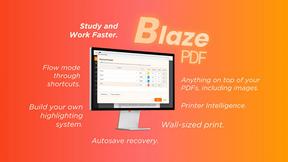
BlazePDF
Highlight faster. Study in flow with custom shortcuts and a workflow built around you. Print smarter, or turn any page into a tiled poster.


Product Launch Checklist
A free launch checklist for SaaS, apps, AI tools and more. Every step says why it matters and when you can skip it.

Video2URL
Turn videos, images, and files into secure direct links for sharing, embedding, and automated workflows.

Build Mode for Mac
Build Mode is a Mac app that turns focused sessions into visible progress, so you can see the work adding up before the results arrive.


About VersQ Alternatives
VersQ is an advanced AI-powered document translation platform designed specifically for professionals in the legal, medical, and international business sectors. It excels in delivering precise, context-aware translations while ensuring the structure and formatting of the original documents remain intact. With support for over 15 file formats, including PDFs, DOCX, and XLSX, VersQ harnesses the capabilities of more than 50 advanced AI models to meet the diverse needs of users requiring high-quality translations. Users often seek alternatives to VersQ due to various reasons such as pricing, feature sets, or specific platform requirements. When exploring alternatives, it’s essential to consider factors like translation accuracy, ease of use, the range of supported file formats, and the ability to maintain document formatting. Additionally, evaluating customer support, integration capabilities with existing workflows, and the adaptability of the solution to specific industry needs can significantly impact the choice of the best translation tool for individual or team requirements.
FAQs about VersQ Alternatives
What is VersQ?
VersQ is an AI-powered document translation platform that specializes in providing accurate and context-aware translations for professionals in fields such as law, medicine, and international business. It allows users to upload various document formats while preserving the original structure and layout during the translation process.
Who is VersQ for?
VersQ is designed for professionals and teams in the legal, medical, and international business sectors who demand high-quality translations. It caters to users who require precise translations while maintaining the integrity of their documents, making it ideal for industries where accuracy and formatting are critical.
Is VersQ free?
VersQ is not a free service; it operates on a pricing model that reflects the advanced features and capabilities it offers. Users can choose from various plans to suit their translation needs, ensuring they receive value based on their specific requirements.
What are the main features of VersQ?
VersQ offers a range of features including support for over 15 document formats, the ability to apply semantic section splitting for improved translation accuracy, and access to more than 50 AI models for translations. Additionally, it preserves document formatting, tables, and layout, providing users with a seamless translation experience.