

Alternatives to EditTextImage
Edit text in images online seamlessly, keeping font, color, and perspective intact in just 30 seconds without Photoshop.
Explore 20 alternatives to EditTextImage. Compare features, pricing, and find the best fit for your needs.

Z Image Turbo
Z Image Turbo is an online AI image generator for photorealistic images, bilingual posters, ecommerce visuals, ads, and social content.

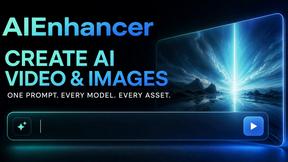
AIEnhancer
Enhance photos, create images, and generate videos with AI workflows, effects, and production-tested models.
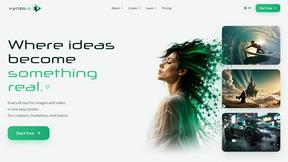
Vynzo
AI image and video studio. Generate from a prompt, animate stills, swap faces, restyle clips and edit — one credit pool, no subscription.
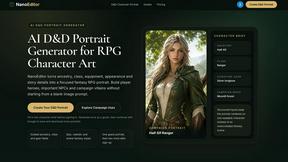
Nano Editor
NanoEditor is an AI-powered D&D portrait generator that turns character details like ancestry, class and gear into focused fantasy RPG art.
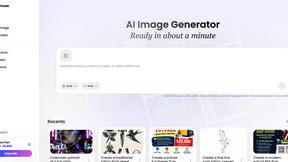
Vismuse
Create polished AI images and videos from prompts or references for social posts, ads, flyers, album covers, and campaigns.
GPT Image 2 API
GPT Image 2 API generates and edits production-ready images with clear text, reference images, and developer-friendly API workflows.
Imagine2
Private browser-based AI image generation and editing with text-to-image, targeted edits, and multi-image references.
Kogashitsuka AI
An online AI image tool that enhances photos and illustrations at their original size or upscales them by 2x or 4x.
Trushot AI
TruShot creates ultra-realistic AI dating photos from just 4 selfies. Generate natural-looking, verification-friendly profile pictures for Tinder, Hin
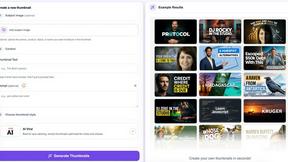
StopScroll
StopScroll is an AI thumbnail maker that generates, compares, and helps creators pick stronger cover images before publishing.
HubVanta
HubVanta is a free AI creative toolkit for generating images, videos, voices, and visual edits from one browser workspace.

Headshot.ltd AI Headshot Generator
Turn a few phone selfies into professional headshots in ~5 minutes. 200+ backgrounds, one-time payment starting from $8.

IsThisAIImage
Ask is this AI image? Free online checker: upload a photo for AI-generated and deepfake scores plus a clear verdict band.
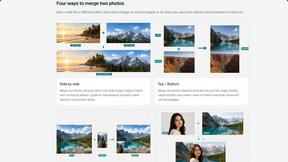
Merge Two Photos
Merge two photos free in browser: side by side, stacked, overlay, or AI fusion. Private local modes; download clean PNG, no watermark.


VideoAny
VideoAny is your all-in-one AI studio to iteratively create videos, images, and audio from text or photos, evolving every project with continuous.

Modellix
One API key for every leading AI model, with transparent pay-as-you-go pricing and full logs to iterate and scale.
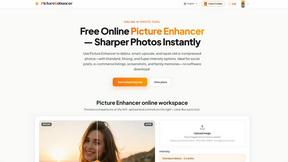
Picture Enhancer
Picture Enhancer uses AI to deblur, upscale, and restore your photos in your browser with no software needed.
Meme Picture
Turn any selfie or pet photo into a classic meme with AI free daily and share instantly without logging in.
About EditTextImage Alternatives
EditTextImage is a specialized online tool that belongs to the image generation and editing category, specifically focused on text replacement within existing images. It solves a common pain point: changing words, dates, or headlines on finished graphics, posters, or screenshots when the original design file is lost or inaccessible. Users often look for alternatives due to pricing considerations, such as the one-time fee model versus a subscription they prefer, or because they need features beyond text editing, like full image manipulation or batch processing. Others may seek a free tier that offers more than a single edit, or require a native desktop application rather than a web-based tool. When evaluating alternatives, you should prioritize tools that maintain font integrity, color accuracy, and layout alignment without requiring you to manually replicate effects like drop shadows or perspective. Look for solutions that offer a transparent pricing model, high-resolution output, and a streamlined workflow that minimizes the time from upload to finished result, ensuring the process remains iterative and allows for continuous improvement of your edits without degrading the original image quality. The cyclical nature of image editing means you will frequently revisit and refine your visuals, so the ideal alternative should support this iterative workflow by making it easy to re-edit text without starting from scratch. A good alternative will let you quickly swap out copy for A/B testing, fix typos, or update dates, all while preserving the original design’s aesthetic. You should also consider whether the tool supports a wide range of image formats, handles complex typography like hand-lettering or paid fonts, and provides a preview before finalizing the edit. Since the goal is continuous improvement of your marketing materials or personal projects, the best choice will be one that integrates seamlessly into your existing process, offers reliable performance, and scales with your needs—whether that means editing a single image per month or dozens per week. The key is to find a solution that makes each edit feel like a natural iteration, not a complete redesign.
FAQs about EditTextImage Alternatives
What is EditTextImage?
EditTextImage is an online AI-powered tool that edits text within images seamlessly, without requiring any design software like Photoshop or Canva. It works by sampling the typeface, color, drop shadow, and perspective directly from the pixels of the uploaded image, allowing you to replace text while keeping the original font and layout pixel-perfect. The entire process takes about 10 seconds and outputs at 2K resolution, making it ideal for quick fixes on finished posters, screenshots, or product photos.
Who is EditTextImage for?
EditTextImage is designed for anyone who needs to change text in an image but lacks the original design file, including marketers, social media managers, small business owners, graphic designers, and content creators. It is particularly useful for professionals who need to fix typos, swap dates, or A/B test headlines on finished graphics without reinstalling fonts or recreating the design from scratch. The tool requires no technical expertise, making it accessible even for those without a background in design software.
Is EditTextImage free?
EditTextImage offers a free first edit with no credit card required, allowing you to test the tool before committing. After the free trial, it operates on a one-time payment model of $9.90 for 30 edits, with no recurring subscriptions or hidden fees. This pricing structure is designed for users who need occasional edits rather than a monthly plan, making it a cost-effective alternative to tools like Photoshop or Canva Pro.
What are the main features of EditTextImage?
The main features of EditTextImage include AI-driven text replacement that samples fonts, colors, drop shadows, and perspective directly from the image pixels, ensuring the new text matches the original design perfectly. It works with paid fonts and hand-lettering without requiring you to install any font files, and it outputs edited images at 2K resolution. The tool is entirely online, requires no downloads or subscriptions, and the entire editing process typically takes around 10 seconds per image.