
SparkIconAI
SparkIconAI is an all-in-one AI platform for effortlessly creating, managing, and enhancing unique icons for any.
Visit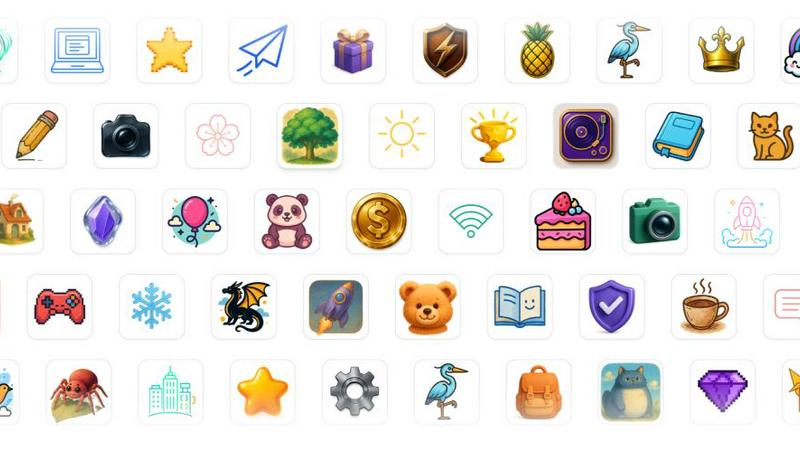
About SparkIconAI
SparkIconAI is an innovative platform that simplifies the process of creating, organizing, and managing icons using advanced artificial intelligence technology. Designed for both designers and developers, this all-in-one solution allows users to generate high-resolution 1024x1024 icons effortlessly from text prompts or reference images. The platform stands out by offering a user-friendly interface that enhances the entire icon creation workflow, from initial inspiration to professional-grade exports. Users can easily categorize their icons into projects, explore a curated icon gallery, and utilize essential features such as background removal and image compression. By streamlining the icon creation process, SparkIconAI becomes an indispensable tool for anyone looking to produce stunning icons quickly and efficiently, ensuring that creativity is never hindered by technical barriers.
Features of SparkIconAI
Powerful Icon Generation
SparkIconAI utilizes advanced AI models to generate crisp and high-quality icons in various styles. Users can select from over 10 curated styles, including 3D, hand-drawn, neon, and more. This flexibility allows for a seamless match with any brand aesthetic, ensuring that every icon is unique and visually appealing.
Projects & Asset Management
The platform allows users to group their generated icons into specific projects, making it easier to classify, collaborate, and reuse assets across different products. This feature enhances organization and ensures that users can efficiently track versions and manage both created and purchased icons.
Built-in Tools for Enhancement
SparkIconAI offers various integrated tools to refine icons before export. The background remover allows for quick and easy creation of transparent backgrounds, while the image compressor optimizes file sizes without sacrificing quality. These tools streamline the workflow and enhance productivity.
Smart Export & Format Presets
With SparkIconAI, exporting icons is a breeze. Users can choose from multiple formats, including PNG, ICO, WEBP, and SVG. The platform provides smart presets for common requirements such as Favicon and PWA sizes, allowing for customizable exports tailored to specific needs.
Use Cases of SparkIconAI
Designing Brand Assets
Marketers and designers can utilize SparkIconAI to generate icons that align with their brand identity. By easily creating unique icons that reflect their brand's aesthetics, they can enhance their marketing materials and digital presence.
Rapid Prototyping
Developers can use SparkIconAI for quick icon generation during the prototyping phase of app or website development. The ability to create and manage icons on the fly allows for faster iterations and more effective collaboration within teams.
Creative Projects and Presentations
Artists and creatives can leverage the platform to produce stunning icons for their projects. Whether it’s for a personal portfolio, a presentation, or social media content, SparkIconAI facilitates the creative process with high-quality results.
Educational Use
Educators and students can take advantage of SparkIconAI for learning purposes. By exploring icon design and generation, they can better understand visual communication principles and apply them in various academic projects.
Frequently Asked Questions
What types of icons can I create with SparkIconAI?
SparkIconAI allows you to create a wide variety of icons, including minimalistic, pixel art, hand-drawn, and 3D styles. The platform supports over 10 curated styles to match different brand aesthetics.
How does the AI generate icons from text prompts?
The AI uses advanced models that interpret your text prompts or reference images to create icons that align with your specified composition, color palettes, and overall mood, ensuring fidelity to your vision.
Can I organize my icons into different projects?
Yes, SparkIconAI enables users to categorize their icons into projects, making it easy to manage and collaborate on assets. This feature helps keep your workflow organized and efficient.
What export formats does SparkIconAI support?
SparkIconAI supports various export formats, including PNG, ICO, WEBP, and SVG. You can also use smart presets for common applications like Favicon, PWA, and app store icons, ensuring your icons are optimized for any platform.
Explore more in this category:
Similar to SparkIconAI

Fast, simple image creation and editing with accurate details, readable text, consistent characters, and up to 14 reference images.

AI image generation and editing with precise typography, native 2K output, and localized edits.

AIPetGen turns a photo of your dog, cat, or other pet, or a written description, into a new picture or a short animation.

Genjutsu AI turns your ideas into cinematic videos, product ads, social shorts, and high-quality images in minutes.

ImageGPT is an all-in-one AI creative platform for generating, editing and transforming images and videos using AI.

Contact Sheet Maker is an online tool that allows photographers to create professional contact sheets and mood boards. It enables users to add waterma

Create release-ready album covers from a prompt or photo. Generate, refine, and export art for singles, EPs, mixtapes, and playlists.

A free browser-based toolkit for creating, cutting, converting, and previewing sprite sheet animations.