
GIF Face Swap
Turn one photo and any short animation into a personalized face-swapped GIF in seconds, no editing skills needed.
Visit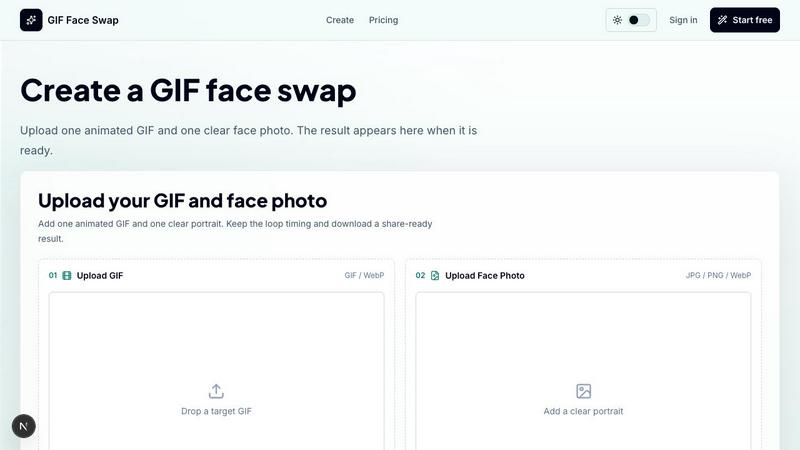
About GIF Face Swap
GIF Face Swap is an online tool designed to create personalized animated GIFs by swapping a face from your own photo into a short animation. It is built for meme creators, social media users, friends, community managers, and teams who want a quick way to turn reaction GIFs into something personal and shareable without learning complex video-editing software. The workflow is simple: choose an animation, upload a clear face photo, generate the result, and download it when it is ready. The tool supports short animated files in GIF and WebP formats, focusing on a straightforward creation experience that keeps the original loop timing, expression, and share-ready feel. You can try the tool before committing, then use credits when you need more generations. We encourage users to upload only images and animations they have permission to use and to get consent before sharing face-swapped content. Whether you want to make funny reaction memes, step into movie-style scenes, or create lightweight campaign replies, GIF Face Swap provides a focused way to make animated face swaps for reactions, creators, teams, and quick social moments. The platform emphasizes cleaner face results by using clear source faces and portraits, keeps uploads and finished GIFs private by default with guest download links that expire, and offers a fast first try before signing up. With simple credit plans, you can start free, upgrade for no watermark, and choose more credits only when you need more output. The tool also supports batch editing for creators who need to prepare multiple GIF ideas faster, making it a versatile solution for anyone looking to enhance their animated content quickly and easily. The continuous improvement cycle means that each swap helps refine the experience, encouraging you to iterate on your creations until they feel just right.
Features of GIF Face Swap
Built for Animated GIFs
The tool is specifically designed for short animated GIFs and WebP files, keeping the loop timing, expression, and share-ready feel that make reaction GIFs work. It supports animations with a maximum size of 20MB and works best with short loops, ensuring that the face swap integrates smoothly into the original motion. This focus on animated formats means you do not need to worry about complex video editing; instead, you can quickly create personalized loops that maintain the original energy and timing. The continuous improvement approach means each iteration helps you refine the result, making it better with every try.
Cleaner Face Results
Clear source faces and portraits produce more natural swaps with less blur and fewer missed frames. The tool analyzes the face photo to ensure it is front-facing and well lit, which helps the AI generate a seamless integration into the target animation. This focus on quality means that even with a simple upload, you can achieve results that look polished and professional. The iterative process encourages you to try different photos or animations to see which combination yields the best outcome, continuously improving the final product.
Private by Default
Uploads and finished GIFs stay private, with guest download links that expire. This privacy-first approach means that your content is not stored indefinitely or shared without your consent. You can create face swaps for personal use, team moments, or community jokes without worrying about unwanted exposure. The tool also encourages responsible use by reminding users to upload only images and animations they have permission to use and to get consent before sharing face-swapped content. This focus on privacy and ethics ensures a safe environment for iterative creation.
Fast First Try
You can upload one GIF and one face photo, then create your first watermarked result before signing up. This low-barrier entry allows you to test the tool and see the quality of the output without any commitment. The watermarked version gives you a preview of what the final result will look like, and if you are satisfied, you can upgrade to remove the watermark and continue creating. This fast first try is part of the continuous improvement cycle, where each attempt helps you learn how to get better results with subsequent swaps.
Use Cases of GIF Face Swap
Meme Makers and Social Creators
Turn familiar reaction loops into fast posts, comments, group-chat replies, and short-form jokes while the trend is still moving. Meme makers can quickly swap a friend's face or a popular character into a viral GIF, creating personalized content that resonates with their audience. The ability to iterate quickly means you can test different faces or reactions until you find the perfect combination, then share it instantly. This use case thrives on speed and relevance, making GIF Face Swap an essential tool for staying ahead in the fast-paced world of social media.
Fandom Editors
Put a friend, character, or creator face into anime, movie, sports, and game-adjacent loops without opening a full editing suite. Fandom editors can create personalized content for fan communities, such as swapping a favorite actor into a classic scene or placing a friend into a sports highlight. The tool simplifies the process, allowing you to focus on creativity rather than technical details. The iterative nature of the tool means you can refine the swap until it matches the original expression and energy, making the final result feel authentic and engaging.
Indie Filmmakers and Previs Artists
Test quick expressions, scene beats, and character reactions before spending time on heavier video work. Indie filmmakers can use GIF Face Swap to visualize how a character might look in a specific scene, experimenting with different faces or expressions to see what works best. This lightweight approach saves time and resources, allowing you to iterate on ideas rapidly. The tool’s focus on short loops and clear faces makes it ideal for previsualization, where speed and flexibility are crucial for creative development.
Marketing Teams and Brands
Create lightweight campaign replies, launch reactions, mascot moments, and internal celebration loops from approved source files. Marketing teams can quickly produce shareable content that aligns with brand guidelines, such as a mascot reacting to a product launch or a team celebrating a milestone. The tool’s privacy features ensure that internal content stays confidential, while the ability to iterate on different versions helps refine the message. This use case benefits from the tool’s simplicity, allowing non-designers to contribute to the creative process without extensive training.
Frequently Asked Questions
What file formats and sizes does GIF Face Swap support?
GIF Face Swap supports GIF and WebP animations for the target animation, with a maximum file size of 20MB. Short loops work best for optimal results. For the face photo, the tool accepts JPG, PNG, and WebP formats, with a maximum size of 8MB per image. It is recommended to use a clear, front-facing portrait for the best face swap quality. The tool is designed to handle these formats efficiently, ensuring a smooth upload and generation process.
Can I try the tool before paying for credits?
Yes, you can try the tool before committing. GIF Face Swap offers a free first swap that includes a watermark on the output. This allows you to test the quality and see if the tool meets your needs. If you are satisfied with the result, you can upgrade to a paid plan to remove the watermark and access more generations. This approach lets you evaluate the tool risk-free, and the iterative process means you can refine your technique with each free attempt.
How does GIF Face Swap handle privacy and consent?
Uploads and finished GIFs stay private by default, with guest download links that expire. This means your content is not stored indefinitely or shared without your permission. The tool also encourages responsible use by reminding users to upload only images and animations they have permission to use and to get consent before sharing face-swapped content. This focus on privacy and ethics ensures a safe environment for creation, allowing you to iterate on your projects without worrying about data misuse.
What happens if the face swap result is not perfect?
If the face swap result is not perfect, you can iterate by trying different face photos or target animations. The tool works best with clear, front-facing portraits and short loops with one visible face. If the swap appears blurry or misses frames, consider using a higher-quality face photo or a different animation that matches the expression better. The continuous improvement cycle encourages you to refine your inputs until you achieve the desired outcome, making each attempt a learning opportunity.
Similar to GIF Face Swap

ImageGPT is an all-in-one AI creative platform for generating, editing and transforming images and videos using AI.

Create release-ready album covers from a prompt or photo. Generate, refine, and export art for singles, EPs, mixtapes, and playlists.

A free browser-based toolkit for creating, cutting, converting, and previewing sprite sheet animations.

Z Image Turbo is an online AI image generator for photorealistic images, bilingual posters, ecommerce visuals, ads, and social content.


Enhance photos, create images, and generate videos with AI workflows, effects, and production-tested models.

AI image and video studio. Generate from a prompt, animate stills, swap faces, restyle clips and edit — one credit pool, no subscription.

NanoEditor is an AI-powered D&D portrait generator that turns character details like ancestry, class and gear into focused fantasy RPG art.