
BlueHumanizer
BlueHumanizer transforms stiff AI text into clear, natural writing with one click, keeping your meaning and tone intact.
Visit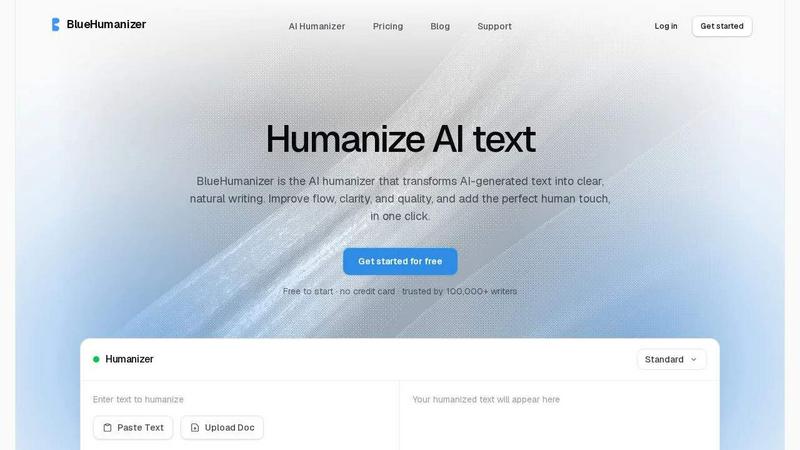
About BlueHumanizer
BlueHumanizer is an AI humanizer that transforms AI-generated text into clear, natural writing in one click. It is designed for anyone who writes with AI, including students, researchers, marketers, and non-native writers. The tool takes output from ChatGPT, Claude, Gemini, or any AI writer and rewrites it into polished, human-sounding prose with better flow and sharper phrasing. Unlike basic tools that simply swap words for synonyms, BlueHumanizer reshapes sentence structure and restores the natural rhythm that makes writing feel real. It keeps your meaning, tone, and key points intact, while leaving quotes and citations untouched. With support for over 50 languages, adjustable humanization levels, and tone controls, it is built to improve writing continuously. Whether you are refining an essay, polishing a research paper, shipping on-brand marketing copy, or warming up everyday emails and reports, BlueHumanizer delivers writing that reads clean, natural, and ready to publish. It is free to start with no credit card required, and it is trusted by over 100,000 writers. The process is simple: paste text, humanize it, and get polished writing that flows smoothly. BlueHumanizer is not just a synonym replacer; it is a complete rewriting engine that makes AI-generated text sound like it was written by a person. It works with any AI model and produces consistent, natural quality every time. The tool is designed to be iterative, allowing you to refine your writing over multiple passes until it meets your exact standards. It is the go-to solution for making AI writing more human, more readable, and more effective.
Features of BlueHumanizer
Humanize AI Text in One Click
BlueHumanizer lets you humanize AI text with a single click. There is no setup, no learning curve, and no complex configuration. You simply copy and paste text from ChatGPT, Gemini, Claude, or any AI writer, and the tool rewrites it into clear, natural prose. The output has smoother phrasing and better flow, while your original meaning and key points stay intact. This feature is designed for speed and simplicity, making it easy to improve your writing continuously with each use.
Clearer, Smoother Writing
BlueHumanizer tightens phrasing, varies sentence rhythm, and improves overall flow. Your writing reads smoothly and naturally without changing what you actually said. The tool reshapes sentence structure to restore the natural rhythm that makes writing feel real. It does not just swap words for synonyms; it rewrites the way a person would, so the result actually flows and reads clearly. This feature is ideal for refining drafts into polished, publication-ready text.
Keeps Your Intent and Tone
The rewrite preserves your tone, your intent, and your key points, now with cleaner, smoother phrasing. BlueHumanizer offers adjustable humanization levels and tone controls, so you can dial in the clarity and style each rewrite needs. Whether you need a casual tone for an email or a formal tone for a research paper, the tool adapts to your requirements. This ensures that your writing remains authentic and aligned with your original message.
Leaves Quotes and Citations Untouched
BlueHumanizer keeps your quotes, citations, and references exactly as they are. Only the writing around them changes. This is critical for academic and professional use, where accuracy and proper attribution are essential. The tool detects citations and quotes automatically and preserves them during the rewriting process. This feature saves time and reduces the risk of errors, making BlueHumanizer a reliable choice for researchers and students.
Use Cases of BlueHumanizer
Refining Essays and Assignments for Students
Students can use BlueHumanizer to refine AI-assisted drafts of essays and assignments into clear, well-structured writing that flows. The tool improves sentence structure, tightens phrasing, and adds natural rhythm, making the writing more readable and engaging. It helps students present their ideas more effectively while keeping their original meaning intact. This iterative process allows students to continuously improve their work until it meets academic standards.
Polishing Research Papers and Abstracts for Academics
Researchers and academics can refine AI-drafted papers and abstracts into clear, natural prose with BlueHumanizer. Every citation and reference remains untouched, ensuring accuracy and proper attribution. The tool improves flow and clarity without altering the technical content or scholarly tone. This is ideal for preparing manuscripts for submission to journals, conferences, or grant applications, where polished writing is critical for success.
Creating On-Brand Marketing Copy for Marketers
Marketers and content teams can use BlueHumanizer to ship blog posts, emails, and landing copy that read clearly and match the tone of their brand. The tool offers tone controls that allow you to adjust the style to fit your brand voice, whether it is casual, professional, or persuasive. It reshapes AI-generated text into polished, human-sounding prose that resonates with your audience. This feature helps maintain consistency across all marketing materials while saving time on editing.
Improving English Fluency for Non-Native Writers
Non-native writers can use BlueHumanizer to make AI-generated English flow naturally, so their writing reads as fluent and effortless. The tool supports over 50 languages and automatically detects the input language, then produces natural, human-sounding output. It corrects awkward phrasing, improves sentence rhythm, and ensures the writing sounds like it was written by a native speaker. This helps non-native writers communicate more effectively and confidently in English.
Frequently Asked Questions
How does BlueHumanizer differ from other AI humanizers?
BlueHumanizer differs from other AI humanizers by rewriting the way a person would, rather than just swapping words for synonyms. It reshapes sentence structure, varies rhythm, and improves flow to create natural, polished prose. It also leaves quotes and citations untouched, offers adjustable humanization levels and tone controls, and supports over 50 languages. This makes it more effective and versatile than basic tools.
Is BlueHumanizer free to use?
Yes, BlueHumanizer is free to start with no credit card required. You can begin using the tool immediately to humanize AI-generated text. There are no hidden fees or upfront costs. For advanced features and higher usage limits, there may be paid plans available, but the basic functionality is accessible for free.
Which AI models does BlueHumanizer work with?
BlueHumanizer works with any AI model, including ChatGPT, Claude, Gemini, Mistral AI, and others. It is designed to humanize text from any AI writer, so the output always comes out clear and polished. The tool is model-agnostic, meaning it can handle text from any source without requiring specific integration.
Can I adjust the tone and humanization level?
Yes, BlueHumanizer offers adjustable humanization levels and tone controls. You can dial in the clarity and style each rewrite needs, from casual to formal. The tool allows you to customize the output to match your specific requirements, ensuring the writing fits your intended audience and purpose. This flexibility makes it suitable for a wide range of writing tasks.
Pricing of BlueHumanizer
BlueHumanizer is free to start with no credit card required. The free tier allows you to humanize AI-generated text immediately. For users who need advanced features like higher word limits, additional tone controls, or priority support, there may be paid subscription plans available. However, the exact pricing details and plan tiers are not provided in the available context. For the most accurate and up-to-date pricing information, please visit the BlueHumanizer website.
Similar to BlueHumanizer

Signage and kiosk infrastructure for AI agents. Your agent publishes images, video, streams, web pages and apps to screens via one plugin.screenRIG is

Genjutsu AI turns your ideas into cinematic videos, product ads, social shorts, and high-quality images in minutes.

Novastart brings apps and files onto an infinite canvas where people and AI agents can work together.

Moderation, routing, intent and scoring for any text over one Jev-compatible API, hosted in the EU.


a SaaS solution that scores any website for AI agent readiness, MCP server security, and Domain Rating.
