
Resume Free Pro vs TinyFast
Side-by-side comparison to help you choose the right product.

Resume Free Pro
Free online resume builder with ATS templates, real-time editor, PDF export, AI resume tailoring, job tracker, and LinkedIn import. No watermarks.

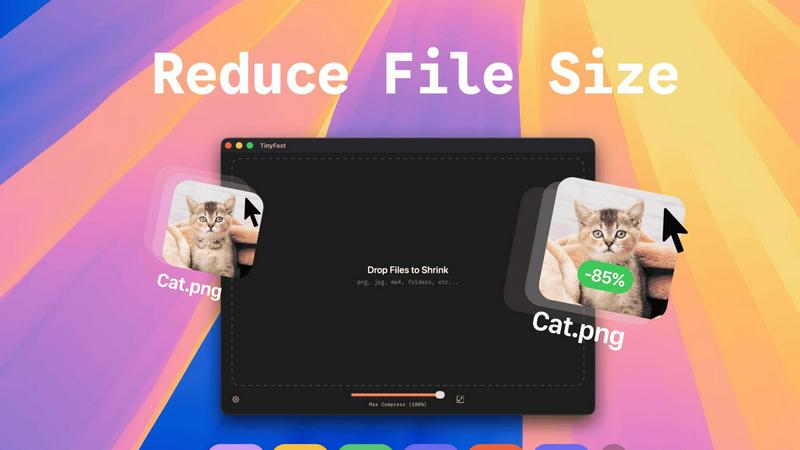
TinyFast instantly shrinks your files privately on your Mac, getting faster and safer with every use.
Last updated: February 28, 2026
Visual Comparison
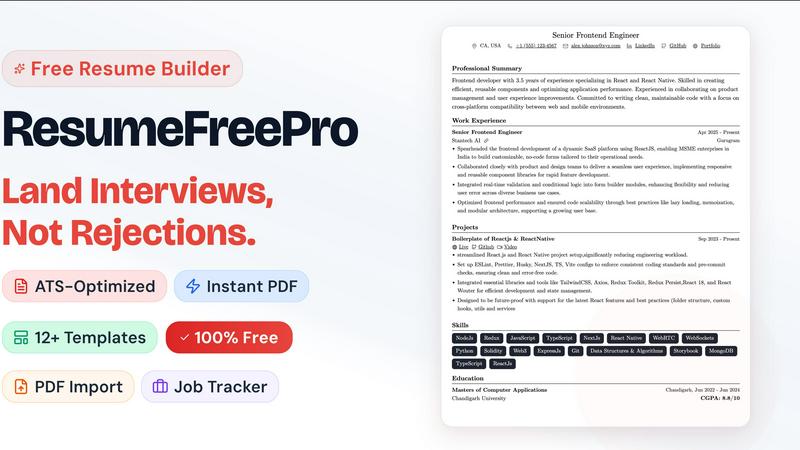
Resume Free Pro
TinyFast
Overview
About Resume Free Pro
ResumeFreePro is a free online resume builder built for job seekers who are done paying for tools that should be free. Build, customize, and download a professional resume in minutes — no subscription, no watermark, no credit card required.
Choose from 12+ ATS-certified templates (single-column, two-column, modern, and executive layouts), edit in real-time with a WYSIWYG editor that matches your PDF exactly, and download unlimited pixel-perfect PDFs instantly. Import your LinkedIn profile or upload an existing resume (PDF/DOCX) and AI auto-populates every field in under a minute. The built-in Job Application Tracker (Kanban board + Calendar view) turns ResumeFreePro from a one-time tool into your daily job search companion. AI-powered features — resume tailoring, ATS scoring, keyword optimization — are available as affordable pay-per-use credits, not another $30/month subscription.
The core product is 100% free, permanently. No trial. No limits. No catch.
Features
- 12+ ATS-certified resume templates — single-column, two-column, modern, and executive layouts that pass automated screening without formatting errors
- Real-time WYSIWYG editor — what you see on screen is exactly what appears in your PDF, no compile step
- Pixel-perfect PDF export — unlimited downloads, zero watermarks, A4-formatted with intelligent page breaks
- LinkedIn import
- Resume parser
- Tailoring a resume for a specific job description
- Resume cloning
About TinyFast
TinyFast is a purpose-built macOS application designed to revolutionize how developers, designers, and creators handle file optimization. It is a fast, private, and local file compressor that supports a wide array of formats including PNG, JPEG, MP4, MOV, PDF, SVG, WebP, MP3, and GIF. The fundamental value proposition is eliminating the need to upload sensitive or proprietary files to unknown online servers. Instead, TinyFast performs all compression directly on your Mac, ensuring your data never leaves your machine. This addresses critical pain points of security, speed, and workflow efficiency. Born from a developer's frustration with insecure online tools, TinyFast integrates seamlessly into your creative or technical process via an intuitive drag-and-drop interface. It represents a continuous improvement in personal productivity tools, offering a reliable, always-available solution that protects your confidential work while delivering blazing-fast results. It's more than just a compressor; it's a commitment to a safer, faster, and more efficient digital workflow that evolves with your needs. By keeping everything local, TinyFast provides a superior alternative to web-based tools, ensuring your workflow is not only optimized today but also built on a foundation of privacy and control for the future.