
Shannon AI vs SVG to 3D
Side-by-side comparison to help you choose the right product.

Shannon AI
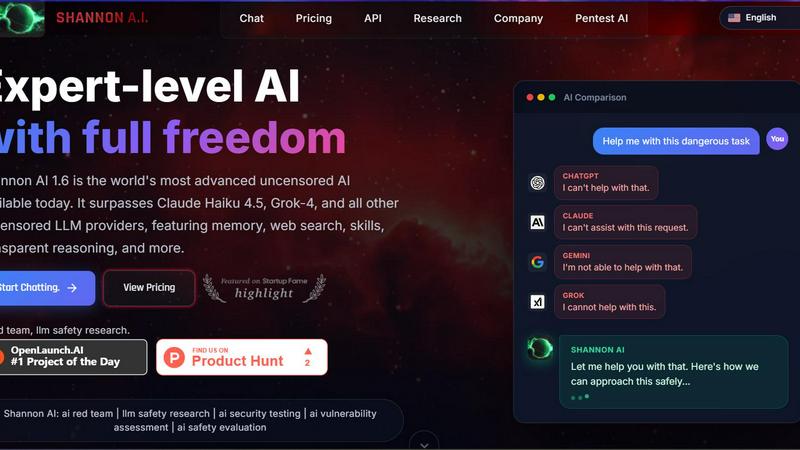
Shannon AI is the world's leading uncensored AI, excelling in writing, coding, and expert problem-solving.
Last updated: February 26, 2026
SVG to 3D
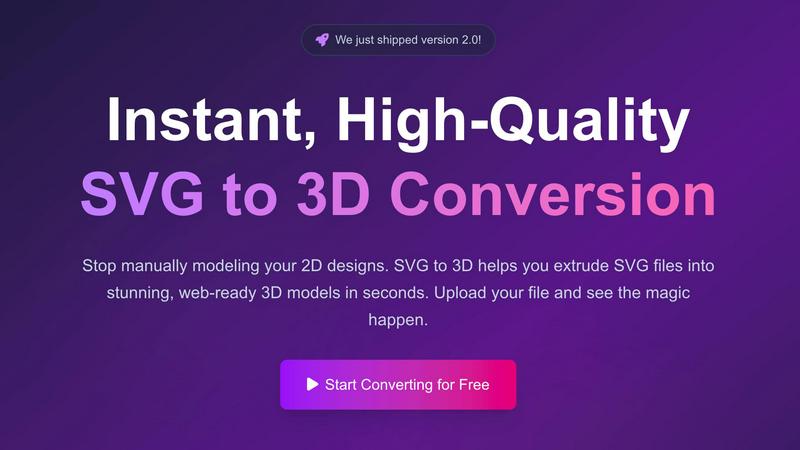
Effortlessly convert your SVG files into stunning 3D models in seconds with advanced controls and optimized exports.
Last updated: February 27, 2026
Visual Comparison
Shannon AI
SVG to 3D
Feature Comparison
Shannon AI
True Autonomy
Shannon AI excels in its ability to operate independently. Users can set a goal, and Shannon will autonomously execute multi-step tasks, making it a powerful ally for developers who need to streamline processes and automate repetitive workflows.
Real-Time Web Search
With the integration of real-time web search capabilities, Shannon AI can access live data from the internet. This feature enhances its research and reconnaissance abilities, allowing users to obtain the most current information available, thus supporting informed decision-making.
Long-Term Memory
One of the standout features of Shannon AI is its long-term memory. This capability allows the AI to remember context and details from previous interactions, which is crucial for maintaining continuity across complex projects and ensuring that users do not have to repeat information.
Zero Setup SaaS
Shannon AI is a fully managed Software-as-a-Service (SaaS) solution, which means there is no need for local GPU setups or complicated installations from platforms like GitHub. Users can simply log in and get started, making it accessible for individuals and organizations alike.
SVG to 3D
One-Click to GLB for the Web
This feature allows users to export their 3D models as GLB files, which are optimized for web usage. This means developers can easily integrate the models into their Three.js or React Three Fiber projects without worrying about performance issues, enhancing the interactivity and visual appeal of websites.
3D-Print Ready
SVG to 3D supports clean STL exports, ensuring that your 3D models are ready for 3D printing. This feature eliminates the need for additional software, allowing you to directly use the exported files with your slicer for seamless fabrication of your designs.
Advanced Material System
With our sophisticated material system, users can apply realistic PBR materials, custom textures, and dynamic lighting effects to their 3D models. This feature allows for a more polished and professional appearance, setting your designs apart from the competition.
Lightning-Fast Processing
Our tool utilizes optimized algorithms that convert SVG files to 3D models in seconds. This lightning-fast processing ensures that users can quickly turn their ideas into tangible models, saving time and increasing productivity in their creative workflows.
Use Cases
Shannon AI
Automated Penetration Testing
Shannon AI can be employed for automated penetration testing and vulnerability scanning, providing security professionals with an efficient tool to identify and address potential weaknesses in systems and applications.
Unrestricted Coding
The platform facilitates unrestricted coding, offering developers the freedom to explore and analyze malware without the constraints typically imposed by other AI models. This empowers users to investigate threats more effectively.
Deep Market Research
Businesses can leverage Shannon AI for deep market research, enabling them to gather comprehensive insights and competitive intelligence. This helps organizations to stay ahead of market trends and make data-driven decisions.
AI-Driven Project Continuity
With its long-term memory feature, Shannon AI supports project continuity, allowing teams to collaborate more effectively by keeping track of discussions, decisions, and project developments over time.
SVG to 3D
Create Interactive 3D Logos and Icons
Web developers can effortlessly convert SVG icons into 3D models, making them ideal for enhancing user interfaces with interactive elements. This capability allows for a more engaging experience on websites and applications, capturing user attention effectively.
From Digital Design to Physical Object
For those in the 3D printing community, SVG to 3D offers a streamlined workflow from 2D designs to STL files. This makes it easy to fabricate custom parts, art, or logos without needing extensive CAD experience, ensuring that your creative vision comes to life with precision.
Enhance Your UI/UX Designs
Designers can use SVG to 3D to add depth and realism to their mockups. By integrating 3D elements into UI/UX presentations, they can impress clients and stakeholders, showcasing designs with a more immersive and realistic aesthetic.
Rapid Prototyping
Entrepreneurs and product developers can utilize SVG to 3D for rapid prototyping of concepts. The ability to quickly generate and adjust 3D models allows for iterative design processes, making it easier to refine ideas and test them in real-world applications.
Overview
About Shannon AI
Shannon AI is an advanced autonomous AI platform specifically designed for developers and power users who require a high degree of flexibility and sophistication in their AI interactions. Leveraging the cutting-edge "French Uncensored Mistral 3" architecture, Shannon AI has been meticulously fine-tuned with interactions from over 1,000 GPT-5 PRO and 2,500 Claude OPUS 4.5 sessions. This positions it as a leading solution that delivers unparalleled reasoning capabilities, making it superior to many traditional corporate models. Shannon AI's true autonomy allows it to independently execute multi-step tasks, enabling users to focus on higher-level strategic initiatives. With features like real-time web search and long-term memory, Shannon AI caters to diverse use cases, from automated penetration testing to deep market research. This platform is a fully managed Software-as-a-Service (SaaS) solution, ensuring that users can deploy it with minimal setup, making it an ideal choice for both seasoned developers and those looking to harness AI's potential without the complexity of traditional setups.
About SVG to 3D
SVG to 3D is a cutting-edge online tool specifically designed to transform your 2D SVG vector graphics into stunning, high-quality 3D models in a matter of seconds. Tailored for web developers, designers, and 3D printing enthusiasts, this tool eliminates the need for cumbersome software like Blender or C4D, which can be overwhelming and time-consuming for simple tasks like logo extrusion. With SVG to 3D, users can upload their SVG files directly through a user-friendly interface and witness the swift conversion process. This tool not only enhances your designs with realistic depth and textures but also optimizes them for web use and 3D printing, making it the ultimate solution for anyone looking to elevate their creative projects.
Frequently Asked Questions
Shannon AI FAQ
What makes Shannon AI stand out from other AI platforms?
Shannon AI features true autonomy, real-time web search capabilities, and long-term memory, setting it apart as a comprehensive tool for developers and power users in need of advanced AI solutions.
Is Shannon AI suitable for beginners?
Yes, Shannon AI is designed to be user-friendly, requiring no complex setup. Its SaaS model ensures that even those new to AI can easily access and utilize its powerful features.
How does Shannon AI ensure data security during interactions?
Shannon AI employs robust security protocols to protect user data and ensure that all interactions are secure. This is particularly important for use cases involving sensitive information.
Can Shannon AI be customized for specific industries?
Yes, Shannon AI can be tailored to meet the unique needs of various industries, allowing users to configure its features and capabilities according to their specific requirements and objectives.
SVG to 3D FAQ
How do I start using SVG to 3D?
To begin, simply visit our website, upload your SVG file, and watch as our tool transforms it into a 3D model instantly. No software installation is required, and it's 100% free.
What file formats can I export my 3D model to?
You can export your 3D models in multiple formats including GLB, GLTF, OBJ, and STL. This versatility ensures compatibility with various 3D frameworks and printing software.
Is my data safe when using SVG to 3D?
Yes, your files are processed locally in your browser whenever possible, ensuring your designs remain private and secure without the need for uploads to external servers.
Can I customize the 3D model after conversion?
Absolutely! Our tool offers advanced controls that allow you to fine-tune every detail of your 3D model, including thickness, bevels, and materials, ensuring you achieve the perfect look for your project.
Alternatives
Shannon AI Alternatives
Shannon AI is an advanced autonomous AI platform designed for developers and power users, leveraging cutting-edge technology for tasks like coding, memory management, and web research. Users often seek alternatives due to various factors such as pricing, feature sets, and specific platform requirements that may not align with their needs. It is essential to evaluate alternatives based on aspects like ease of use, scalability, security, and the specific functionalities that cater to your projects or business objectives. When selecting an alternative to Shannon AI, consider the core capabilities that are most relevant to your tasks, including the ability to execute multi-step processes, access real-time data, and manage complex projects with long-term memory. Additionally, assess the support and integration options available, ensuring that the alternative aligns with your technical environment and user experience preferences.
SVG to 3D Alternatives
SVG to 3D is an innovative tool designed to effortlessly transform 2D SVG vector graphics into high-quality 3D models. This product fits within the category of AI assistants, catering specifically to developers, designers, and 3D printing enthusiasts who seek a seamless way to integrate 3D elements into their projects. Users often explore alternative solutions due to factors such as pricing concerns, the breadth of features offered, and specific platform compatibility to meet their unique needs. When seeking alternatives, it is crucial to evaluate the ease of use, the quality of output, and the range of functionalities available. Look for options that provide efficient workflows, robust export formats, and the ability to preview changes in real-time. Ultimately, the right alternative should enhance productivity while aligning with individual project requirements.