
Dokie AI vs SparkIconAI
Side-by-side comparison to help you choose the right product.

Dokie AI
Dokie AI is the ultimate AI presentation maker that transforms text into stunning PPT slides in minutes with ease and precision.
Last updated: March 19, 2026

SparkIconAI
SparkIconAI is an all-in-one AI platform for effortlessly creating, managing, and enhancing unique icons for any.
Last updated: February 28, 2026
Visual Comparison
Dokie AI

SparkIconAI
Feature Comparison
Dokie AI
AI Generate PPT
Dokie AI allows users to create a complete slide deck by simply describing their topic in plain text. The AI generates professional layouts, charts, and content that align with the user’s vision, giving users a head start on their presentations.
AI Beautify PPT
This feature enables users to enhance existing presentations by uploading their slides. Dokie AI automatically improves design elements, fixes layouts, and applies professional styling, ensuring that the original content shines in a visually appealing format.
Speaker Notes Generation
Dokie AI provides an automatic generation of detailed speaker notes for each slide, helping users deliver confident presentations. These comprehensive notes are tailored to support the presenter, enhancing the overall delivery and engagement with the audience.
Multi-Format Conversion
With Dokie AI, users can convert various document formats into PowerPoint presentations seamlessly. This includes PDF to PPT, Word to PPT, HTML to PPT, and even transforming YouTube videos into slides, making it versatile for different content types.
SparkIconAI
Powerful Icon Generation
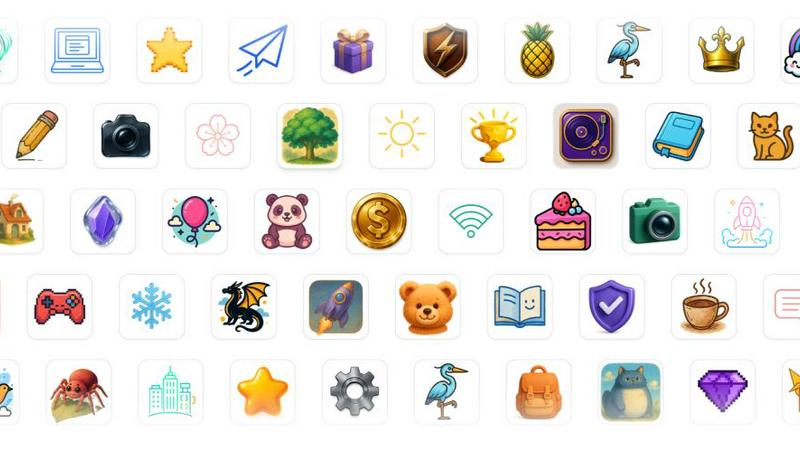
SparkIconAI utilizes advanced AI models to generate crisp and high-quality icons in various styles. Users can select from over 10 curated styles, including 3D, hand-drawn, neon, and more. This flexibility allows for a seamless match with any brand aesthetic, ensuring that every icon is unique and visually appealing.
Projects & Asset Management
The platform allows users to group their generated icons into specific projects, making it easier to classify, collaborate, and reuse assets across different products. This feature enhances organization and ensures that users can efficiently track versions and manage both created and purchased icons.
Built-in Tools for Enhancement
SparkIconAI offers various integrated tools to refine icons before export. The background remover allows for quick and easy creation of transparent backgrounds, while the image compressor optimizes file sizes without sacrificing quality. These tools streamline the workflow and enhance productivity.
Smart Export & Format Presets
With SparkIconAI, exporting icons is a breeze. Users can choose from multiple formats, including PNG, ICO, WEBP, and SVG. The platform provides smart presets for common requirements such as Favicon and PWA sizes, allowing for customizable exports tailored to specific needs.
Use Cases
Dokie AI
Business Presentations
Dokie AI is perfect for business professionals who need to create impactful presentations for meetings, pitches, or reports. With its rapid generation feature, users can focus on refining their message while Dokie AI takes care of the design.
Educational Lectures
Educators can leverage Dokie AI to create engaging lecture slides that capture student attention. The tool’s ability to generate structured content from text makes it easier for teachers to prepare lessons quickly.
Marketing Campaigns
Marketers can utilize Dokie AI to craft persuasive presentations aimed at clients or stakeholders. By transforming marketing data into visually appealing slides, professionals can effectively communicate their strategies and results.
Startup Pitches
Startup founders can utilize Dokie AI to create compelling pitch decks that attract investors. The AI-generated slides provide a polished and professional look that helps convey the startup's vision and potential effectively.
SparkIconAI
Designing Brand Assets
Marketers and designers can utilize SparkIconAI to generate icons that align with their brand identity. By easily creating unique icons that reflect their brand's aesthetics, they can enhance their marketing materials and digital presence.
Rapid Prototyping
Developers can use SparkIconAI for quick icon generation during the prototyping phase of app or website development. The ability to create and manage icons on the fly allows for faster iterations and more effective collaboration within teams.
Creative Projects and Presentations
Artists and creatives can leverage the platform to produce stunning icons for their projects. Whether it’s for a personal portfolio, a presentation, or social media content, SparkIconAI facilitates the creative process with high-quality results.
Educational Use
Educators and students can take advantage of SparkIconAI for learning purposes. By exploring icon design and generation, they can better understand visual communication principles and apply them in various academic projects.
Overview
About Dokie AI
Dokie AI is a cutting-edge AI presentation maker designed to empower business professionals, educators, marketers, and startup founders to create visually stunning presentations without requiring any design skills. Utilizing the advanced capabilities of Claude Opus 4.6, Dokie AI automates the process of content structuring, layout selection, typography, and visual design. This innovative tool supports multiple modes, including Generate, Beautify, Speech, and document-to-PPT conversions, making it an all-in-one solution for presentation needs. With Dokie AI, users can transform their ideas into polished slides with just a few clicks. This tool is especially valuable for those who need compelling presentations quickly and efficiently, allowing them to focus on content rather than design intricacies. Whether you are preparing for a business pitch, an educational lecture, or a marketing campaign, Dokie AI offers a seamless experience that enhances productivity and creativity.
About SparkIconAI
SparkIconAI is an innovative platform that simplifies the process of creating, organizing, and managing icons using advanced artificial intelligence technology. Designed for both designers and developers, this all-in-one solution allows users to generate high-resolution 1024x1024 icons effortlessly from text prompts or reference images. The platform stands out by offering a user-friendly interface that enhances the entire icon creation workflow, from initial inspiration to professional-grade exports. Users can easily categorize their icons into projects, explore a curated icon gallery, and utilize essential features such as background removal and image compression. By streamlining the icon creation process, SparkIconAI becomes an indispensable tool for anyone looking to produce stunning icons quickly and efficiently, ensuring that creativity is never hindered by technical barriers.
Frequently Asked Questions
Dokie AI FAQ
What is Dokie AI?
Dokie AI is an AI-powered presentation maker that allows users to create professional PowerPoint presentations from text descriptions, enhancing existing slides, and generating speaker notes.
How does Dokie AI generate presentations?
By entering a plain text description of the topic, Dokie AI uses advanced AI algorithms to create a complete slide deck with professional layouts and relevant content automatically.
Can I enhance my existing presentations with Dokie AI?
Yes, users can upload existing presentations to Dokie AI, which will beautify the slides by improving design elements and layouts while maintaining the original content.
Is there a feature for generating speaker notes?
Absolutely! Dokie AI automatically generates detailed speaker notes for each slide, helping presenters deliver confident and well-structured presentations.
SparkIconAI FAQ
What types of icons can I create with SparkIconAI?
SparkIconAI allows you to create a wide variety of icons, including minimalistic, pixel art, hand-drawn, and 3D styles. The platform supports over 10 curated styles to match different brand aesthetics.
How does the AI generate icons from text prompts?
The AI uses advanced models that interpret your text prompts or reference images to create icons that align with your specified composition, color palettes, and overall mood, ensuring fidelity to your vision.
Can I organize my icons into different projects?
Yes, SparkIconAI enables users to categorize their icons into projects, making it easy to manage and collaborate on assets. This feature helps keep your workflow organized and efficient.
What export formats does SparkIconAI support?
SparkIconAI supports various export formats, including PNG, ICO, WEBP, and SVG. You can also use smart presets for common applications like Favicon, PWA, and app store icons, ensuring your icons are optimized for any platform.
Alternatives
Dokie AI Alternatives
Dokie AI is a leading AI presentation maker designed to help users create professional-quality PowerPoint presentations quickly and effortlessly. As a design tool, it leverages advanced AI technology to automate the content structure, layout, typography, and visual design, enabling business professionals, educators, and marketers to produce polished presentations without needing extensive design skills. Users often seek alternatives to Dokie AI for various reasons, including pricing, specific features, or platform compatibility. When looking for an alternative, it's essential to consider factors such as ease of use, the range of features offered, pricing plans, and whether the tool can integrate smoothly with existing workflows and platforms. Finding a solution that aligns with your unique presentation needs will help ensure a more efficient and satisfying experience.
SparkIconAI Alternatives
SparkIconAI is an innovative platform that belongs to the design tools and generative art categories, specifically tailored for creating, managing, and enhancing unique icons. Users are often on the lookout for alternatives to SparkIconAI due to various factors such as pricing, specific feature sets, or compatibility with different platforms and workflows. As the landscape of design tools continues to evolve, it’s essential for users to evaluate alternatives based on their individual needs, such as ease of use, available styles, and additional functionalities that can enhance their creative processes. When seeking an alternative to SparkIconAI, consider aspects like the quality of icon generation, the variety of styles offered, and the efficiency of asset management features. Look for platforms that provide a user-friendly interface and built-in tools that streamline the icon creation process. Additionally, a strong support system and community can significantly enhance the experience, making it easier to find solutions and inspiration along the way.