
Seedream 4.5 vs Sketch To
Side-by-side comparison to help you choose the right product.

Seedream 4.5
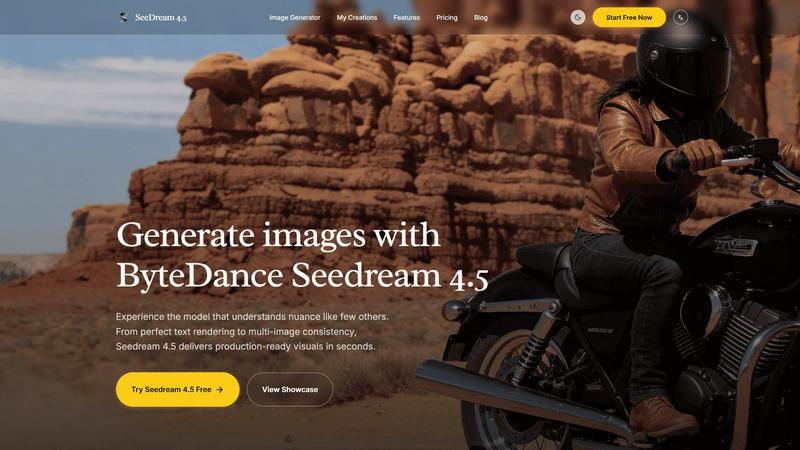
Seedream 4.5 effortlessly generates stunning, production-ready images with unmatched detail and consistency in seconds.
Last updated: February 28, 2026
Sketch To
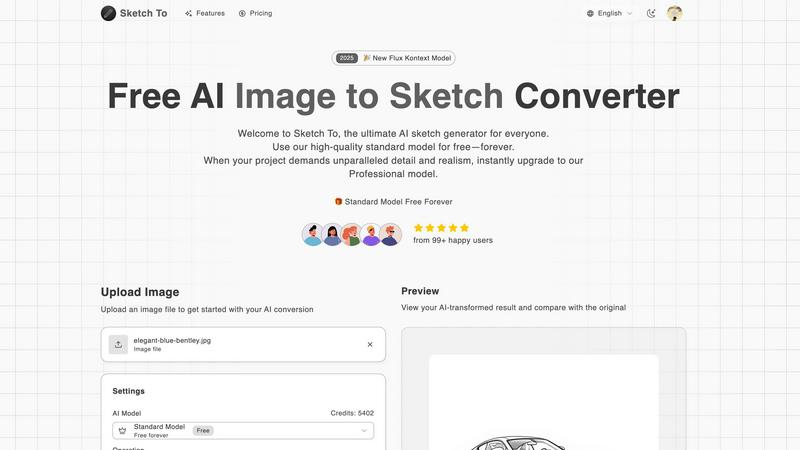
Sketch To transforms your images into stunning AI sketches, offering tools for both casual and professional creators.
Last updated: March 2, 2026
Visual Comparison
Seedream 4.5
Sketch To
Feature Comparison
Seedream 4.5
Advanced Text-to-Image Generation
Seedream 4.5 offers an advanced text-to-image generation feature that enables users to input detailed prompts and produce high-quality images that accurately reflect their creative vision. This functionality is designed to capture nuances in text, ensuring that the resulting visuals resonate with the intended message.
Consistent Character Rendering
One of the standout features of Seedream 4.5 is its ability to maintain character consistency across multiple images. This is crucial for professional projects that require a unified look, making it an ideal choice for branding and storytelling across various media.
Precision Image Editing
The tool provides a unique "surgical" editing capability, allowing users to make specific adjustments using over 14 reference images. This precision editing ensures that details can be refined without losing the overall style and harmony of the original image, enhancing the creative process.
Native 4K Support
Seedream 4.5 supports native 4K output, ensuring that all generated images are of the highest quality and suitable for both digital and print media. This feature is particularly beneficial for professionals who require production-ready visuals that meet industry standards for resolution and detail.
Sketch To
Image to Sketch Conversion
Sketch To’s advanced AI technology allows users to convert images into beautiful pencil sketches effortlessly. This feature is perfect for artists and designers seeking to create artistic interpretations of their photos, providing a clean and visually appealing output that captures the essence of the original image.
Sketch to Image AI
Transform your sketches into realistic images with incredible detail and accuracy using Sketch To's Pro model. This feature is designed for those who want to elevate their hand-drawn designs, allowing them to present their ideas in a more lifelike manner, perfect for professional presentations or client work.
Trial Credits Model
New users can take advantage of the trial credits model, which allows them to explore the standard features of Sketch To without any financial commitment. This encourages personal use and experimentation, particularly beneficial for hobbyists looking to enhance their creative projects.
Instant Processing
With Sketch To's powerful cloud-based AI processing engine, users can generate their artistic creations in seconds. This instant processing capability ensures that the workflow remains smooth and efficient, enabling creators to focus on refining their concepts rather than waiting for results.
Use Cases
Seedream 4.5
Graphic Design
Graphic designers can leverage Seedream 4.5 to create unique and engaging visuals for various projects, including branding materials, social media graphics, and promotional content. Its ability to generate high-quality images quickly allows designers to focus on creativity rather than technical constraints.
Marketing Campaigns
Marketing professionals can utilize Seedream 4.5 to develop compelling visuals for advertising campaigns. The tool's advanced text-to-image capabilities help convey messages effectively, while character consistency ensures that brand identity remains strong across different platforms.
Content Creation
Content creators, such as bloggers and social media influencers, can benefit from Seedream 4.5 by generating eye-catching images that enhance their storytelling. The software allows for rapid production of unique visuals that resonate with audiences, keeping content fresh and engaging.
E-Commerce
In the e-commerce sector, Seedream 4.5 can be used to produce high-quality product images and lifestyle shots that attract customers. The tool's precision editing capabilities enable businesses to showcase their products in the best light, improving conversion rates and customer engagement.
Sketch To
Social Media Content Creation
Artists and influencers can use Sketch To to create eye-catching content for social media platforms. Whether converting a photograph into a sketch or enhancing a simple drawing, the results can boost engagement and provide a unique flair to posts.
Educational Projects
Students can leverage Sketch To for school projects, transforming photographs into artistic sketches to illustrate reports or presentations. This feature allows for creative expression while meeting academic requirements, making learning more enjoyable.
Professional Artwork Presentation
Commercial designers can utilize Sketch To's Pro model to convert their sketches into highly detailed images. This is particularly useful for presenting concepts to clients, showcasing their ideas with exceptional realism that can impress stakeholders.
Personal Creative Hobbies
Hobbyists can explore their artistic side by using Sketch To for personal projects. From creating custom artwork to experimenting with different styles, the platform fosters creativity and allows users to develop their skills in a fun, accessible way.
Overview
About Seedream 4.5
Seedream 4.5 is a revolutionary image generation tool that empowers users to create visually striking, production-ready images in just seconds. Designed specifically for professionals in graphic design, marketing, and content creation, this innovative software combines an intuitive user interface with cutting-edge technology. Seedream 4.5 excels in both text-to-image generation and advanced image editing, allowing users to transform their creative ideas into stunning visuals. With its remarkable algorithms, the tool ensures impeccable text rendering, enabling seamless integration of typographic elements within images. A standout feature is its ability to maintain character consistency across multiple images, which is essential for projects that demand a cohesive visual narrative. Furthermore, Seedream 4.5 allows for "surgical" editing with the support of over 14 reference images, giving users the ability to make precise adjustments without compromising the overall aesthetic. With native 4K support and a strong focus on instruction-following capabilities, Seedream 4.5 is perfectly equipped for commercial applications, helping users deliver high-quality visuals that meet and exceed professional standards.
About Sketch To
Sketch To is the ultimate AI-powered creative platform that seamlessly transforms your artistic visions into tangible realities. This innovative tool caters to a broad audience, including students, hobbyists, professional artists, and commercial designers. With its advanced dual-functionality, Sketch To can convert any photograph into a stunning artistic sketch while also bringing simple drawings to life as photorealistic images. The core value of Sketch To lies in its commitment to fostering creativity through a continuous cycle of improvement, empowering users to iterate on their ideas. The platform offers a high-quality standard model for everyday users, which is free, complemented by a Professional model that provides unparalleled realism and detail for demanding projects. With no software installation required and a flexible credit system, Sketch To makes it easy and accessible for anyone to elevate their creative process, ensuring that every creation can serve as a launching pad for new artistic endeavors.
Frequently Asked Questions
Seedream 4.5 FAQ
What types of images can I create with Seedream 4.5?
Seedream 4.5 allows users to create a wide variety of images, from realistic product photos and branding graphics to stylized artistic visuals. Its advanced capabilities cater to numerous industries, including marketing, design, and e-commerce.
Can I edit images after generating them?
Yes, Seedream 4.5 offers advanced image editing features that let you make precise adjustments even after generating an image. You can refine details and enhance the overall style without compromising the original design.
Is Seedream 4.5 suitable for beginners?
Absolutely! Seedream 4.5 is designed with a user-friendly interface that makes it accessible for users of all skill levels. Whether you are a seasoned professional or a beginner, you can easily navigate the tool and create stunning visuals.
What are the system requirements for Seedream 4.5?
While specific system requirements may vary, Seedream 4.5 is optimized to run on modern computers with standard specifications for graphic software. It is recommended to have a capable GPU and sufficient RAM for the best performance, especially when working with 4K images.
Sketch To FAQ
How do I get started with Sketch To?
To begin using Sketch To, simply sign up for an account. New users receive trial credits to explore the standard model, allowing you to upload images and start transforming them immediately.
What types of images can I upload to Sketch To?
Sketch To supports multiple image formats, including JPEG, PNG, and GIF. You can upload photographs or sketches for conversion, making it versatile for various creative needs.
Is there a limit to the number of images I can convert?
While there is no strict limit, each conversion using the standard model requires credits. New users receive trial credits to get started, and additional credits can be purchased as needed.
Can I download my creations in high resolution?
Yes, users can download their AI-generated images in high resolution, making them suitable for both print and professional use. This feature ensures that your artwork maintains quality regardless of its application.
Alternatives
Seedream 4.5 Alternatives
Seedream 4.5 is a cutting-edge image generation tool that falls within the realm of graphic design and content creation software. Designed to produce stunning, production-ready visuals in seconds, it is particularly favored by professionals who require high-quality, detailed images for their projects. However, users often seek alternatives due to factors such as pricing, specific feature sets, or compatibility with their existing platforms. The quest for an alternative may arise from a need for additional functionalities, more affordable options, or tools that better align with individual workflows. When selecting an alternative to Seedream 4.5, consider the essential features that will support your creative process, such as image quality, editing capabilities, and user interface. Assessing platform compatibility is crucial, as your existing systems should seamlessly integrate with the new tool. Additionally, pay attention to customer support and community resources, as these can significantly enhance your experience and productivity in image generation and editing.
Sketch To Alternatives
Sketch To is an innovative AI-powered creative platform that belongs to the image and photo category. It specializes in transforming images into artistic sketches and enhancing hand-drawn sketches into photorealistic images. Users often seek alternatives to Sketch To for various reasons, such as pricing, specific features, or compatibility with their preferred platforms. The need for diverse functionality, user-friendly interfaces, and different pricing models can drive this search. When choosing an alternative, it's essential to consider several factors, including the quality of output, the range of artistic styles available, ease of use, and whether the platform offers a free model or trial period. Users should also evaluate the flexibility of the tool in supporting an iterative creative process, as this can significantly enhance their artistic workflow.