
Perkoon vs securememo.app
Side-by-side comparison to help you choose the right product.

Perkoon enables free, unlimited peer-to-peer file transfers with no signup, ensuring your files stay private and secure.
Last updated: March 4, 2026
securememo.app
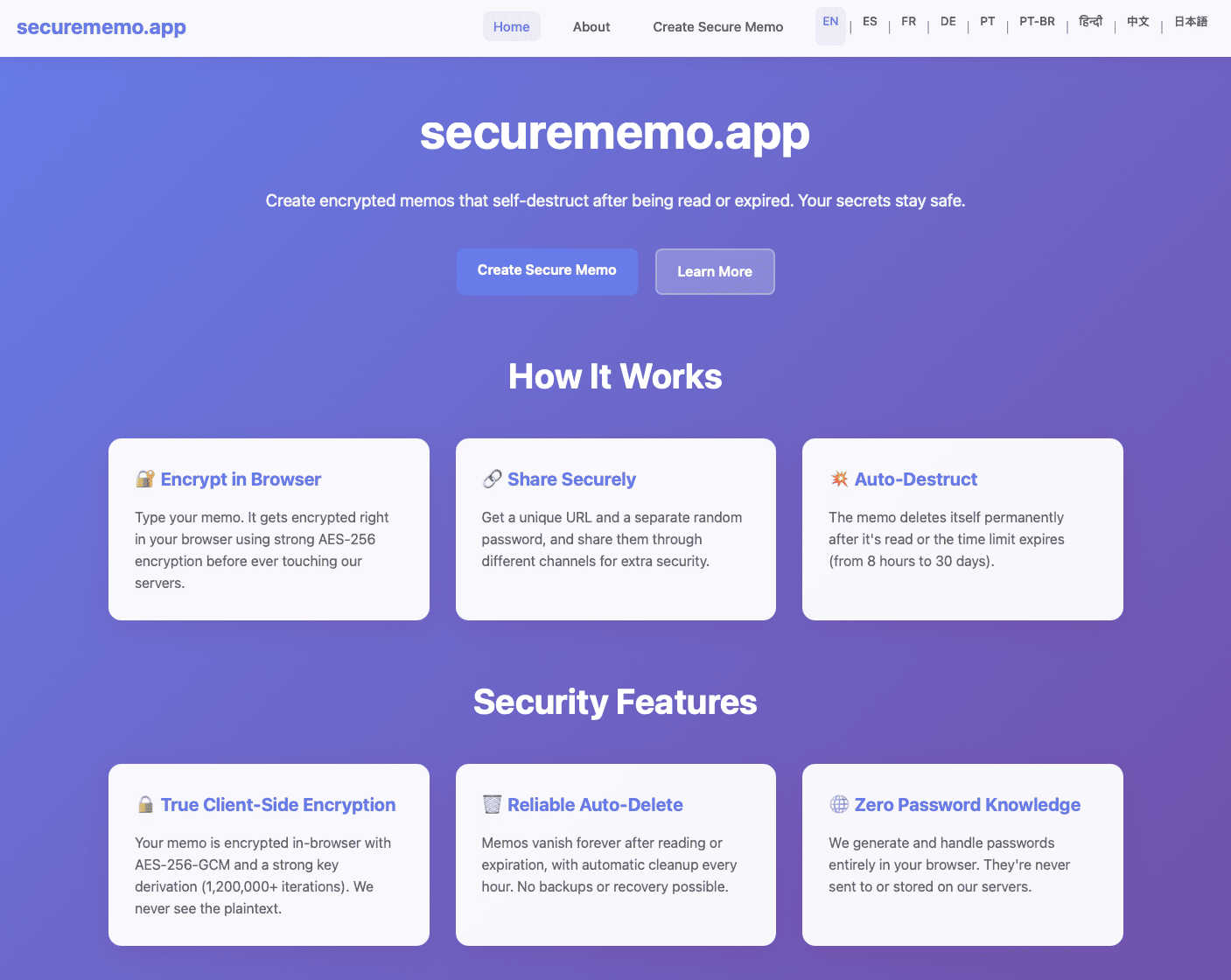
Securememo.app offers a private, open source memo service with client-side encryption and no account requirements.
Visual Comparison
Perkoon

securememo.app
Feature Comparison
Perkoon
Peer-to-Peer File Transfer
Perkoon’s flagship feature enables users to transfer files directly between browsers with no size limits. This peer-to-peer technology ensures that files are sent instantly and privately, as the data never touches a central server.
Encrypted Cloud Storage
For situations where the recipient is offline, Perkoon offers secure cloud storage. This feature encrypts files on the server, providing a safe way to hold files until the recipient is available to receive them.
Built-in Automation Tools
Designed for the modern age of AI, Perkoon includes built-in tools that allow automation and interaction with AI agents. This feature ensures seamless integration, making it easier to manage file transfers without manual intervention.
Simple Command-Line Interface
Perkoon provides a straightforward command-line interface (CLI) tool, allowing users to engage with the service programmatically. This feature is perfect for tech-savvy users and applications that require direct file transfer capabilities without a graphical interface.
securememo.app
Client-Side Encryption
Securememo.app employs advanced client-side encryption, meaning that all sensitive data is encrypted within your browser before it is sent to our servers. This process ensures that your notes are completely private and only accessible to you, safeguarding against unauthorized access.
Self-Destructing Notes
This service allows you to create self-destructing notes that automatically delete themselves after being accessed. This feature enhances security by ensuring that sensitive information does not linger longer than necessary, minimizing the risk of exposure.
Unique Link Generation
When you create a memo, Securememo.app generates a unique link that can be shared with others. This link is tied to the specific memo, making it easy to distribute information securely while maintaining control over access.
Password Protection
For added security, each memo can be protected with a strong, randomly generated password created on your device. This ensures that only those with the password can access the memo, enhancing the confidentiality of your shared information.
Use Cases
Perkoon
Creative Professionals
Graphic designers, video editors, and photographers can leverage Perkoon to send large files to clients or collaborators effortlessly. The P2P transfer method allows for quick and hassle-free sharing of high-resolution content.
Remote Teams
Remote teams working on projects can utilize Perkoon to transfer essential documents and files without the burden of account setups or size restrictions. This fosters a collaborative environment free from corporate data handling concerns.
AI Development
Developers creating AI applications can use Perkoon to send datasets or model files securely and efficiently. The built-in automation tools make it easy for AI agents to manage file transfers autonomously.
Educational Institutions
Schools and universities can benefit from Perkoon by allowing students and faculty to share educational materials and resources. The service's privacy features ensure that sensitive information remains protected during transfers.
securememo.app
Secure Communication
Securememo.app is perfect for professionals who need to share sensitive information securely. Whether you're discussing confidential business strategies or sharing legal documents, the platform ensures that your communication remains private and secure.
Personal Notes
Individuals who want to keep personal notes or journal entries confidential can use Securememo.app to store their thoughts safely. The self-destructing feature ensures that personal reflections do not remain accessible indefinitely.
Sharing Sensitive Information
When you need to share sensitive information, such as login details or financial data, Securememo.app provides a secure channel to do so. The encryption and password protection features help ensure that your data is only seen by intended recipients.
Temporary Collaborations
For projects requiring temporary collaboration, Securememo.app allows teams to share information securely without the need for long-term accounts or data storage. This is particularly useful for freelancers or consultants working on short-term projects.
Overview
About Perkoon
Perkoon is a revolutionary file transfer service designed for those who value simplicity and privacy in sharing files. It aims to eliminate the clutter of artificial limits, obligatory sign-ups, and the corporate treatment of personal data. Targeted at anyone who has struggled with traditional file transfer services, Perkoon provides a straightforward solution for transferring files effortlessly. At its heart, Perkoon utilizes peer-to-peer (P2P) technology to allow users to send files directly between browsers when both parties are online, ensuring no size limits and total privacy. For instances when the recipient is offline, Perkoon offers secure cloud storage as a paid feature, which is essential for maintaining the service's sustainability. Unique to Perkoon is its design optimized for the AI age, integrating automation tools and allowing AI agents to interact directly with the service without the need for screen scraping. With a simple command-line interface (CLI) tool available, Perkoon stands out as a powerful, privacy-centric solution for individuals and machines alike.
About securememo.app
Securememo.app is a cutting-edge, privacy-focused memo service designed to create and share encrypted, self-destructing notes directly from your web browser. This innovative platform is ideal for anyone who values their privacy and seeks a secure method for sharing sensitive information. With the increasing concerns around data breaches and privacy violations, Securememo.app stands out by ensuring that all sensitive data is encrypted in your browser before it even reaches our servers. This client-side encryption guarantees that only you have access to your notes, maintaining complete confidentiality.
The main value proposition of Securememo.app lies in its ease of use, robust security features, and commitment to user anonymity. By allowing users to generate unique links and strong, random passwords for each memo, it maximizes security while ensuring a seamless user experience. Additionally, the fact that no accounts are required simplifies the process and prioritizes user anonymity. Available in over 20 languages, Securememo.app caters to a global audience, empowering individuals to communicate securely and privately.
Frequently Asked Questions
Perkoon FAQ
Is Perkoon truly free?
Yes, Perkoon offers its peer-to-peer file transfer service for free. This is possible because the P2P technology incurs minimal costs, allowing users to transfer files without financial constraints.
How does Perkoon ensure my files are private?
Perkoon prioritizes user privacy by ensuring that P2P transfers do not pass through its servers. For cloud storage, files are encrypted, and Perkoon cannot access the content being sent.
What happens if my recipient is offline?
If the recipient is offline, Perkoon holds the file in encrypted storage until they are available to receive it. This ensures that file transfers can still occur seamlessly, regardless of online status.
Which browsers are supported by Perkoon?
Perkoon supports Chrome, Edge, and Brave without restrictions. However, users of Firefox and Safari may encounter certain limitations due to browser-specific constraints.
securememo.app FAQ
Is my data safe with Securememo.app?
Yes, your data is highly secure due to client-side encryption. All your sensitive information is encrypted in your browser before it is sent to our servers, ensuring that only you can access it.
Do I need to create an account to use Securememo.app?
No, Securememo.app does not require any accounts. This prioritizes your anonymity and makes the service incredibly easy to use, allowing you to create and share notes without any registration process.
Can I recover my notes after they self-destruct?
No, once a self-destructing note is accessed and the timer runs out, it is permanently deleted and cannot be recovered. This feature enhances your data security by ensuring that sensitive information is not stored indefinitely.
How can I share a memo securely?
To share a memo securely, you generate a unique link and a strong password on your device. It is recommended to share the password through a separate channel to maintain maximum security and confidentiality.