
JobHustler vs Quickfix AI
Side-by-side comparison to help you choose the right product.

JobHustler
Tailor your resume and cover letter instantly with AI for every job application.
Last updated: March 4, 2026

Quickfix AI
Quickfix AI instantly diagnoses and explains your system's health in plain English.
Last updated: February 28, 2026
Visual Comparison
JobHustler

Quickfix AI
Feature Comparison
JobHustler
AI-Powered Tailoring
JobHustler's core engine analyzes the job description you provide and intelligently tailors your resume and cover letter to match. It identifies key skills, keywords, and requirements, then rewrites your bullet points and professional summary to highlight the most relevant experience. This isn't a simple keyword-stuffer; it's a process of continuous refinement that ensures your documents speak directly to the role's needs, improving your relevance with each iteration.
ATS-Optimized Formatting & Scoring
The tool ensures your resume is parsed correctly by Applicant Tracking Systems with clean, professional formatting. Beyond structure, the unique 'Employer Lens' scoring feature provides feedback, simulating how an employer or ATS might view your document. This creates a cycle of assessment and enhancement, allowing you to understand and improve your document's effectiveness before you even hit submit.
Dynamic Cover Letter Generation
JobHustler generates customized cover letters that are adapted to the specific company and position. You can choose from six cover letter types and five distinct tones to match the company culture. The AI weaves in details from the job description and your resume to create a compelling, coherent narrative that complements your application, turning a generic letter into a targeted personal pitch.
Flexible & Accessible Credits System
With no mandatory account setup, you can start using JobHustler immediately. The platform operates on a credit system where free uses recharge over time, allowing you to test and experiment. For focused job hunts, affordable single-purchase plans provide immediate access. This model supports an iterative workflow: generate a draft, review it, and use another credit to refine it further based on new insights or a different job description.
Quickfix AI
One-Click Full System Diagnostics
Quickfix AI performs a comprehensive scan of your computer's vital systems in under a minute. It analyzes CPU usage, memory pressure, GPU load, storage health, battery cycles, network speeds, and security protection status, presenting all critical data in a single, easy-to-read dashboard. This feature eliminates the need for multiple, complex tools, providing a holistic view of your system's health instantly and continuously improving its detection algorithms with every scan.
AI-Powered Plain-English Explanations
This feature reads your full diagnostic report and translates technical jargon into clear, actionable insights. You can ask questions like "Why is my Mac running slow?" and receive specific, plain-English answers with tailored recommendations. The AI learns from each interaction, refining its explanations to become more precise and helpful, ensuring users of any technical level can understand and act on their system's data.
Secure Remote Diagnostics via Sharing Code
IT professionals and helpers can troubleshoot any machine remotely without invasive software. Simply generate a secure sharing code, send the download link to the user, and once they run the scan, you instantly receive their anonymized diagnostic report. This creates a seamless, iterative support loop that gets faster and more effective with every use case, streamlining remote IT support.
Universal Communication Assistant
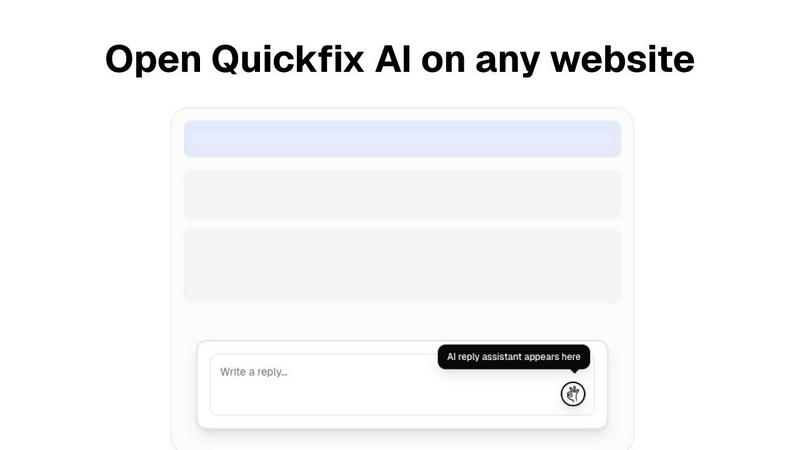
Available as a browser extension, this feature provides intelligent, context-aware reply generation across any website or communication platform, including Gmail, LinkedIn, Slack, and customer support portals. With a single click, it crafts perfect responses, learning your communication style over time to save hours per week and continuously improve the relevance and tone of its suggestions.
Use Cases
JobHustler
The Targeted Application Specialist
For job seekers applying to multiple, distinct roles, JobHustler is indispensable. Instead of one generic resume, you can create a uniquely tailored document for each application in minutes. By pasting each new job description, you initiate a new cycle of optimization, ensuring your resume for a marketing manager role is completely different and appropriately focused compared to your resume for a product marketing role, dramatically increasing interview chances.
The Career Changer or Recent Graduate
Individuals with non-linear career paths or limited direct experience can leverage JobHustler to reframe their skills. The AI helps translate past accomplishments into the language of the new target industry. By continuously refining how transferable skills are presented to meet the keywords in a new field's job descriptions, it builds a bridge between your past experience and your future role.
The Efficiency-Seeking Active Job Seeker
For those in an active, demanding job search, speed and quality are critical. JobHustler streamlines the most time-consuming part: customizing application materials. This rapid generation capability allows you to apply to more high-quality positions without sacrificing the tailored appeal that catches a recruiter's eye, making your search process more efficient and less burdensome.
The Document Refiner and ATS Tester
Even with an existing resume, JobHustler serves as a powerful optimization tool. Users can upload their current resume, input a dream job description, and use the AI to receive a rewritten, enhanced version. The Employer Lens score provides immediate feedback, creating a cycle of testing and improvement to ensure your existing documents are as strong as possible before distribution.
Quickfix AI
Personal Troubleshooting for Everyday Users
For individuals who sense their computer is underperforming but lack the technical knowledge to diagnose the issue, Quickfix AI is the perfect first step. It automatically identifies the root cause of slowdowns, battery drain, or strange behavior and explains it in simple terms with clear steps to resolve it, empowering users to maintain their own systems through a cycle of learning and improvement.
IT Support and Remote Assistance
IT support teams can drastically reduce resolution times by using Quickfix AI's secure sharing code feature. Instead of lengthy back-and-forth descriptions, technicians get instant, comprehensive diagnostics from any user's machine. This enables precise, first-contact solutions and builds a knowledge base that makes the support process smarter and more efficient with every ticket resolved.
Performance Monitoring for Tech Enthusiasts
Gamers, developers, and power users who demand peak performance from their hardware use Quickfix AI for deep, real-time insights into system metrics like CPU/GPU temperatures, memory pressure, and disk health. The tool facilitates an iterative tuning process, allowing enthusiasts to monitor the impact of their adjustments and continuously optimize their setup for better results.
Proactive System Security Audits
Users concerned about their digital security can run Quickfix AI to get an immediate snapshot of their protection status. It checks firewall settings, disk encryption status, and other critical security layers, providing clear feedback and recommendations. This enables a proactive, evolving security posture, ensuring systems are not just fixed but fortified against future threats.
Overview
About JobHustler
JobHustler is an AI-powered career tool designed to transform the job application process through continuous, intelligent refinement. It serves job seekers at all levels by generating professional, ATS-friendly resumes and cover letters that are precisely tailored to each unique job description. The core value proposition is a cyclical and iterative approach to document creation: you start with your experience and a target job description, and JobHustler's AI refines the content, language, and structure to align perfectly with what employers and Applicant Tracking Systems (ATS) are seeking. This process of continuous improvement ensures your application materials are not just created, but optimized for maximum impact with every use. By removing the guesswork and hours of manual editing, JobHustler makes professional resume and cover letter creation faster, clearer, and more effective, empowering you to apply with confidence. The platform is built for ease, requiring no account setup and offering free uses that recharge, allowing for ongoing testing and refinement of your documents.
About Quickfix AI
Quickfix AI is a revolutionary, dual-purpose platform designed to streamline both digital communication and system diagnostics through intelligent automation. It represents a continuous cycle of improvement, evolving to meet user needs by eliminating tedious tasks and providing instant, actionable clarity. For communication, it serves as a universal browser extension that generates context-aware, perfect replies across any website—from Gmail and LinkedIn to Slack and customer support portals—with a single click, saving hours every week. For system health, it transforms into a powerful diagnostics tool that delivers instant, comprehensive insights into your computer's performance, security, and hardware status in under a minute. Whether you're a professional drowning in emails, an IT support technician troubleshooting remotely, or a user puzzled by a slow machine, Quickfix AI provides the immediate, intelligent solution. Its core value proposition is seamless integration and effortless understanding, turning complex tasks into simple, one-click actions that get smarter with every use. The platform is built on a foundation of iterative learning, ensuring that each interaction refines its capabilities to deliver even greater clarity and efficiency for the next challenge.
Frequently Asked Questions
JobHustler FAQ
How does JobHustler ensure my resume is ATS-friendly?
JobHustler employs a dual approach. First, it uses clean, standard formatting that is easily parsed by Applicant Tracking Systems, avoiding complex columns, graphics, or unusual fonts. Second, and more importantly, it strategically integrates relevant keywords and phrases from the job description into your resume's content in a natural, context-aware manner. This continuous optimization process is designed to improve your resume's ranking within an ATS scan.
What is the 'Employer Lens' scoring feature?
The Employer Lens is a proprietary scoring system that provides iterative feedback on your generated resume. It analyzes your document and estimates how effectively it communicates your fit for the role, simulating an initial employer or ATS review. This score isn't an end point; it's a starting point for refinement, giving you actionable insight to understand and continuously improve your application's impact before submission.
Can I edit the content that JobHustler generates?
Absolutely. The AI-generated content is your powerful first draft. JobHustler encourages a cyclical workflow: generate the tailored document, review it, and make any personal tweaks or additions you see fit. You can then use this refined version as a base for future applications or use another credit to further optimize it for a different job description, blending AI efficiency with your personal touch.
What happens if I encounter a problem or have a question?
JobHustler is committed to a seamless user experience through continuous support improvement. If you have any problems or questions, you can directly contact the support team for assistance at [email protected]. They are available to help troubleshoot issues and ensure the tool works effectively for your job application cycle.
Quickfix AI FAQ
Is Quickfix AI free?
Yes, Quickfix AI offers a free version that includes core system diagnostics and AI-powered explanations. This allows users to experience the continuous improvement cycle of instant system insights at no cost. Additional advanced features for power users and teams may be available under other plans.
Is my data secure?
Absolutely. Quickfix AI is built with privacy and security as foundational principles. Diagnostic scans are processed with a strong emphasis on data anonymization and security. For remote sharing, reports are accessed only via a secure, unique code, and no personal files or data are ever collected or stored.
Do I need technical knowledge?
Not at all. Quickfix AI is designed for users of all skill levels. The AI assistant is specifically crafted to explain complex system information in plain, understandable English and provide specific, actionable recommendations, making advanced diagnostics accessible to everyone.
What platforms are supported?
Quickfix AI is available for both Windows and macOS operating systems. You can download the native application for your platform to begin the iterative journey of understanding and improving your system's health and performance immediately.
Alternatives
JobHustler Alternatives
JobHustler is an AI-powered productivity tool designed to streamline job application materials. It instantly generates tailored, ATS-friendly resumes and cover letters from a job description, requiring no signup. This places it within the broader category of career and document productivity software. Users often explore alternatives for various reasons, such as different pricing models, the need for more advanced editing features, or a preference for integrated platforms that include job search or networking capabilities. Specific workflow needs or a desire for different output formats can also prompt this search. When evaluating other options, consider the core value of seamless, iterative improvement. Look for tools that facilitate easy refinement of your documents, offer clarity in presentation, and adapt to continuous feedback. The best choice will align with your need for efficient, effective, and ongoing enhancement of your professional materials.
Quickfix AI Alternatives
Quickfix AI is a productivity and management tool that combines intelligent communication assistance with instant system diagnostics. It operates as a universal browser extension, streamlining digital tasks and providing clear insights into computer health with a single click. Users often explore alternatives for various reasons, such as budget constraints, the need for different feature sets, or compatibility with specific operating systems. The search for the right tool is a natural part of the iterative process of finding a solution that perfectly aligns with one's evolving workflow and technical requirements. When evaluating options, consider the core value of seamless integration and effortless understanding. Look for tools that offer genuine time savings through automation, provide clear and actionable insights without technical jargon, and demonstrate a commitment to continuous improvement that adapts to your changing needs.