
Changeflow vs Quickfix AI
Side-by-side comparison to help you choose the right product.

Changeflow
Changeflow uses AI to track and summarize only the website changes that matter to your business.
Last updated: March 4, 2026

Quickfix AI
Quickfix AI instantly diagnoses and explains your system's health in plain English.
Last updated: February 28, 2026
Visual Comparison
Changeflow

Quickfix AI
Feature Comparison
Changeflow
AI-Powered Contextual Intelligence
Changeflow's core AI doesn't just detect changes; it understands them. It reads the content of a webpage, grasps the context of your specific monitoring request, and intelligently filters out irrelevant updates and false positives. This means you are only notified about the changes that are truly significant to your business, saving you from wasting time sifting through noise and screenshots to decipher what actually happened.
Natural Language Setup & Smart Link Following
Forget about technical configuration or RSS feeds. You can set up a monitoring source in seconds by simply describing what you care about in plain English. Furthermore, Changeflow can turn any page with links into an intelligent discovery feed. It will follow new links, read the target pages, determine their relevance based on your criteria, and summarize the important content, automating the process of building a comprehensive monitoring network.
Enterprise-Grade Reliability & Anti-Blocking
Built on over a decade of experience tracking billions of pages, Changeflow offers enterprise-level reliability. Its sophisticated anti-blocking technology ensures a 99.9% success rate at accessing pages that often stump other tools, including those behind logins or with complex JavaScript. This guarantees consistent and dependable monitoring, which is critical for compliance, legal, and competitive intelligence use cases.
Collaborative Workspaces & Forensic Analysis
Changeflow is built for teams. Shared workspaces keep everyone aligned on the latest updates. For deep investigation, the Site Version Control feature provides timestamped archives of every page, allowing you to navigate through time. The interactive change viewer offers a forensic look at updates, highlighting exactly what was added, removed, or modified, so you can understand the full scope of every change.
Quickfix AI
One-Click Full System Diagnostics
Quickfix AI performs a comprehensive scan of your computer's vital systems in under a minute. It analyzes CPU usage, memory pressure, GPU load, storage health, battery cycles, network speeds, and security protection status, presenting all critical data in a single, easy-to-read dashboard. This feature eliminates the need for multiple, complex tools, providing a holistic view of your system's health instantly and continuously improving its detection algorithms with every scan.
AI-Powered Plain-English Explanations
This feature reads your full diagnostic report and translates technical jargon into clear, actionable insights. You can ask questions like "Why is my Mac running slow?" and receive specific, plain-English answers with tailored recommendations. The AI learns from each interaction, refining its explanations to become more precise and helpful, ensuring users of any technical level can understand and act on their system's data.
Secure Remote Diagnostics via Sharing Code
IT professionals and helpers can troubleshoot any machine remotely without invasive software. Simply generate a secure sharing code, send the download link to the user, and once they run the scan, you instantly receive their anonymized diagnostic report. This creates a seamless, iterative support loop that gets faster and more effective with every use case, streamlining remote IT support.
Universal Communication Assistant
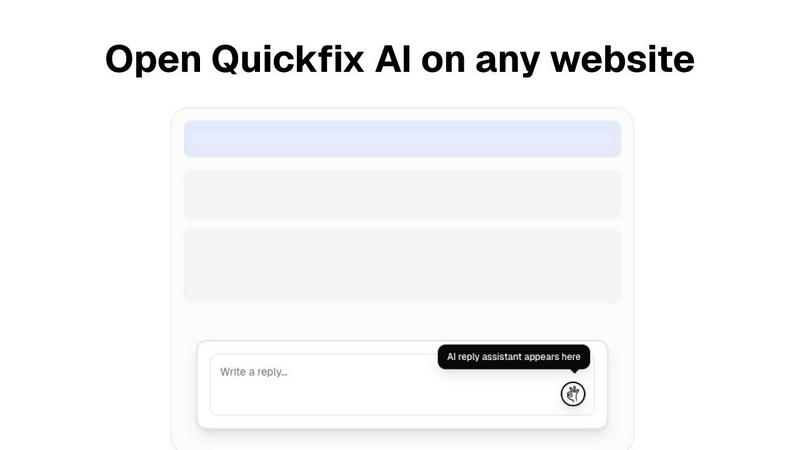
Available as a browser extension, this feature provides intelligent, context-aware reply generation across any website or communication platform, including Gmail, LinkedIn, Slack, and customer support portals. With a single click, it crafts perfect responses, learning your communication style over time to save hours per week and continuously improve the relevance and tone of its suggestions.
Use Cases
Changeflow
Competitive & Market Intelligence
Business and marketing teams use Changeflow to maintain a continuous competitive edge. It automates the tracking of competitor pricing changes, product updates, promotional campaigns, and news mentions. By receiving AI-summarized alerts for only the relevant changes, teams can react swiftly to market movements and strategic shifts without manual daily checks.
Legal & Regulatory Compliance
Legal librarians at top law firms and compliance officers at major corporations rely on Changeflow to monitor critical information sources. This includes tracking court dockets for new filings, monitoring updates to legal citations, and following regulatory changes from bodies like the FDA or SEC. The platform's reliability and detailed change analysis are essential for mitigating risk and ensuring adherence to evolving regulations.
News & Media Monitoring
Public relations, communications, and executive teams use Changeflow to track brand mentions, industry news, and media coverage across thousands of web sources. The AI filters out irrelevant noise to create a clean, personalized news feed of only the stories that impact reputation, partnerships, or market perception, delivered in real-time.
Supply Chain & Vendor Monitoring
Procurement and operations teams implement Changeflow to keep tabs on key vendor and supplier websites. They can monitor for changes in terms of service, shipping policies, product availability, and outage notices. This proactive, iterative monitoring loop helps prevent disruptions and provides early warning for potential supply chain issues.
Quickfix AI
Personal Troubleshooting for Everyday Users
For individuals who sense their computer is underperforming but lack the technical knowledge to diagnose the issue, Quickfix AI is the perfect first step. It automatically identifies the root cause of slowdowns, battery drain, or strange behavior and explains it in simple terms with clear steps to resolve it, empowering users to maintain their own systems through a cycle of learning and improvement.
IT Support and Remote Assistance
IT support teams can drastically reduce resolution times by using Quickfix AI's secure sharing code feature. Instead of lengthy back-and-forth descriptions, technicians get instant, comprehensive diagnostics from any user's machine. This enables precise, first-contact solutions and builds a knowledge base that makes the support process smarter and more efficient with every ticket resolved.
Performance Monitoring for Tech Enthusiasts
Gamers, developers, and power users who demand peak performance from their hardware use Quickfix AI for deep, real-time insights into system metrics like CPU/GPU temperatures, memory pressure, and disk health. The tool facilitates an iterative tuning process, allowing enthusiasts to monitor the impact of their adjustments and continuously optimize their setup for better results.
Proactive System Security Audits
Users concerned about their digital security can run Quickfix AI to get an immediate snapshot of their protection status. It checks firewall settings, disk encryption status, and other critical security layers, providing clear feedback and recommendations. This enables a proactive, evolving security posture, ensuring systems are not just fixed but fortified against future threats.
Overview
About Changeflow
Changeflow is an intelligent web monitoring platform that transforms how businesses track online information. It goes beyond simple change detection by using advanced AI to understand context, filter out noise, and deliver only the meaningful updates that matter to your specific goals. Instead of just alerting you that "something changed," Changeflow reads the page like a human, comprehends the content, and provides clear, concise summaries of the important changes. This continuous, iterative process of monitoring, analyzing, and refining ensures you receive a constantly improving stream of actionable intelligence. The setup is remarkably simple: you describe what you want to track in plain English and point the AI at a starting URL. Changeflow then handles the complex technical challenges, including navigating login walls and JavaScript-heavy sites with a 99.9% success rate, turning any webpage into a smart, personalized feed of updates. Trusted by Fortune 500 and Am Law 200 firms, it is built for business teams, legal professionals, and compliance officers who need reliable, timely, and context-aware insights from the web to drive strategic decisions and maintain a competitive edge.
About Quickfix AI
Quickfix AI is a revolutionary, dual-purpose platform designed to streamline both digital communication and system diagnostics through intelligent automation. It represents a continuous cycle of improvement, evolving to meet user needs by eliminating tedious tasks and providing instant, actionable clarity. For communication, it serves as a universal browser extension that generates context-aware, perfect replies across any website—from Gmail and LinkedIn to Slack and customer support portals—with a single click, saving hours every week. For system health, it transforms into a powerful diagnostics tool that delivers instant, comprehensive insights into your computer's performance, security, and hardware status in under a minute. Whether you're a professional drowning in emails, an IT support technician troubleshooting remotely, or a user puzzled by a slow machine, Quickfix AI provides the immediate, intelligent solution. Its core value proposition is seamless integration and effortless understanding, turning complex tasks into simple, one-click actions that get smarter with every use. The platform is built on a foundation of iterative learning, ensuring that each interaction refines its capabilities to deliver even greater clarity and efficiency for the next challenge.
Frequently Asked Questions
Changeflow FAQ
How does Changeflow differ from traditional website change detectors?
Traditional tools typically take screenshots or compare HTML code, often resulting in alerts for minor, irrelevant changes like ad rotations or timestamp updates. Changeflow uses AI to actually read and understand the content on the page in the context of your specific instructions. It summarizes what changed in plain language and filters out the noise, delivering only the meaningful updates that require your attention.
Can Changeflow monitor websites that require a login or have complex JavaScript?
Yes, this is a key strength. Changeflow employs advanced anti-blocking technology and sophisticated rendering engines to navigate complex web pages. It achieves a 99.9% success rate on pages that other monitoring tools cannot reliably access, including those behind login walls, using dynamic JavaScript, or employing other anti-bot measures.
How do I set up a page to monitor with Changeflow?
Setup is designed to be simple and iterative. You provide the starting URL and a brief, plain-English description of what kind of changes you want to be alerted about (e.g., "track price changes for the product listing" or "notify me of new press releases"). Our AI agent interprets your request, begins monitoring, and continuously refines its understanding to improve the relevance of alerts over time. No technical skills are required.
Can my team collaborate and share monitored feeds?
Absolutely. Changeflow is built for business collaboration. You can create shared workspaces where team members can view, discuss, and manage monitored sources together. This ensures everyone is operating from the same intelligence feed, improving alignment and enabling faster, more informed collective decision-making based on the latest web updates.
Quickfix AI FAQ
Is Quickfix AI free?
Yes, Quickfix AI offers a free version that includes core system diagnostics and AI-powered explanations. This allows users to experience the continuous improvement cycle of instant system insights at no cost. Additional advanced features for power users and teams may be available under other plans.
Is my data secure?
Absolutely. Quickfix AI is built with privacy and security as foundational principles. Diagnostic scans are processed with a strong emphasis on data anonymization and security. For remote sharing, reports are accessed only via a secure, unique code, and no personal files or data are ever collected or stored.
Do I need technical knowledge?
Not at all. Quickfix AI is designed for users of all skill levels. The AI assistant is specifically crafted to explain complex system information in plain, understandable English and provide specific, actionable recommendations, making advanced diagnostics accessible to everyone.
What platforms are supported?
Quickfix AI is available for both Windows and macOS operating systems. You can download the native application for your platform to begin the iterative journey of understanding and improving your system's health and performance immediately.
Alternatives
Changeflow Alternatives
Changeflow is an AI-driven market and competitor insights platform in the productivity and management category. It specializes in intelligently monitoring web pages, understanding contextual changes, and delivering summarized updates on what truly matters for your business. Users often explore alternatives for various reasons, such as budget constraints, specific feature requirements, or the need for integration with a particular tech stack. It's a natural part of the continuous improvement cycle for any business process, ensuring your tools evolve alongside your strategic needs. When evaluating options, consider core capabilities like AI comprehension versus simple change detection, success rates on complex modern websites, and the depth of analysis provided. The right tool should not just inform you of a change, but empower your team with actionable intelligence that integrates seamlessly into your workflow.
Quickfix AI Alternatives
Quickfix AI is a productivity and management tool that combines intelligent communication assistance with instant system diagnostics. It operates as a universal browser extension, streamlining digital tasks and providing clear insights into computer health with a single click. Users often explore alternatives for various reasons, such as budget constraints, the need for different feature sets, or compatibility with specific operating systems. The search for the right tool is a natural part of the iterative process of finding a solution that perfectly aligns with one's evolving workflow and technical requirements. When evaluating options, consider the core value of seamless integration and effortless understanding. Look for tools that offer genuine time savings through automation, provide clear and actionable insights without technical jargon, and demonstrate a commitment to continuous improvement that adapts to your changing needs.