
Looktara vs poseup
Side-by-side comparison to help you choose the right product.

Looktara
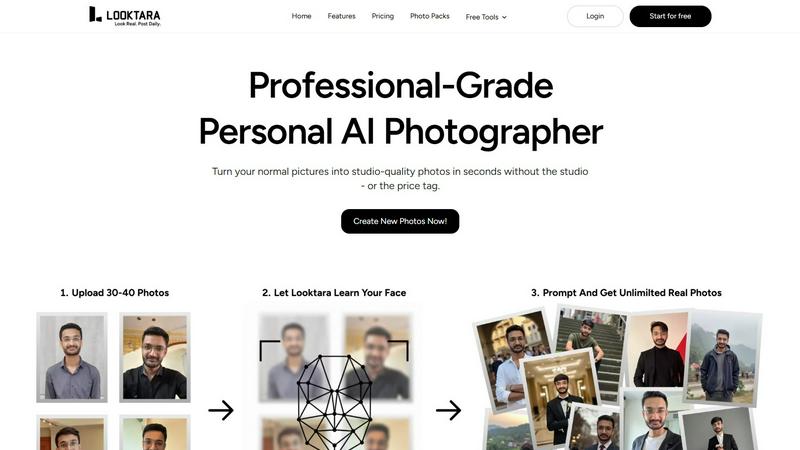
Looktara is your personal AI photographer, creating professional photos that evolve with your style.
Last updated: February 28, 2026

poseup
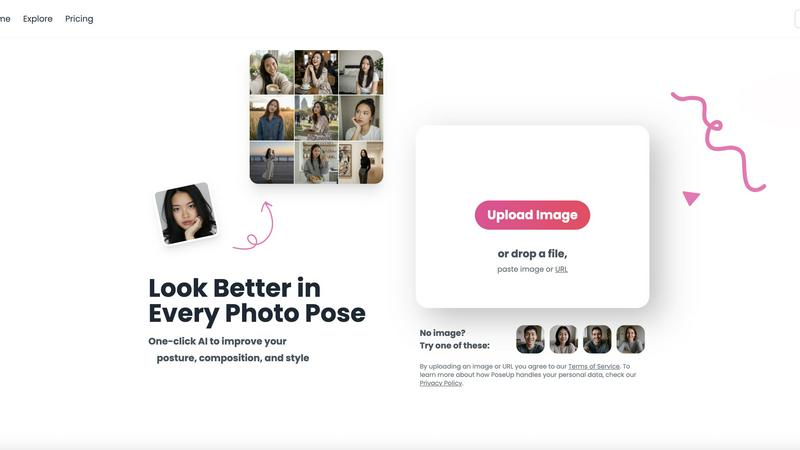
PoseUp uses AI to enhance your photo poses and posture for stunning, professional-looking images in just one click.
Last updated: February 28, 2026
Visual Comparison
Looktara
poseup
Feature Comparison
Looktara
Private & Encrypted AI Model Training
Looktara builds a unique AI model just for you, trained on a small set of your own photos. This model is private and encrypted, ensuring your personal data and likeness are secure. The training process is remarkably fast, taking only about 10 minutes, which establishes a personalized foundation for generating all your future images. This private model is the core technology that allows for authentic, non-generic results tailored exclusively to you.
Context-Aware Style Generation
Unlike generic AI filters, Looktara intelligently adapts to different contexts and platforms. Whether you need a sharp, professional headshot for LinkedIn, a warm and engaging photo for a client story, or a relaxed behind-the-scenes aesthetic, Looktara generates images that match the specific vibe and requirements. This feature ensures you maintain a consistent yet platform-appropriate brand image across all your channels.
Rapid 5-Second Photo Generation
Once your personal model is trained, the power of instant creation is at your fingertips. Looktara delivers a high-quality, studio-grade image in approximately 5 seconds. This eliminates the need for scheduling photoshoots or waiting for edits, allowing for iterative creation and continuous improvement of your visual content library whenever inspiration strikes or a need arises.
Suite of Free Image Editing Tools
Beyond AI generation, Looktara provides a comprehensive toolkit for refining and preparing your images. This includes essential utilities like Remove Background, Blur Face, Crop, Resize, Compress, Convert, and Text Behind Image. These tools support an iterative workflow, allowing you to perfect your AI-generated photos or any other images, ensuring every visual asset you publish is polished and professional.
poseup
One-Click Enhancement
PoseUp's one-click enhancement feature allows users to instantly improve their photos with minimal effort. By simply uploading an image, users can leverage AI technology to analyze and optimize posture, composition, and overall visual appeal. This feature is perfect for individuals who want professional results without the need for extensive editing skills.
AI-Powered Pose Correction
With its AI-powered pose correction capabilities, PoseUp intelligently identifies and rectifies awkward poses in photos. This feature ensures that users can present themselves in the best light, whether in casual settings or more formal portraits. It takes the guesswork out of posing, making it easy for anyone to achieve flattering angles and positions.
Customizable Settings
PoseUp offers customizable settings to allow users to tailor enhancements according to their preferences. Users can adjust parameters such as brightness, contrast, and saturation, giving them control over the final look of their images. This flexibility ensures that every photo can reflect the user’s unique style and personality.
Versatile Use Cases
PoseUp is designed for a wide range of use cases, including selfies, group photos, professional headshots, and lifestyle shots. Its versatility allows users to enhance any type of image, making it a valuable tool for social media creators, photographers, and everyday users alike. No matter the occasion, PoseUp can help elevate the quality of photos effortlessly.
Use Cases
Looktara
Building a Cohesive Professional LinkedIn Profile
Professionals can use Looktara to generate a suite of authentic, high-quality headshots and profile pictures that convey competence and approachability. This allows for regularly updated profile photos and consistent imagery for articles and posts, strengthening your professional brand and making a powerful first impression on recruiters, clients, and colleagues through a cycle of continuous visual refinement.
Creating Engaging Social Media Content for Brands
Content creators, influencers, and small business owners can leverage Looktara to produce a steady stream of on-brand visual content. Generate images for Instagram posts, Twitter threads, or Facebook updates that feature a consistent personal or brand representative without the cost of repeated photoshoots, enabling an iterative and always-fresh content strategy.
Sourcing Authentic Imagery for Marketing Materials
Marketing professionals and freelancers can use Looktara to create custom, royalty-free images for websites, brochures, email campaigns, and client presentations. This ensures the visuals are perfectly aligned with the campaign's message and feature authentic human presence, avoiding the awkwardness of stock photos or other AI services, and allowing for rapid iteration on creative concepts.
Enhancing Personal Branding for Public Speaking & Media
Consultants, speakers, and thought leaders can maintain a library of professional photos for speaker bios, conference materials, podcast guest appearances, and media kits. Looktara ensures you have a variety of appropriate, high-resolution images ready for any opportunity, supporting an evolving public persona through continuous visual updates.
poseup
Social Media Enhancement
For social media creators, PoseUp is a game-changer. Users can upload their photos and achieve polished, professional-looking images that stand out in crowded feeds. With one-click enhancements, they can maintain a consistent aesthetic that attracts followers and engagement.
Professional Headshots
Professionals looking to improve their online presence can utilize PoseUp for enhancing headshots. The platform's AI algorithms ensure that users present themselves in the best possible light, leading to more impactful profiles on platforms like LinkedIn and other professional networks.
Family and Group Photos
PoseUp simplifies the process of capturing memorable family and group photos. By correcting poses and enhancing compositions, users can create stunning images that encapsulate special moments, making them perfect for sharing with loved ones or preserving memories.
Fitness and Wellness Imagery
For fitness enthusiasts and wellness coaches, PoseUp offers a way to enhance imagery related to fitness activities. Whether it’s a workout selfie or a dynamic group class photo, users can ensure their images convey energy and professionalism, enhancing their brand image and appeal.
Overview
About Looktara
Looktara is your personal AI photographer, a revolutionary service designed to create stunning, studio-grade images that authentically capture your unique essence. It solves the core problem of inaccessible, expensive, and time-consuming professional photography by putting a private, tailored AI model in your pocket. The process is elegantly simple: you upload around 30 photos, and in just 10 minutes, Looktara trains a secure, encrypted model that understands your specific features, style, and personality. Once trained, you can generate a high-quality, customized photo in approximately 5 seconds, anytime you need it. This continuous cycle of learning and generation ensures your visual content is always improving and perfectly aligned with your evolving personal brand. Looktara is built for professionals, creators, and individuals across all industries who demand authentic, high-quality visuals for platforms like LinkedIn, Instagram, and client presentations without the artificial, generic look of other AI solutions. Its core value proposition is delivering consistent, professional-grade imagery that reflects your true self, giving you creative control and brand integrity with unprecedented speed and convenience.
About poseup
PoseUp is an innovative AI-powered photo enhancement platform that revolutionizes the way we capture and present our images. Designed to convert ordinary snapshots into stunning professional-looking portraits, PoseUp acts as a virtual photography coach. By analyzing uploaded images, it identifies areas needing improvement, such as pose, posture, and composition, and applies advanced AI algorithms to implement optimal corrections effortlessly. The platform caters to a diverse audience, including social media influencers aiming for a visually appealing feed, individuals wanting to enhance their selfies, photographers seeking quick enhancement solutions, and professionals in need of refined headshots for their portfolios. The core value proposition lies in delivering high-quality photo results with just a single click. This eliminates the necessity for technical photography skills, expensive equipment, or time-consuming manual editing. Embracing a philosophy of continuous improvement, PoseUp encourages users to iterate on their photography, making exceptional images accessible to everyone.
Frequently Asked Questions
Looktara FAQ
How many photos do I need to upload to get started?
You need to upload around 30 photos of yourself to train your personal AI model. These photos should showcase your face from different angles, with varied expressions, and in different lighting conditions to help the AI learn your unique features comprehensively. This diverse set ensures the highest quality and most authentic output.
Is my personal data and image secure with Looktara?
Yes, security and privacy are fundamental. The photos you upload are used to train a private, encrypted AI model that is unique to you. Looktara employs robust encryption protocols to protect your data, and your personal model is not shared or used to generate images for anyone else, ensuring your digital likeness remains under your control.
How long does it take to generate a new photo?
After the initial 10-minute model training period, generating a brand new, high-quality photo is incredibly fast. Looktara can deliver a studio-grade image in approximately 5 seconds. This speed enables an iterative creative process, allowing you to generate multiple options and refine your vision on the fly.
Can I control the style and background of the generated photos?
Absolutely. A key advantage of Looktara over other AI photo services is the level of creative control and context-aware styling. You can specify the desired vibe (e.g., professional, casual, warm) and the platform it's for. The AI then generates images with appropriate styling, expressions, and suggested backgrounds that fit that context, and you can further refine them using the built-in editing tools.
poseup FAQ
How does PoseUp enhance my photos?
PoseUp utilizes advanced AI technology to analyze uploaded images, identifying areas for improvement in terms of pose, posture, and composition. It then applies intelligent adjustments to enhance the overall quality and visual appeal of the photo.
What types of images can I upload?
You can upload various image formats, including JPG, PNG, WEBP, and HEIC files, with a maximum size of 5MB per image. This makes it convenient for users to enhance their pictures effortlessly.
Do I need any photography skills to use PoseUp?
No, PoseUp is designed for users of all skill levels. Its one-click enhancement feature allows anyone to achieve professional-grade photo results without needing extensive photography knowledge or experience.
Is my personal data safe when using PoseUp?
PoseUp is committed to user privacy and data protection. By uploading images, you agree to their Terms of Service, and you can learn more about how your personal data is handled in their Privacy Policy.
Alternatives
Looktara Alternatives
Looktara is a personalized AI photography service in the generative art category. It creates professional, authentic images tailored to your unique style and essence in minutes, offering a private and efficient alternative to traditional photoshoots. Users often explore alternatives for various reasons, such as budget constraints, specific feature requirements, or the need for different artistic styles and platform integrations. The search for the right tool is a natural part of the continuous improvement of one's digital presence. When evaluating alternatives, consider the quality and authenticity of the output, the privacy and security of your data, the speed of generation, and the versatility of styles offered. The goal is to find a solution that evolves with your needs, ensuring your visual identity remains both consistent and dynamically refined.
poseup Alternatives
PoseUp is an innovative AI-powered photo enhancement platform that specializes in improving posture, composition, and overall image quality with minimal user intervention. It is designed for a diverse audience, including social media enthusiasts, professionals, and photographers, aiming to elevate their images to a more polished and professional level. Users often seek alternatives to PoseUp due to various reasons, such as pricing structures, specific feature sets, or the need for compatibility with different platforms and devices. When searching for an alternative, it's essential to consider the key features that matter most to you, such as ease of use, the effectiveness of AI enhancements, and whether the tool meets your specific photography needs. Look for platforms that offer robust pose correction, posture adjustments, and composition optimization while ensuring a seamless user experience.