
dmaya vs Image3D AI
Side-by-side comparison to help you choose the right product.

dmaya
dMaya is the AI design platform for agencies to generate, iterate, and export client-ready UI designs at the speed of thought.
Last updated: April 13, 2026

Image3D AI
Transform 2D images into high-quality 3D models in minutes, perfect for 3D printing and game development.
Last updated: March 1, 2026
Visual Comparison
dmaya
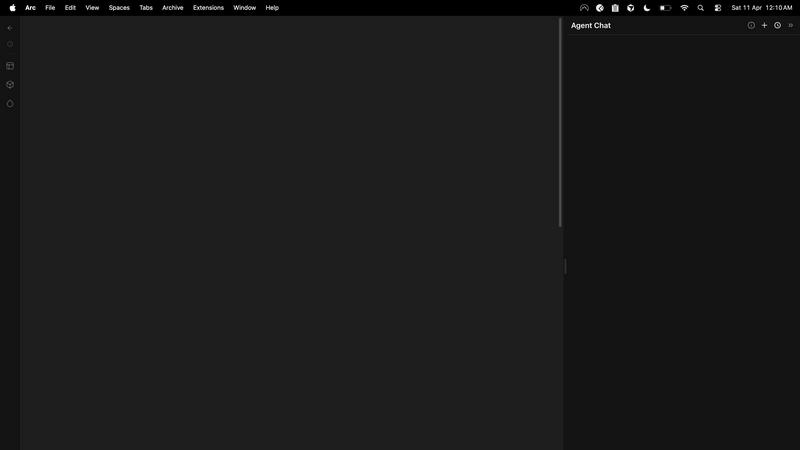
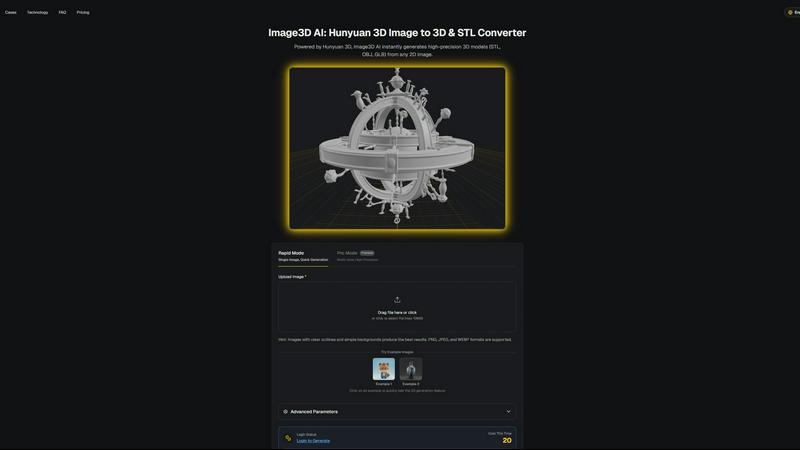
Image3D AI
Feature Comparison
dmaya
Conversational AI Design Agent
Interact with an intelligent AI agent using natural language to generate and refine your designs. Simply describe the interface you need, and receive complete, production-ready UI screens in seconds. The conversation continues as you ask for specific changes—"make the primary color blue," "swap to a sidebar layout," "increase the font size"—and the AI applies these edits precisely and instantly, creating a fluid, iterative design dialogue that accelerates the creative process.
Multi-Screen Infinite Canvas
Work across multiple artboards for different device frames, such as desktop and mobile, on a limitless canvas. Organize, drag, and zoom through your screens in a familiar, Figma-like environment, but with AI handling the initial heavy lifting of layout and component creation. This feature allows you to visualize entire user flows and application ecosystems in one cohesive project space, ensuring a holistic design approach.
Client Presentation & Feedback Portal
Share your work seamlessly by generating a unique, shareable preview link. Clients and stakeholders can view the interactive design directly in their browser without needing an account. They can leave comments and feedback directly on the design, which you can then address in real-time within dmaya. This creates a tight, efficient feedback loop, transforming a traditionally lengthy review cycle into a matter of minutes.
Design-to-Code Export
Once a design is approved, export it as clean, well-structured HTML, CSS, and JavaScript code. This output is specifically crafted to be handed off to AI coding assistants like Claude Code or Cursor, which can then transform it into production-ready code for any modern framework like React, Next.js, or Flutter. This bridges the gap between visual design and technical implementation without sacrificing design intent.
Image3D AI
Rapid Mode
The Rapid Mode allows users to generate 3D models from a single image quickly and effortlessly. This feature is especially beneficial for those who need quick results, making it ideal for logos or simple designs. Users can expect a fast turnaround without sacrificing quality, enabling them to iterate on their ideas in a matter of minutes.
Pro Mode
In contrast to Rapid Mode, Pro Mode is designed for users who require higher precision and detail. By allowing the upload of multiple images taken from various angles, this mode generates high-fidelity 3D models suitable for professional applications. It is perfect for users who demand quality and complexity in their 3D assets.
Advanced Parameters
Image3D AI includes advanced parameters that enable users to customize their 3D generation process. This feature allows users to adjust settings based on their specific needs, ensuring that the generated models meet their project requirements. This level of customization is crucial for professionals looking to fine-tune their assets for various applications.
Multi-View Mode
The Multi-View Mode is essential for accurately reconstructing real-world objects. By providing multiple perspectives of an object, users can achieve a more realistic and detailed 3D model. This feature is particularly useful for complex shapes, ensuring that the final product is both true to life and visually appealing.
Use Cases
dmaya
Agency Pitch & Concept Development
Agencies can use dmaya to rapidly generate multiple high-fidelity design concepts during client discovery calls or pitch meetings. By quickly visualizing different creative directions from a text brief, teams can present compelling options to stakeholders in hours instead of weeks, significantly improving their chances of winning projects and aligning visual expectations from the very start.
Product Team Ideation & Prototyping
Product managers and designers can leverage dmaya to explore UI directions and build interactive prototypes before committing engineering resources. This allows for rapid testing of user flows and layout ideas, facilitating better collaboration between design, product, and engineering teams within a single workspace and reducing costly late-stage changes.
Freelancer Project Delivery
Freelancers and independent designers can dramatically increase their capacity and project throughput. dmaya enables the delivery of professional-grade UI designs faster, allowing freelancers to take on more clients or charge a premium for accelerated service. The streamlined client approval process further reduces administrative overhead.
Design System & Consistency Building
Teams building or evolving a design system can use dmaya to generate consistent UI components and screens. The AI's use of design tokens ensures that changes to colors, typography, or spacing are automatically propagated across all screens, maintaining visual coherence and speeding up the creation of a unified component library.
Image3D AI
For Game Developers
Game developers can leverage Image3D AI to rapidly generate 3D assets for their projects. With built-in support for PBR materials, users can import their models directly into game engines like Unity or Unreal Engine. This capability significantly speeds up the asset creation process, allowing developers to focus on gameplay and design.
For E-commerce
E-commerce businesses can transform product images into interactive 3D models that enhance customer engagement. With AR previews and online 3D showcases, customers can explore products in an immersive way, leading to improved sales and customer satisfaction.
For 3D Printing
Image3D AI serves as an efficient STL converter, delivering high-precision, print-ready files powered by Hunyuan 3D technology. This feature is a game changer for 3D printing enthusiasts who need reliable and accurate models for their printing projects, reducing the time spent on manual modeling.
For Architecture & Design
Architects and designers can utilize Image3D AI to quickly generate architectural models, saving valuable time in the design process. By converting 2D plans or sketches into 3D representations, users can visualize their concepts more effectively and make informed design decisions.
Overview
About dmaya
dmaya is the AI-powered design platform purpose-built for the professional creative workflow. It is engineered for agencies, product teams, and freelancers who understand that intentional design must come before code. Unlike AI tools that bypass visual planning, dmaya champions a design-first philosophy, providing the critical space where concepts are visualized, iterated upon, and aligned with stakeholders before any development begins. The core value proposition is speed and precision through collaboration. You describe your vision—a SaaS dashboard, an e-commerce flow, a mobile app—and dmaya's AI agent generates polished, professional UI screens in seconds. The real power lies in conversational iteration: you chat with the AI to refine colors, swap layouts, adjust typography, or add new sections, with every change applied instantly and consistently across your project via design tokens. This cycle of creation and refinement happens at the speed of thought. When the design is ready, you share a client-ready preview link for feedback and approval, a process that condenses days into minutes. Finally, export clean HTML, CSS, and JS to hand off to AI coding agents like Cursor or Claude Code for implementation in React, Next.js, Flutter, or any framework. dmaya is the missing link for teams that present, approve, and ship with confidence.
About Image3D AI
Image3D AI is an innovative tool designed to revolutionize the way users create 3D models from 2D images. Utilizing Tencent's advanced Hunyuan 3D engine, this software allows users to convert static images into production-ready 3D models in seconds, without requiring any prior 3D modeling skills. Whether you are a seasoned designer, a 3D printing enthusiast, or a novice game developer, Image3D AI opens up new avenues for creativity and productivity. By leveraging artificial intelligence, the platform simplifies the often complex process of 3D model creation, making it accessible for everyone. The main value proposition of Image3D AI lies in its ability to quickly transform ideas into tangible 3D assets, thus enhancing creative exploration and efficiency in various projects—from gaming to product design.
Frequently Asked Questions
dmaya FAQ
How is dmaya different from other AI design tools?
Most AI tools are built for solo enthusiasts and focus on generating code, effectively skipping the crucial visual design and client alignment phase. dmaya is purpose-built for professional teams where design must come first. It provides a full-featured design canvas, focuses on iterative visual refinement through conversation, and integrates client feedback directly into the workflow before any code is written.
What kind of designs can I create with dmaya?
dmaya is versatile and can generate a wide array of professional UI designs. This includes but is not limited to SaaS application dashboards, e-commerce website flows, mobile app screens, landing pages, and web application interfaces. You guide the output by describing your specific needs in plain language.
How does the collaboration with clients work?
You generate a secure, shareable link from any project in dmaya. When you send this link to a client or stakeholder, they can view a high-fidelity, interactive preview of the design in their web browser—no login or account required. They can click on areas of the design to leave contextual comments and feedback, which you will see and can act upon inside your dmaya workspace.
Can I export my designs for development?
Yes. Once a design is finalized and approved, you can export it as clean, semantic HTML, CSS, and JavaScript. This code is not meant for final production but is optimized to be read and understood by AI coding agents (like Cursor or Claude Code) or developers, who can then accurately build the design in your chosen framework such as React, Next.js, or Flutter.
Image3D AI FAQ
How quickly can I generate a 3D model with Image3D AI?
Using the Rapid Mode, you can generate a 3D model from a single image in just seconds. For more complex models using Pro Mode, the generation may take slightly longer but is still optimized for speed.
What types of images work best for 3D generation?
Images with clear outlines, high contrast, and simple backgrounds yield the best results. Avoid blurry or low-light images, as they can hinder the AI's ability to accurately reconstruct the 3D model.
Can I use Image3D AI for different file formats?
Yes, Image3D AI supports multiple file formats including STL for 3D printing, OBJ for traditional 3D editing, and GLB for modern web and AR applications. You can choose the format that best fits your project needs.
Is there a limit to the image size I can upload?
Currently, Image3D AI supports image uploads of up to 10MB in size. Ensure that your images are within this limit to successfully use the platform's features.
Alternatives
dmaya Alternatives
dmaya is an AI-powered vibe design platform that helps agencies, teams, and freelancers create professional UI designs through conversation. It sits at the intersection of visual design tools and AI code generators, focusing on the critical step of intentional design before development begins. Users often explore alternatives for various reasons, such as budget constraints, specific feature requirements, or integration needs with their existing tech stack. Some may seek tools with different collaboration models or more granular control over the design-to-code workflow. When evaluating other options, consider the core workflow: the ability to generate and iterate on visual designs conversationally, streamline client review and approval, and export clean, usable code. The ideal tool should bridge the gap between creative ideation and technical execution without sacrificing team alignment or client confidence.
Image3D AI Alternatives
Image3D AI is a groundbreaking tool in the realm of design, specifically tailored for transforming 2D images into high-quality 3D models. It caters to a wide spectrum of users, from 3D printing aficionados to aspiring game developers. However, as users explore the capabilities of Image3D AI, they often find themselves seeking alternatives due to various factors, such as pricing structures, specific feature sets, or compatibility with different platforms. When searching for an alternative, it’s essential to consider several key aspects, including the ease of use, versatility in output formats, and the quality of generated 3D models. Additionally, users should evaluate whether the alternative provides sufficient support for their specific creative needs and project requirements, ensuring a smooth transition and continued productivity in their creative endeavors.