
FilexHost vs Quickfix AI
Side-by-side comparison to help you choose the right product.

FilexHost
Effortlessly host and share files in seconds with FilexHost's simple drag-and-drop interface and automatic URL.
Last updated: February 26, 2026

Quickfix AI
Quickfix AI instantly diagnoses and explains your system's health in plain English.
Last updated: February 28, 2026
Visual Comparison
FilexHost

Quickfix AI
Feature Comparison
FilexHost
Universal File Support
FileXHost supports a broad range of file types, allowing you to host PDFs, Excel sheets, images, audio, video, ZIP archives, and HTML projects effortlessly. This versatility ensures that you can share any file type without worrying about compatibility issues.
Instant Subdomains
With FileXHost, each file you upload is automatically assigned an instant subdomain (your-file.filex.host), making it easy to share your content with a simple link. This feature eliminates the need for complex setups, allowing for immediate access to your hosted files.
Secure by Default
Every link generated by FileXHost comes with free SSL encryption, ensuring that your files are protected during transmission. This security measure provides peace of mind to both you and your recipients, making it a reliable choice for sharing sensitive information.
Built-In Viewers
FileXHost includes built-in viewers for various file types, ensuring that your documents, images, and media are rendered correctly in-browser. This feature allows recipients to interact with your files directly, enhancing their experience and engagement without the need for additional downloads.
Quickfix AI
One-Click Full System Diagnostics
Quickfix AI performs a comprehensive scan of your computer's vital systems in under a minute. It analyzes CPU usage, memory pressure, GPU load, storage health, battery cycles, network speeds, and security protection status, presenting all critical data in a single, easy-to-read dashboard. This feature eliminates the need for multiple, complex tools, providing a holistic view of your system's health instantly and continuously improving its detection algorithms with every scan.
AI-Powered Plain-English Explanations
This feature reads your full diagnostic report and translates technical jargon into clear, actionable insights. You can ask questions like "Why is my Mac running slow?" and receive specific, plain-English answers with tailored recommendations. The AI learns from each interaction, refining its explanations to become more precise and helpful, ensuring users of any technical level can understand and act on their system's data.
Secure Remote Diagnostics via Sharing Code
IT professionals and helpers can troubleshoot any machine remotely without invasive software. Simply generate a secure sharing code, send the download link to the user, and once they run the scan, you instantly receive their anonymized diagnostic report. This creates a seamless, iterative support loop that gets faster and more effective with every use case, streamlining remote IT support.
Universal Communication Assistant
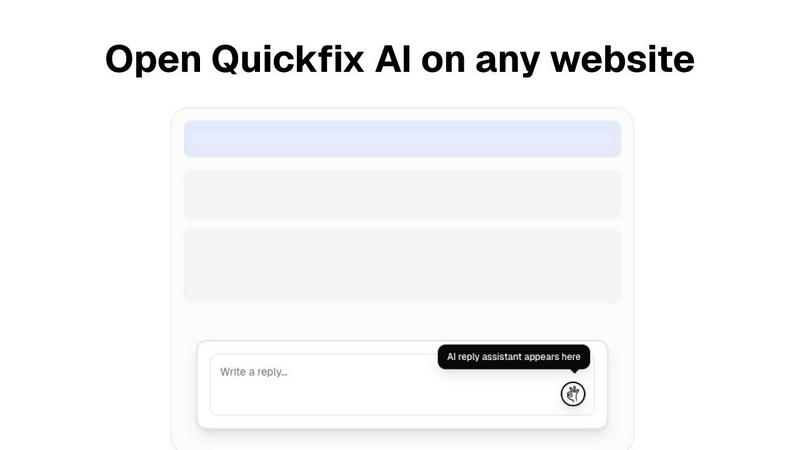
Available as a browser extension, this feature provides intelligent, context-aware reply generation across any website or communication platform, including Gmail, LinkedIn, Slack, and customer support portals. With a single click, it crafts perfect responses, learning your communication style over time to save hours per week and continuously improve the relevance and tone of its suggestions.
Use Cases
FilexHost
Professional Document Sharing
Professionals can leverage FileXHost to easily share client reports and presentations without the hassle of email attachments. The instant URLs facilitate quick access, making it ideal for business communications.
Developer Resource Hosting
Developers can utilize FileXHost to host landing pages or mock APIs, allowing for easy sharing with clients or team members. The simple drag-and-drop interface eliminates the need for complicated setups, enabling faster project iterations.
Creative Product Distribution
Creators and artists can use FileXHost to distribute digital products, such as e-books or multimedia content, effortlessly. The platform’s file support and rendering capabilities ensure that their work is presented in the best light.
Friction-Free File Delivery
Anyone needing to share files without cumbersome "request access" emails can benefit from FileXHost. The service allows users to send files directly with a secure link, streamlining the sharing process for all types of users.
Quickfix AI
Personal Troubleshooting for Everyday Users
For individuals who sense their computer is underperforming but lack the technical knowledge to diagnose the issue, Quickfix AI is the perfect first step. It automatically identifies the root cause of slowdowns, battery drain, or strange behavior and explains it in simple terms with clear steps to resolve it, empowering users to maintain their own systems through a cycle of learning and improvement.
IT Support and Remote Assistance
IT support teams can drastically reduce resolution times by using Quickfix AI's secure sharing code feature. Instead of lengthy back-and-forth descriptions, technicians get instant, comprehensive diagnostics from any user's machine. This enables precise, first-contact solutions and builds a knowledge base that makes the support process smarter and more efficient with every ticket resolved.
Performance Monitoring for Tech Enthusiasts
Gamers, developers, and power users who demand peak performance from their hardware use Quickfix AI for deep, real-time insights into system metrics like CPU/GPU temperatures, memory pressure, and disk health. The tool facilitates an iterative tuning process, allowing enthusiasts to monitor the impact of their adjustments and continuously optimize their setup for better results.
Proactive System Security Audits
Users concerned about their digital security can run Quickfix AI to get an immediate snapshot of their protection status. It checks firewall settings, disk encryption status, and other critical security layers, providing clear feedback and recommendations. This enables a proactive, evolving security posture, ensuring systems are not just fixed but fortified against future threats.
Overview
About FilexHost
FileXHost is your go-to solution for instant file hosting and sharing, designed to simplify the way you manage and distribute your files. Whether you need to share documents, media, spreadsheets, or even entire websites, FileXHost provides a seamless experience with its innovative "Drop & Share" workflow. With no server configurations or logins required for recipients, you can simply drag your file into the platform and receive an instant, secure URL to share. This service is perfect for professionals, developers, and creators who require a hassle-free method of file delivery, eliminating the frustration of attachment limits and "request access" emails. FileXHost supports a wide array of file types and uses a smart rendering engine to ensure that all files are displayed optimally, providing an engaging experience for your audience. The service is built with a focus on viewer experience, ensuring that your files are beautifully presented without the need for cumbersome downloads or plugins.
About Quickfix AI
Quickfix AI is a revolutionary, dual-purpose platform designed to streamline both digital communication and system diagnostics through intelligent automation. It represents a continuous cycle of improvement, evolving to meet user needs by eliminating tedious tasks and providing instant, actionable clarity. For communication, it serves as a universal browser extension that generates context-aware, perfect replies across any website—from Gmail and LinkedIn to Slack and customer support portals—with a single click, saving hours every week. For system health, it transforms into a powerful diagnostics tool that delivers instant, comprehensive insights into your computer's performance, security, and hardware status in under a minute. Whether you're a professional drowning in emails, an IT support technician troubleshooting remotely, or a user puzzled by a slow machine, Quickfix AI provides the immediate, intelligent solution. Its core value proposition is seamless integration and effortless understanding, turning complex tasks into simple, one-click actions that get smarter with every use. The platform is built on a foundation of iterative learning, ensuring that each interaction refines its capabilities to deliver even greater clarity and efficiency for the next challenge.
Frequently Asked Questions
FilexHost FAQ
What is FileXHost?
FileXHost is a user-friendly file hosting and sharing platform that allows you to upload a variety of file types and generate instant shareable links without complex configurations.
Is it really free?
Yes, FileXHost offers a free plan that allows you to host up to 1,000 files with a maximum size of 25MB each. This plan is ad-supported and is perfect for quick sharing and testing.
What file types are supported?
FileXHost supports a wide range of file types, including documents (PDF, TXT), spreadsheets (XLSX, CSV), images (JPG, PNG), media (MP4, MP3), archives (ZIP), and code/text files, ensuring versatility for users.
How do I update my site?
To update your hosted content on FileXHost, simply upload a new version of your file or website ZIP. The platform will generate a new link, allowing you to share the updated content with your audience easily.
Quickfix AI FAQ
Is Quickfix AI free?
Yes, Quickfix AI offers a free version that includes core system diagnostics and AI-powered explanations. This allows users to experience the continuous improvement cycle of instant system insights at no cost. Additional advanced features for power users and teams may be available under other plans.
Is my data secure?
Absolutely. Quickfix AI is built with privacy and security as foundational principles. Diagnostic scans are processed with a strong emphasis on data anonymization and security. For remote sharing, reports are accessed only via a secure, unique code, and no personal files or data are ever collected or stored.
Do I need technical knowledge?
Not at all. Quickfix AI is designed for users of all skill levels. The AI assistant is specifically crafted to explain complex system information in plain, understandable English and provide specific, actionable recommendations, making advanced diagnostics accessible to everyone.
What platforms are supported?
Quickfix AI is available for both Windows and macOS operating systems. You can download the native application for your platform to begin the iterative journey of understanding and improving your system's health and performance immediately.
Alternatives
FilexHost Alternatives
FilexHost is a user-friendly file hosting and sharing solution that enables users to quickly upload and share files through simple drag-and-drop functionality. This platform falls under the productivity and management category, streamlining the process of file delivery for various media types and documents. Users often seek alternatives to FilexHost for various reasons, including pricing, specific feature requirements, or compatibility with different platforms. When selecting an alternative, it is essential to consider factors such as ease of use, security features, storage limits, and the ability to share files without cumbersome access requests. A seamless user experience and robust functionality should be at the forefront of your decision-making process.
Quickfix AI Alternatives
Quickfix AI is a productivity and management tool that combines intelligent communication assistance with instant system diagnostics. It operates as a universal browser extension, streamlining digital tasks and providing clear insights into computer health with a single click. Users often explore alternatives for various reasons, such as budget constraints, the need for different feature sets, or compatibility with specific operating systems. The search for the right tool is a natural part of the iterative process of finding a solution that perfectly aligns with one's evolving workflow and technical requirements. When evaluating options, consider the core value of seamless integration and effortless understanding. Look for tools that offer genuine time savings through automation, provide clear and actionable insights without technical jargon, and demonstrate a commitment to continuous improvement that adapts to your changing needs.