
Ultimate Forms
Build no-code SharePoint forms and workflows that continuously improve your business processes.
Visit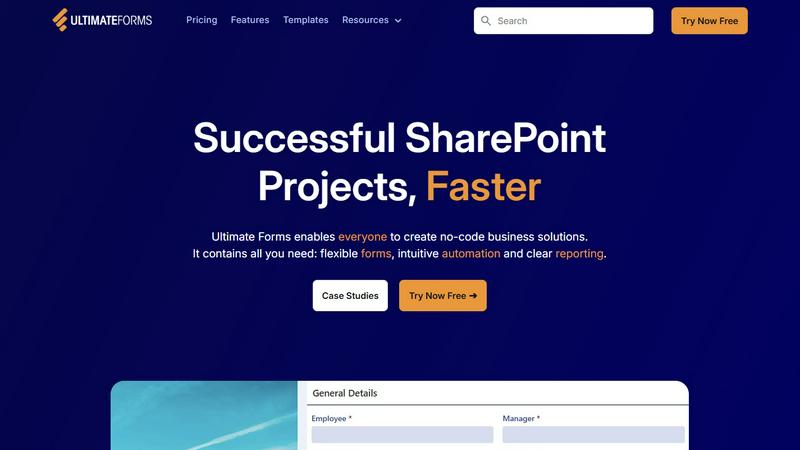
About Ultimate Forms
Ultimate Forms by Infowise is a comprehensive, no-code platform engineered to unlock the full potential of Microsoft SharePoint and Microsoft 365. It transforms these environments from simple document repositories into dynamic hubs for business process automation and data collection. Designed for a wide range of users—from business analysts and HR managers to IT administrators and team leaders—Ultimate Forms empowers anyone to build sophisticated, custom business solutions without writing a single line of code. Its core value proposition lies in accelerating successful SharePoint projects by providing a complete toolkit of flexible forms, intuitive automation, and clear reporting tools. This approach fosters a culture of continuous improvement, where processes can be easily refined and optimized over time. By keeping all data securely within SharePoint while seamlessly integrating with external systems like Exchange, Teams, and MS SQL, Ultimate Forms enhances collaboration, improves data quality, and dramatically boosts operational efficiency, enabling organizations to evolve their digital workspace iteratively and effectively.
Features of Ultimate Forms
Flexible, Responsive Forms
Ultimate Forms provides smart, dynamic forms that deliver an exceptional user experience on any device. Features like tabs, repeating sections, column permissions, and dynamic rules allow for the creation of complex, guided data entry processes. With capabilities for electronic signatures and robust input validation, these forms significantly improve data quality and accuracy from the very first interaction. This continuous refinement of the data capture process ensures information is collected correctly the first time, simplifying downstream business processes and saving valuable resources.
Intuitive Automation with Actions
Move beyond complex workflows with Ultimate Forms' simple yet powerful "Actions." This feature allows users to automate processes by creating and updating data within SharePoint and across a wide array of integrated applications, including Microsoft Exchange, Teams, and SQL databases. By dramatically reducing the technical learning curve, it empowers more people across the organization to build and manage automated solutions. This democratization of automation successfully removes bottlenecks and creates a cycle of iterative process improvement, where workflows can be easily adjusted as business needs evolve.
Clear Reporting and Dashboards
Transform raw SharePoint list data into actionable insights with Ultimate Forms' robust reporting engine. Users can create detailed, shareable reports, interactive dashboards, KPI indicators, calendars, and charts. This visibility allows everyone to visualize information in an accessible format, fostering better decision-making and accountability. The ability to continuously monitor performance through these clear reports is key to identifying areas for enhancement, closing the loop on the cycle of continuous operational improvement.
Pre-built Solution Templates
Jumpstart development and ensure best practices with a vast library of pre-built, automation-enhanced solution templates. Covering common scenarios like Project Management, HR Recruitment, and Leave Requests, these templates can be easily deployed and customized. The platform allows you to build a solution once and deploy it multiple times across different sites and tenants. This not only saves immense time and effort but also establishes a foundation for consistent, scalable processes that can be refined and replicated as the organization grows and learns.
Use Cases of Ultimate Forms
Streamlined HR Recruitment Portal
Create a multi-stage recruitment portal to manage the entire candidate journey, from application to hiring. Ultimate Forms allows HR teams to build automated workflows for application collection, resume screening, interview scheduling, and feedback collection. Each stage can be refined based on performance data, creating an iterative hiring process that improves candidate quality and reduces time-to-fill, continuously optimizing your talent acquisition strategy.
Comprehensive Project Management
Manage and track customers, projects, tasks, and work hours within a unified SharePoint environment. Teams can use customizable forms for project initiation, task assignment, and time logging, linked with automated alerts and status updates. This centralized approach provides clear visibility into project health, enabling ongoing adjustments to timelines and resources, fostering a culture of continuous project delivery improvement.
Automated Employee Leave Requests
Simplify and automate the employee leave request and approval process. Employees can submit requests through a user-friendly form that automatically checks policies and team calendars. The system can then route the request for managerial approval via automated workflows, update shared calendars, and notify relevant parties. This process eliminates manual tracking, reduces errors, and can be easily tweaked as company policies evolve, ensuring the system improves alongside the organization.
Integrated Asset Tracking System
Build a powerful asset tracking solution to manage company inventory, equipment, and resources. Using forms for check-in/check-out, maintenance logging, and location updates, paired with automation to send alerts for overdue items or scheduled maintenance, organizations gain real-time visibility into asset status. This enables proactive management and continuous refinement of asset utilization and lifecycle processes, maximizing return on investment.
Frequently Asked Questions
Is Ultimate Forms a no-code tool?
Yes, Ultimate Forms is designed as a true no-code platform. It empowers users with no programming or scripting knowledge to create complex forms, automate business processes, and build reports directly within SharePoint. The intuitive interface, pre-built templates, and drag-and-drop form designer allow anyone to develop and iteratively improve business solutions without writing a single line of code.
How does Ultimate Forms integrate with other applications?
Ultimate Forms offers deep and seamless integration capabilities. It connects natively with the core Microsoft 365 ecosystem, including SharePoint, Exchange (for email), and Microsoft Teams. Furthermore, it can integrate with external data sources and applications like MS SQL Server, web services, and other databases through its versatile "Actions." This allows for continuous data flow and process automation across your entire digital toolset.
Can I customize the pre-built templates?
Absolutely. The library of pre-built solution templates is designed as a starting point for rapid deployment. You have full control to customize every aspect of these templates—from the form fields and layout to the associated automation workflows and reports. This flexibility supports an iterative implementation approach, where you can start with a standard template and continuously adapt it to perfectly fit your evolving business requirements.
Where is the data stored when using Ultimate Forms?
All data collected and managed through Ultimate Forms is stored securely within your own Microsoft SharePoint lists and libraries. Ultimate Forms does not host or store your data in a separate external database. This ensures you maintain complete control, governance, and compliance over your information while leveraging SharePoint's native security and permission models, providing a secure foundation for continuous process development.
Pricing of Ultimate Forms
For detailed and current pricing information, including available plans, tiers, and licensing options, it is recommended to visit the official Infowise website or use the "Try Now Free" or "Book a Demo" options provided. These actions will connect you with their team to discuss a tailored package based on your organization's specific needs and scale, ensuring you get a solution that supports your journey of continuous improvement.