
claude ide
Claude IDE revolutionizes coding with intelligent assistance, seamless integration, and powerful multi-file editing.
Visit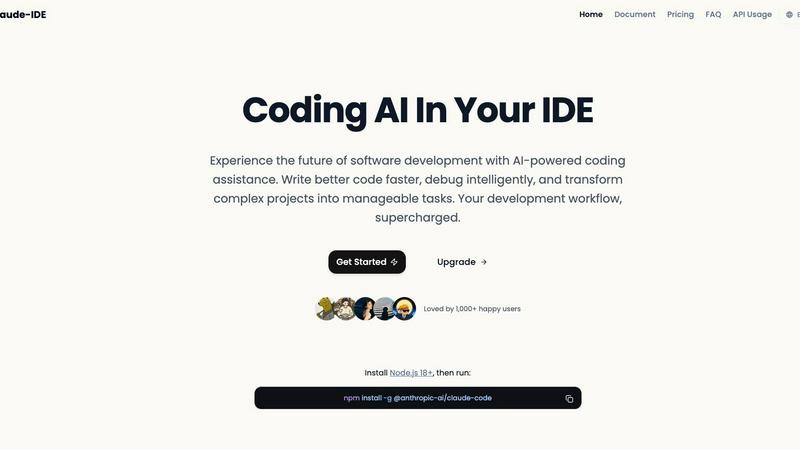
About claude ide
Claude IDE is a revolutionary AI coding assistant that seamlessly integrates into your terminal and development environment, specifically designed to enhance the coding experience for developers of all skill levels. By leveraging advanced AI capabilities, Claude IDE provides intelligent coding assistance that not only boosts productivity but also simplifies complex software projects. Whether you are an individual developer, a student, or a hobbyist, Claude IDE democratizes access to powerful coding technology, ensuring that high-quality coding support is available to all without the burden of high costs. With its primary value proposition centered on affordability and seamless integration into existing workflows, Claude IDE eliminates the need for expensive alternatives. Its intelligent code understanding and deep integration with platforms like GitHub and GitLab allow developers to focus on writing better code faster, transforming their coding practices into a more efficient and enjoyable experience.
Features of claude ide
Intelligent Code Understanding
Claude IDE possesses the ability to comprehend entire codebases rather than merely isolated snippets. This feature enables the tool to make coordinated changes across multiple files, ensuring that suggestions align perfectly with the project's context and architecture. Developers can trust that the assistance provided will be relevant and beneficial to their specific coding tasks.
Seamless Integration
Designed to fit naturally into the developer's workflow, Claude IDE resides directly within your terminal and IDE, such as VS Code and JetBrains. This eliminates the need for constant context switching between applications, allowing developers to maintain their focus and momentum. The deep integration ensures that users can enjoy a smooth coding experience without interruptions.
Quick Code Familiarization
Claude IDE delivers rapid analysis and explanations of complete codebases in seconds. It intelligently searches through the code to automatically understand the project's architecture and dependencies, making it easier for developers to get up to speed on new codebases without having to sift through documentation or files manually.
Powerful Multi-file Edits
With a profound understanding of the codebase and its dependencies, Claude IDE can perform multi-file edits with precision. This feature allows developers to implement significant changes across several files while ensuring that the functionality and accuracy of the application are maintained, thus reducing the risk of introducing errors during editing.
Use Cases of claude ide
Onboarding New Developers
When a new developer joins a team, Claude IDE can quickly familiarize them with the existing codebase. By providing a high-level overview and detailed explanations of the structure and components, the tool helps reduce the learning curve and accelerates productivity from day one.
Streamlining Code Reviews
Claude IDE is invaluable during the code review process. Its integration with GitHub and GitLab allows developers to read issues, write code, and submit pull requests without leaving the terminal. This streamlining of tasks enhances collaboration and ensures that reviews are efficient and thorough.
Enhancing Debugging Processes
Debugging can often become a tedious task. With Claude IDE's intelligent code understanding, developers can quickly identify issues within the codebase. The tool can suggest fixes and improvements, making it simpler to resolve errors and optimize performance.
Managing Complex Projects
For developers managing large and complex projects, Claude IDE simplifies the process by enabling powerful edits across multiple files. This capability ensures that changes are consistent and functional, allowing teams to focus on high-level project management rather than getting bogged down by minor details.
Frequently Asked Questions
What platforms does Claude IDE support?
Claude IDE is compatible with popular terminal and IDE environments, including VS Code and JetBrains, ensuring that it fits seamlessly into various developer workflows.
How does Claude IDE understand my code?
Claude IDE utilizes advanced AI algorithms to analyze your entire codebase, allowing it to provide relevant suggestions and insights based on the project's context and architecture.
Is Claude IDE suitable for beginners?
Absolutely! Claude IDE is designed for developers of all skill levels, including students and hobbyists. Its intuitive features make it easy to learn and use, enhancing the coding experience for newcomers.
Can Claude IDE integrate with version control systems?
Yes, Claude IDE offers deep integration with version control systems like GitHub and GitLab, allowing developers to manage issues, code, and pull requests all within their terminal, reducing the need for switching between multiple tools.
Similar to claude ide

AI transcription for voice notes, meetings, and audio files in 1,700 languages, with AI summaries and subtitle export and unlimited chat ai usage.

AI sales agent that finds qualified leads, runs outreach, follows up automatically, creates content, and helps book more meetings.

A working index of AI tools. We record what each one costs, what it connects to, and exactly where it stops being useful.

Find SaaS growth tools worth your time. Every tool is reviewed before it's listed, so the shortlist is already made for you.

Tired of chasing down the right AI tool across a dozen tabs? Tools Network brings them all together in one curated directory.


Skydive lets teams create AI agents that can complete real work inside the tools they already use.