
RemoveTexts vs Style AI
Side-by-side comparison to help you choose the right product.

RemoveTexts
RemoveTexts instantly erases any text from images using AI, making professional editing effortless for everyone.
Last updated: March 11, 2026

Style AI effortlessly transforms your photos into stunning artistic styles with one click, enhancing your creative.
Last updated: March 1, 2026
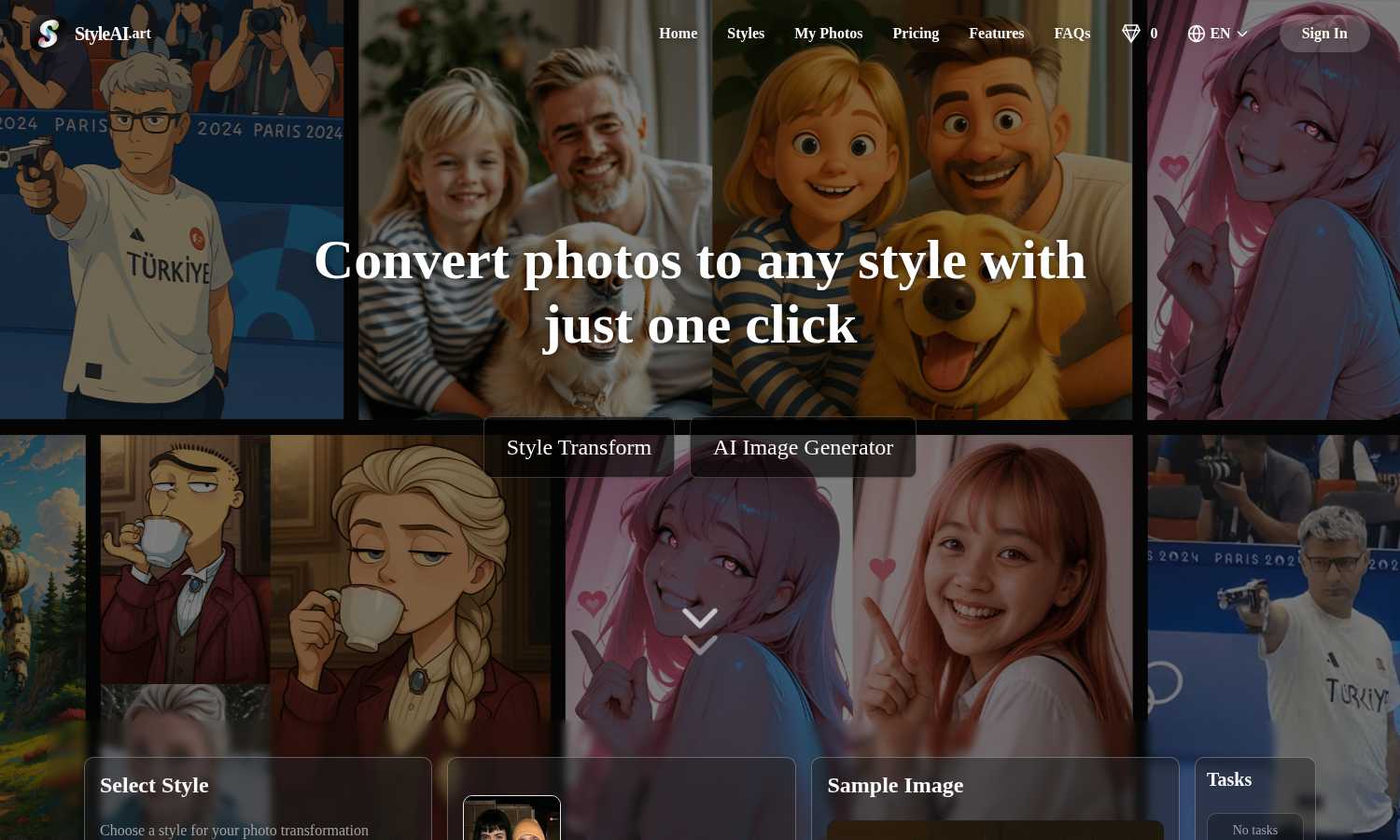
Visual Comparison
RemoveTexts

Style AI
Feature Comparison
RemoveTexts
Paint to Remove
This feature offers precise, user-controlled removal. Simply upload your image and use a digital brush to paint directly over the specific text, watermark, or element you want gone. The AI then works only on the selected areas, giving you granular control for complex edits where you need to preserve surrounding text or intricate background details. It's the perfect tool for targeted cleanup without affecting the rest of your image.
Auto Remove All Text
For maximum speed and convenience, this one-click feature automatically detects and removes every text element in your image. The AI scans the entire picture, identifying watermarks, captions, subtitles, date stamps, and branded overlays across 50+ languages, and erases them all simultaneously. It delivers a completely clean canvas in seconds, embodying the tool's core promise of effortless, intelligent automation for bulk editing tasks.
Edit & Replace Text
Go beyond simple removal by editing existing text directly within your image. This advanced AI feature allows you to change words or phrases, and it will intelligently generate new text that matches the original font, size, color, and style. This seamless replacement maintains the visual integrity of the image, making it ideal for updating memes, correcting labels, or modifying graphics without starting from scratch.
Remove Objects
Extending its capability beyond text, this mode empowers users to erase any unwanted object, person, logo, or visual element from a photo. By painting over the object, the AI analyzes the surrounding pixels to reconstruct a believable and natural background. This feature is continuously refined through iterative learning, improving its ability to handle complex objects and varied scenes for truly traceless removal.
Style AI
Style Transform
Style AI enables users to convert any image into a desired artistic style with just one click. By selecting from a diverse array of styles, users can effortlessly transform their photos, ensuring that the core elements remain intact while adopting the chosen aesthetic.
Natural Language Image Editing
With Style AI's natural language editing capability, users can describe their desired modifications in plain language. This feature intelligently interprets and executes commands, allowing for seamless alterations such as changing clothing or adding props, thus turning textual instructions into stunning visuals.
Seamless Photo Combination
Style AI excels at merging multiple photos into a single, natural-looking image. Whether creating group photos or placing individuals in new scenes, its advanced blending technology harmonizes lighting, shadows, and perspective for flawless results.
Precision Control Tools
Users can take charge of every detail of their images using Style AI's pixel-perfect control tools. This feature allows for precise adjustments to specific areas of the image while maintaining the overall integrity, ensuring professional-grade edits with creative freedom.
Use Cases
RemoveTexts
Cleaning Product Photos for E-Commerce
Online sellers can use RemoveTexts to clean up product images by removing distracting watermarks from supplier photos, erasing promotional text overlays, or deleting price tags and labels. This results in professional, brand-consistent visuals for their storefronts, improving customer focus on the product itself and enhancing overall presentation quality for higher conversion rates.
Preparing Professional Screenshots and Presentations
Professionals creating tutorials, reports, or presentations often need clean screenshots. RemoveTexts effortlessly erases unwanted UI elements, browser tabs, system notifications, or personal data from screenshots. This ensures that the focus remains on the intended content, creating polished and distraction-free materials suitable for client-facing or educational purposes.
Redacting Sensitive Information
Legal, real estate, and administrative professionals can utilize the tool for redaction. Instead of using crude black bars that destroy the document's layout, RemoveTexts can seamlessly erase sensitive text like names, addresses, or account numbers from scanned documents or photos while preserving the natural background texture, maintaining a neat and professional appearance.
Revitalizing Personal and Stock Photography
Photographers and content creators can breathe new life into images by removing date stamps, intrusive logos, photobombers, or outdated signage. This allows for the repurposing of old photos or the customization of stock imagery to better fit a specific project's needs, all while achieving a natural look that appears untouched.
Style AI
Social Media Content Creation
Content creators can leverage Style AI to enhance their social media visuals, transforming ordinary photos into eye-catching art that stands out in crowded feeds, catering to diverse audiences and brand aesthetics.
Marketing Campaigns
Marketers can utilize Style AI to create unique promotional materials, turning product images into compelling visuals that resonate with target customers. The tool's ability to maintain brand consistency while offering creative flexibility is invaluable for effective marketing.
Digital Art Projects
Digital artists can explore new styles and techniques through Style AI, allowing them to experiment with various aesthetics and combine traditional art forms with modern digital capabilities, expanding their creative horizons.
Personal Projects and Gifts
Individuals can use Style AI to create personalized gifts or unique keepsakes by transforming family photos into artistic masterpieces, making memorable and thoughtful presents for loved ones.
Overview
About RemoveTexts
RemoveTexts is an AI-powered online tool designed to intelligently and seamlessly remove unwanted text from any image in seconds, eliminating the need for complex software like Photoshop. It leverages state-of-the-art deep learning inpainting technology, similar to that pioneered by industry leaders, to analyze an image's background and reconstruct it flawlessly after text removal. This process ensures professional, traceless results where no one can tell text was ever present. The tool is built for a global audience of creators, marketers, e-commerce sellers, designers, and professionals who need to clean up visuals quickly. Whether it's erasing watermarks from stock photos, cleaning up screenshots for presentations, redacting sensitive information, or removing subtitles and date stamps, RemoveTexts delivers high-quality 4K output with no design skills required. Its core value proposition lies in its iterative improvement cycle; the AI continuously learns from processing over 100,000 images, ensuring ever-more precise and seamless background reconstruction with each use. This commitment to cyclical enhancement makes it a reliable and evolving solution for anyone looking to achieve perfect, clean images effortlessly.
About Style AI
Style AI is an innovative, all-in-one creative platform designed to empower users in transforming their visual content with exceptional ease and artistic flair. This powerful AI-driven tool takes ordinary photos and videos and converts them into extraordinary works of art, drawing from an extensive library of styles. Users can choose from popular aesthetics like Ghibli and Pixar to pixel art, sketches, and more. Style AI caters to a diverse audience that includes digital artists, social media creators, marketers, and anyone aiming to enhance their visual storytelling. The platform's main value proposition lies in making professional-grade, AI-powered image and video editing accessible to all through its intuitive interface and a comprehensive suite of features. Committed to continuous improvement, Style AI consistently refines its algorithms and expands its style library, offering users an ever-evolving toolkit for creative expression. This iterative process allows users to experiment and refine their ideas, unlocking new creative possibilities while streamlining their workflow.
Frequently Asked Questions
RemoveTexts FAQ
What image formats does RemoveTexts support?
RemoveTexts supports common image formats including JPG, PNG, and WebP. You can upload files up to 10 MB in size. The tool processes these files and allows you to download the cleaned result in a high-quality format without adding any watermarks to your final image.
How does the AI remove text without leaving a trace?
The tool uses advanced deep learning inpainting technology. When text is selected for removal, the AI analyzes the pixels, colors, patterns, and textures surrounding the text area. It then intelligently reconstructs the background by generating new pixels that blend seamlessly with the existing image, ensuring no visible artifacts, blurring, or harsh edges remain.
Is RemoveTexts completely free to use?
Yes, RemoveTexts is a free online tool. You can upload images, use features like Paint to Remove or Auto Remove All Text, and download your results without any cost or subscription. The platform is committed to continuous, iterative improvement to keep providing this accessible service to its global community of users.
Can I use it to remove text from complex backgrounds?
Absolutely. The AI is specifically engineered to handle complex backgrounds including gradients, patterns, textures, and detailed scenery. Its iterative learning process from processing vast numbers of images enhances its ability to perform perfect edge blending and context-aware reconstruction, making it effective even on challenging backgrounds.
Style AI FAQ
What is Style AI and how does it transform images?
Style AI is a powerful AI-driven tool that seamlessly converts photos into various artistic styles. By utilizing advanced algorithms, it transforms images while preserving their essential elements, allowing for effortless style transfers.
Can Style AI merge multiple photos together naturally?
Yes, Style AI specializes in merging multiple photos to create natural-looking images. This is particularly useful for creating virtual group photos, as it aligns lighting, perspective, and styles across all merged elements for a cohesive look.
How does Style AI interpret natural language commands?
Style AI uses sophisticated algorithms to analyze and execute user commands written in natural language. This allows users to make specific image edits simply by describing what they want, making the editing process intuitive and user-friendly.
What types of styles can I choose from in Style AI?
Style AI offers a vast library of styles, ranging from popular aesthetics like Ghibli and Pixar to pixel art, sketches, and unique cartoon styles. Users can easily select their preferred style to transform their images creatively.
Alternatives
RemoveTexts Alternatives
RemoveTexts is a leading AI-powered image editing tool in the text removal category. It allows users to effortlessly erase watermarks, subtitles, and other unwanted text from images without needing complex software like Photoshop. Users often seek alternatives for various reasons, including budget constraints, the need for different feature sets, or specific platform compatibility like desktop versus web-based tools. When evaluating other options, it's crucial to consider several key factors. Look at the core AI capability for clean, seamless background reconstruction after text removal. Assess the balance between automated features and manual control, the supported output quality, and the overall user experience. The goal is to find a solution that evolves with your needs, offering continuous improvement in both power and simplicity. The ideal alternative should provide a straightforward, iterative workflow that gets better with use. It should handle a variety of image types and text complexities, delivering professional-grade results that save time and effort. Prioritizing tools that focus on user-friendly innovation ensures your editing process becomes more efficient and effective over time.
Style AI Alternatives
Style AI is an innovative creative platform that empowers users to transform their photos and videos into extraordinary works of art with a simple click. It falls under the categories of content creation, design tools, generative art, and image and photo editing. Users are often on the lookout for alternatives to Style AI due to various reasons, including pricing, specific feature sets, or compatibility with different platforms. As creative needs evolve, individuals may seek tools that better align with their artistic vision or workflow requirements. When considering an alternative to Style AI, it's essential to evaluate the features offered, the ease of use, and the range of artistic styles available. A platform that supports natural language editing and provides a user-friendly interface can enhance the creative process. Additionally, assessing the pricing model and update frequency can ensure that the chosen tool not only meets immediate needs but also adapts over time to support ongoing artistic exploration.